- Nowy
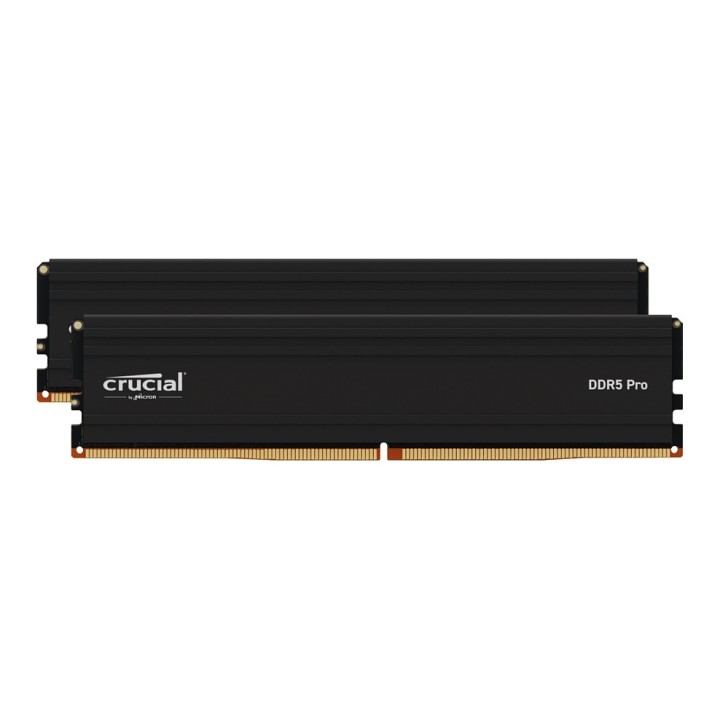

Pamięć DDR5 Pro 32GB/5600 (2*16GB) (16Gbit)
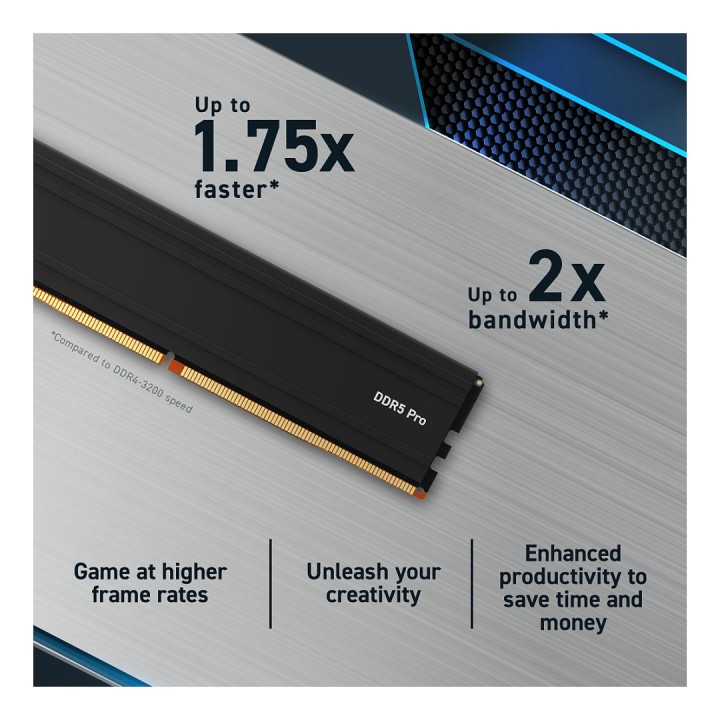
Zaprojektowana, aby pomóc graczom, twórcom i profesjonalistom pamięć Crucial DDR5 Pro oferuje niesamowitą szybkość i ogromną przepustowość, aby obsługiwać wielordzeniowe procesory nowej generacji bez zamieszania związanego z przetaktowywaniem, dostrajaniem opóźnień, ściganiem kości i diodami LED. Graj z wyższą liczbą klatek na sekundę i znacznie zmniejsz opóźnienia systemu przy dużych obciążeniach w porównaniu z poprzednią generacją dzięki obsłudze Intel XMP 3.0 i AMD EXPO w każdym module. Dzięki pamięci Crucial DDR5 Pro wykorzystaj wydajność, która kiedyś była możliwa tylko dzięki pamięci o ekstremalnej wydajności.
Micron CPG Support
Leopoldstrasse 250 80807 Munich Germany
E-mail: crucialeusupport@micron.com
Telefon: 08000314596
List of RAM security warnings based on the requirements of Regulation (EU) 2023/988 on General Product Safety (GPSR) 1. Risk of hardware damage: * Make sure you shut down your computer before installing or disassembling RAM to avoid electrical damage. * Check the compatibility of RAM with your computer's motherboard to avoid problems with system operation. 2. Risk of cuts: * Be careful when manipulating RAM to avoid cuts to sharp edges. 3. Electrostatic hazard: * Protect your RAM from electrostatic discharge (ESD) that can damage electronic components. Use an antistatic band and work on an antistatic surface. 4. Risk of incorrect assembly: * Thoroughly insert RAM modules into the sockets to ensure proper connection and avoid problems with system operation. 5. Overheating: * Provide adequate ventilation in the computer case to prevent overheating of RAM, which can lead to unstable system operation. 6. Voltage: * Make sure the voltage settings in the BIOS are appropriate for the installed RAM to avoid damage or malfunction. 7. Hazard for children: * Keep RAM out of reach of children to prevent ingestion of small items. 8. Suitable use: * Use RAM for its intended purpose, avoid extreme conditions that can lead to damage. 9. Disassembly: * Carefully disassemble the RAM so as not to damage the modules or sockets on the motherboard. 10. Disposal: * Dispose of used RAM in accordance with local e-waste recycling regulations.
Produkty, które ostatnio zwróciły Twoją uwagę.