- Nowy
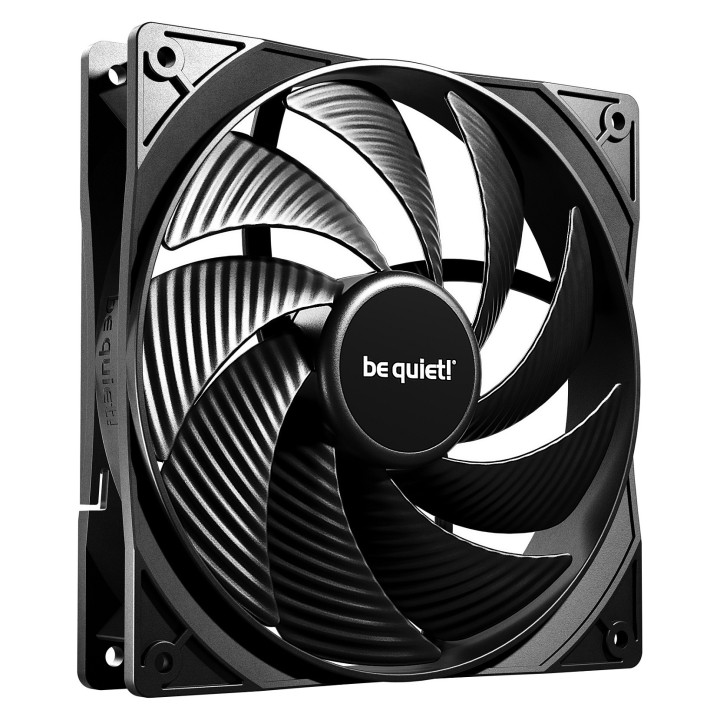
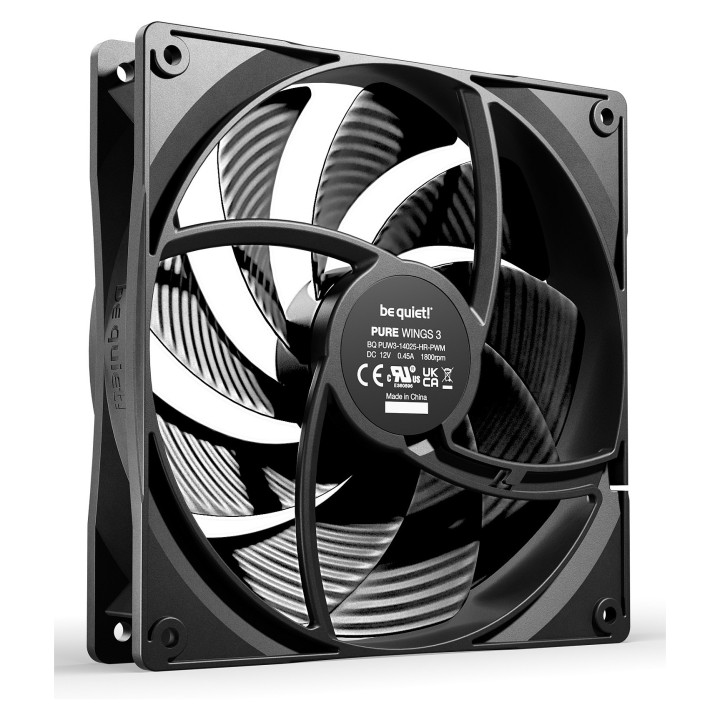
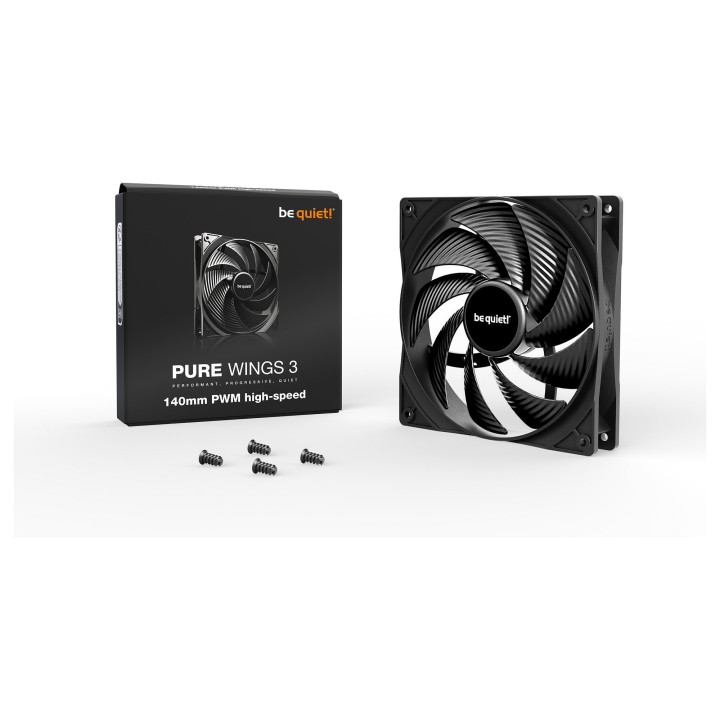
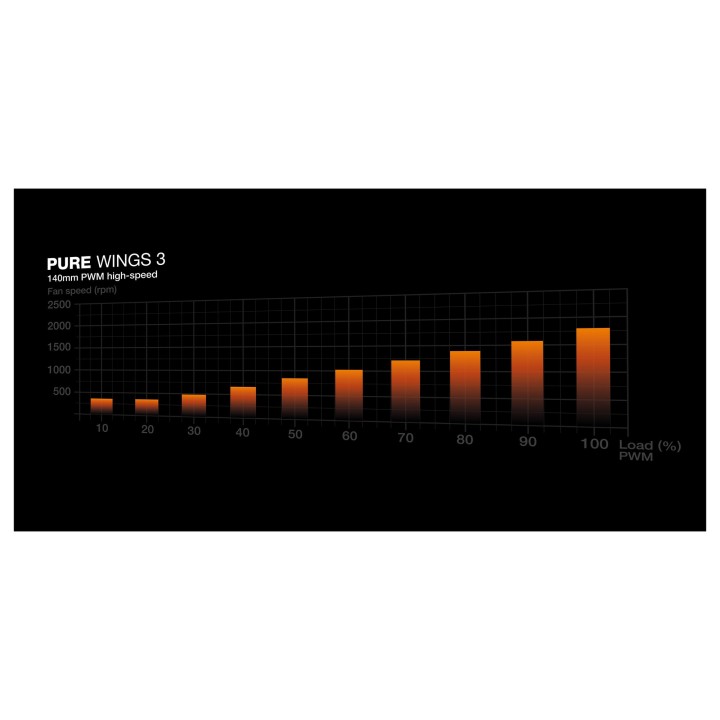
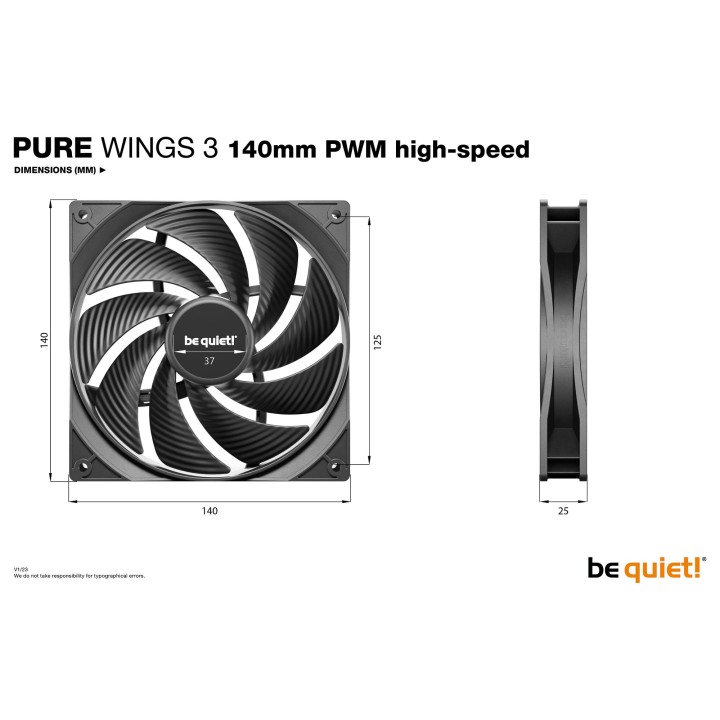
Wentylator Pure Wings 3 140 mm PWM high-speed obrazki
Wentylator Pure Wings 3 140 mm PWM high-speed
Opis produktu
PURE WINGS 3 140mm PWM high-speed
Wydajny, Progresywny, Cichy
Pure Wings 3 140mm PWM high-speed są doskonałym dodatkiem do wymagających komputerów PC z wyjątkowo wysoką wydajnością i progresywnymi funkcjami, takimi jak silnik z regulacją prędkości w zamkniętej pętli.
- Innowacyjny silnik z zamkniętą pętlą utrzymuje obroty bez względu na opór
- Zoptymalizowana rama wentylatora zapewnia wyjątkową wydajność na chłodnicach
- Nowo zaprojektowane łopatki wentylatora i zmieniony kąt zapewniają wyjątkowe ciśnienie powietrza
- Pure Wings 3 140mm PWM high-speed może pracować z bardzo niskimi minimalnymi obrotami, co zapewnia bardzo cichą pracę
- Łożysko rifle o długiej żywotności gwarantuje okres eksploatacji wynoszący 80.000 godzin
- Koncepcja produktu, projekt i kontrola jakości w Niemczech
Specyfikacja
- Prędkość wentylatora (maks.): 1800 obr./min
- Podświetlenie: Nie
- Rodzaj chłodzenia: Aktywne
- Technologia chłodzenia: Powietrzem
- Liczba wentylatorów: 1
- Wentylator: 14 cm
- Rodzaj złącza (zasilanie went.): 4-pin
- Poziom hałasu: 30.5 dB
- Wymiary: 140 x 140 x 25 mm
- Waga: 188 g
- Uwaga: CE+WEEE
Szczegóły produktu
- Marka Be quiet!
- Kod produktu 660fc68471a267703cbcb9ec
- Dostępność 13 Przedmioty
- EAN13 4260052190814
- MPN BL109
Specyfikacja
- Podświetlenie RGB Nie
- Średnica wentylatora (mm) 140 mm
- Poziom hałasu (dB(A)) 30,5 dB(A)
- Typ złącza wentylatora 4-pin
- Maksymalne obroty wentylatora (obr/min) 1800 obr/min
- Sterowanie PWM Tak
Producent
Producent
Listan Poland sp. z o.o.
Łopuszańska 95 02-457 Warszawa Polska
E-mail: info@bequiet.com
Bezpieczeństwo
Informacje o bezpieczeństwie
List of computer cooling and tuning safety warnings based on the requirements of General Product Safety Regulation (EU) 2023/988 (GPSR): 1. Risk of electric shock: * Before assembly or disassembly, make sure your computer is disconnected from power. * Do not touch the power cords with wet hands. * Use only power supplies and cables that comply with safety standards. 2. Fire risk: * Make sure the cooling system is compatible with your central unit and power supply. * Regularly check the condition of wires and fittings for damage or overheating. * Do not block ventilation holes in the computer case. * Use only non-flammable coolants designed for liquid cooling systems. 3. Risk of physical injury: * Use protective gloves during assembly to avoid cuts to the sharp edges of the components. * Beware of heavy elements such as heat sinks to avoid dropping them on your feet or other body parts. * Secure tuning components such as fans so they don't cause injury while your computer is running. * Take special care when working with liquids - avoid contact with eyes and skin. 4. Risk of damage to equipment: * Before installation, make sure that all components are compatible with your computer. * Follow assembly and disassembly instructions to avoid damage to components. * Do not exceed the recommended voltage and current values to avoid overheating and damage to components. * Clean cooling elements regularly to ensure efficient heat transfer. 5. Coolant Hazards: * In case of coolant leakage, disconnect the computer from power immediately. * Cooling liquid can cause corrosion - it should be removed from the surface of the elements. * Avoid inhaling coolant fumes. 6. Hazards for children: * Keep small items (screws, fittings) out of reach of children. * Do not allow children to assemble or disassemble computer components themselves. 7. Noise: * Fans can generate noise - use headphones or limit the time spent near a loud computer. 8. Electronics hazards: * Use antistatic mats during operation to protect components from electrostatic discharge. * Do not repair damaged items yourself - return them to service. 9. Overheating: * Regularly monitor the temperature of components to avoid overheating. * Make sure your cooling system is working properly and is sufficient for your computer. 10. Fire safety: * Use only certified power supplies and cooling systems. * Regularly check that no dust accumulates inside the housing, which can be flammable.
Wentylatory i radiatory
Ostatnio oglądane
Produkty, które ostatnio zwróciły Twoją uwagę.
- Nowy
- Nowy