- Nowy
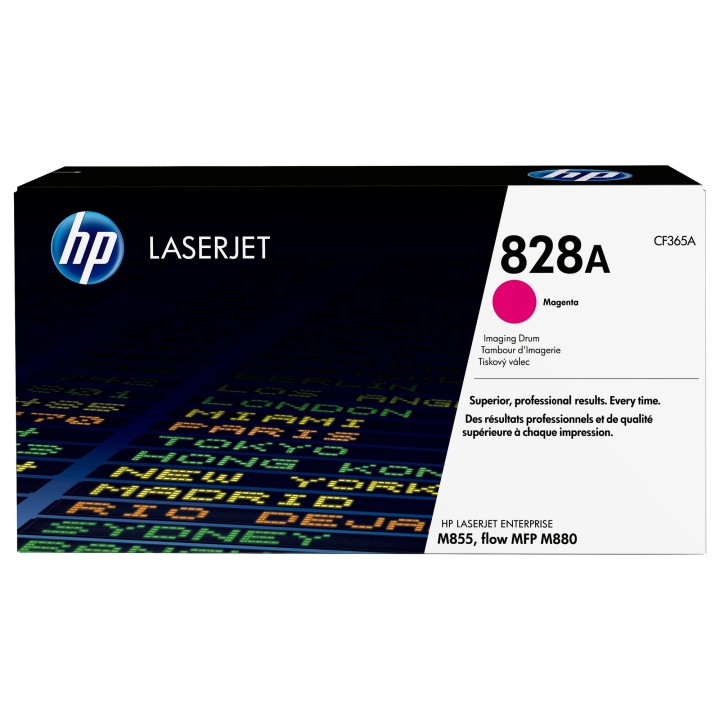
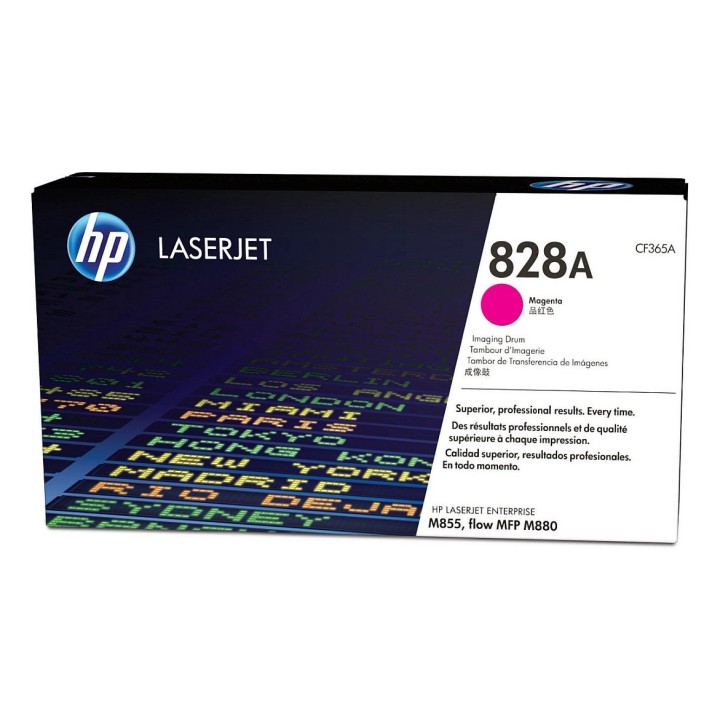
HP CF365A Bęben HP 828A Magenta obrazki
HP CF365A Bęben HP 828A Magenta
Opis produktu
Materiały eksploatacyjne HP 828 LaserJet zapewniają wysoką wydajność w biznesie. Twórz wyjątkowej jakości dokumenty biznesowe w błyszczących kolorach fotograficznej jakości z technologią HP ColorSphere. Nie trać czasu i materiałów eksploatacyjnych - używaj oryginalnych wkładów z tonerem HP.
Specyfikacja
- Opis produktu: HP 828A magenta oryginał Bęben
- Typ produktu: Bęben
- Technologia druku: Laserowa
- Drukowany kolor: Magenta
- Uzysk: Do 30000 stron ISOIEC 19798
- Kompatybilne z: Color LaserJet Enterprise M855dn, M855x, M855xh, MFP M775dn, MFP M775f, MFP M775z, MFP M775z; Color LaserJet Managed Flow MFP M880zm, MFP M880zm; LaserJet Enterprise Flow MFP M830z, MFP M880z, MFP M880z; LaserJet Managed MFP M775fm, MFP M775zm; LaserJet Managed Flow MFP M830zm
Szczegóły produktu
- Marka HP Inc.
- Kod produktu 660fd33071a267703cc3d9ea
- Dostępność 3 Przedmioty
- EAN13 0887111323989
- MPN CF365A
Specyfikacja
- Kolor materiału Magenta
Producent
Producent
HP Inc Polska Sp. z o.o.
ul. Szturmowa 2a 02-678 Warszawa Polska
E-mail: support@hp.com
Formularz kontaktowy: https://www.hp.com/us-en/contact-hp/contact.html
Telefon: +1 650-857-1501
Osoba odpowiedzialna w UE
HP Inc Polska sp. z o.o
Plac marsz. Józefa Piłsudskiego 1 00-078 Warszawa Polska
E-mail: support@hp.com
Bezpieczeństwo
Informacje o bezpieczeństwie
List of printer and scanner drum safety warnings based on the requirements of General Product Safety Regulation (GPSR) 2023/988 * Make sure the drum is compatible with your printer or scanner model. The wrong drum can damage the device. * Do not touch the surface of the drum. This can affect the print quality and life of the drum. * Replace the drum according to the manufacturer's instructions. Incorrect installation may cause damage to the printer. * Protect the drum from direct sunlight and high humidity. This can shorten its lifespan. * Do not use damaged drum. This can affect the quality of the print and damage the printer. * Keep the drum out of reach of children. The danger of swallowing small parts. * Use the drum as intended. Do not attempt to modify it or use it for other purposes. * Do not open or disassemble the drum. It contains substances that can be harmful to health. * If the substance from the drum comes into contact with the skin or eyes, immediately wash it with plenty of water and consult a doctor. * Recycle the used drum in accordance with local regulations. Do not throw it into ordinary waste. * Do not expose the drum to extreme temperatures. This can affect its performance and shorten its lifespan. * Use only recommended cleaning products to clean printer components that may come into contact with the drum. Strong detergents can damage it. * Regularly check the condition of the drum. If you notice any damage, replace it immediately. * If the printer displays an error message related to the drum, immediately check its status and correctness of installation. * When replacing the drum, make sure the printer is off power. This will minimize the risk of electric shock. * After replacing the drum, make sure all printer covers and protections are properly mounted. * If you have any doubts about the use of the drum, please contact the technical service of the printer manufacturer. * When cleaning the printer, avoid direct contact of cleaning agents with the drum surface.
Bębny i taśmy barwiące

Ostatnio oglądane
Produkty, które ostatnio zwróciły Twoją uwagę.

- Nowy
- Nowy

- Nowy
- Nowy