- Nowy
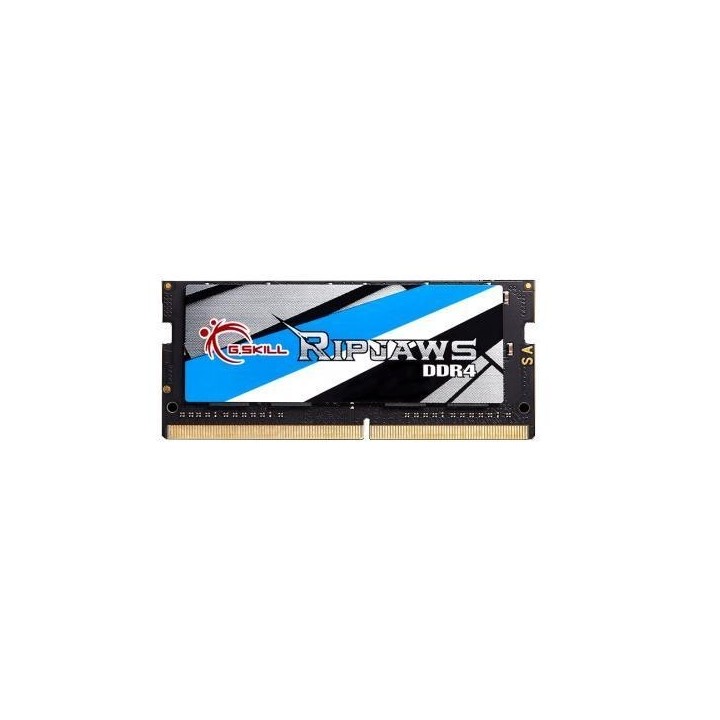
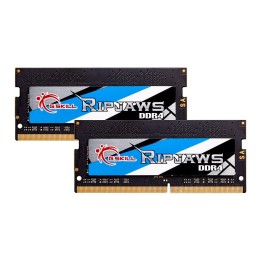
Pamięci G.Skill Ripjaw Gaming Series zostały zaprojektowane tak, aby zoptymalizować wysokowydajne moduły DIMM pod kątem niezawodności, aby zapewnić graczom niezmiennie fantastyczną liczbę klatek na sekundę, przy jednoczesnym utrzymaniu solidnego podkręcenia, aby zapobiec awarii komputera w połowie gry z powodu błędów pamięci.Pamięci G.Skill Ripjaws Gaming Series charakteryzują się konstrukcją rozpraszającą ciepło, która zapewnia najwyższą estetykę i eleganckie aluminiowe chłodzenie.
eXtremeMem, Michał Chmura
Szyszkowa, nr 35/37 02-285 Warszawa Polska
E-mail: michal.chmura@extrememem.com
Telefon: +48 22 878 32 30
eXtremeMem, Michał Chmura
Szyszkowa, nr 35/37 02-285 Warszawa Polska
E-mail: michal.chmura@extrememem.com
Telefon: 48-22-40-799-40
List of RAM security warnings based on the requirements of General Product Safety Regulation (GPSR) 2023/988 * Short circuit risk: Ensure that RAM modules are properly installed and secured in the slots on the laptop motherboard. Incorrect connection can lead to short circuit and damage to components. * Risk of Electrostatic Damage (ESD): Before touching the RAM modules, ground yourself to avoid electrostatic discharges that can damage electronic components. * Risk of overheating: Provide adequate ventilation inside the laptop to prevent RAM modules from overheating during heavy use. * Compatibility: Make sure the RAM modules you purchase are compatible with your laptop model and motherboard specifications. Incompatible modules can cause operating problems or system corruption. * Installation: Turn off your laptop and disconnect it from power before installing or replacing RAM modules. Follow the laptop manufacturer's instructions for proper installation. * Mechanical Damage: Avoid dropping or hitting RAM modules, as they can be damaged and stop working. * Kids: Keep RAM modules out of reach of children, as small items can pose a choking hazard. * Recycling: Recycle used RAM modules at appropriate collection points to avoid negative environmental impacts. * Moisture and liquids: Avoid contact of RAM modules with moisture and liquids that can cause corrosion and damage.
Produkty, które ostatnio zwróciły Twoją uwagę.