- Nowy
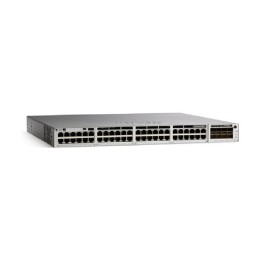
HPE Aruba IOn 1930 48G 4SFP+ 370W Sw obrazki
HPE Aruba IOn 1930 48G 4SFP+ 370W Sw
Opis produktu
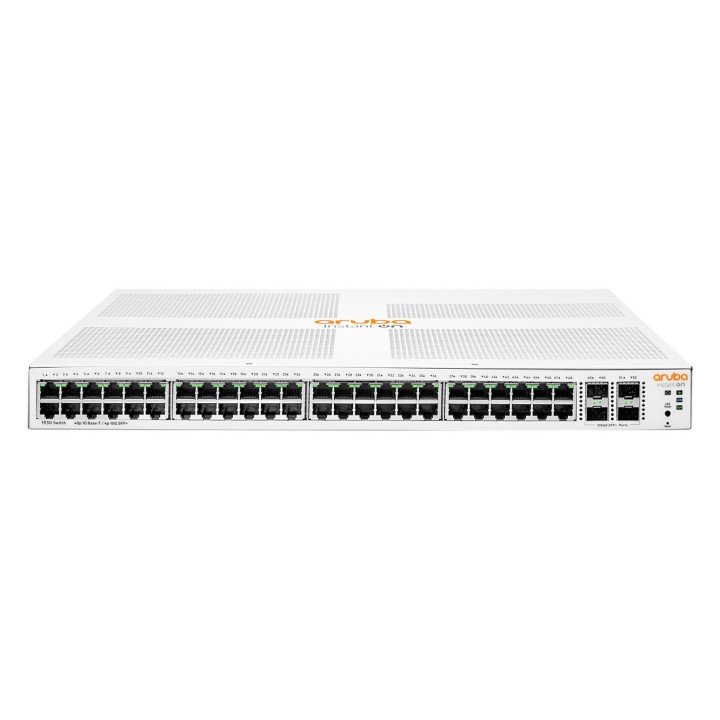
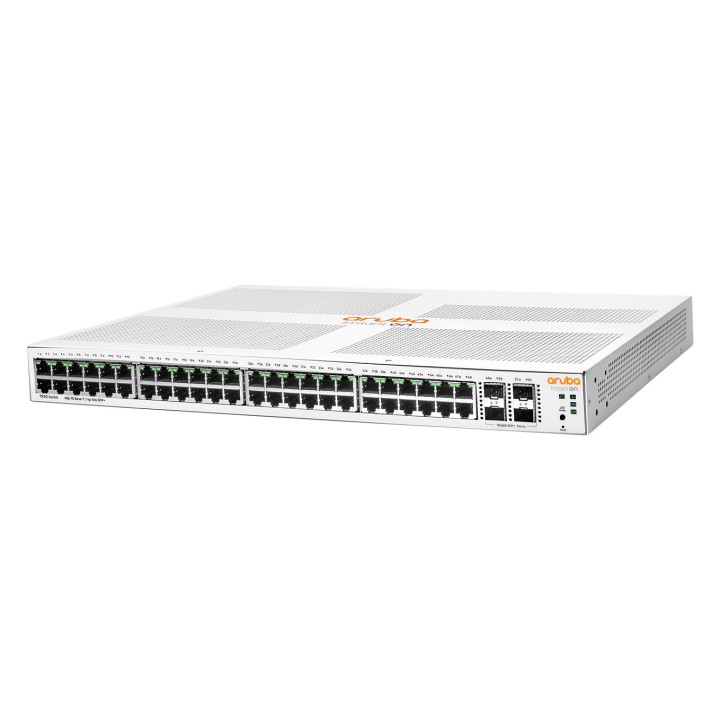
HPE Networking Instant On 1930 48G Class4 PoE 4SFP/SFP+ 370W Switch to wysokowydajne rozwiązanie sieciowe do montażu w szafie rack, zaprojektowane tak, aby sprostać wymaganiom nowoczesnych firm. Dzięki 48 portom PoE i 4 portom SFP+ oferuje szerokie opcje łączności dla różnych urządzeń, dzięki czemu idealnie nadaje się do środowisk wymagających szybkiej sieci i zasilania urządzeń przez Ethernet. Przełącznik ten oferuje solidną przepustowość przełączania 176 Gb/s i obsługuje do 256 sieci VLAN, zapewniając wydajną obsługę ruchu danych i segmentację sieci. Bezpieczeństwo jest priorytetem, a funkcje takie jak listy kontroli dostępu (ACL), szyfrowanie SSL i uwierzytelnianie RADIUS zapewniają kompleksową ochronę wrażliwych danych. Dodatkowo, jego ENERGY STAR Ethernet i duży budżet PoE 370 W pomagają zminimalizować koszty operacyjne poprzez optymalizację zużycia energii. Możliwość zarządzania za pomocą wielu protokołów, w tym HTTP, HTTPS, SNMP i RMON, zapewnia elastyczne i proste zarządzanie siecią. Niezależnie od tego, czy jest to mała firma, czy duże przedsiębiorstwo, przełącznik HPE Networking Instant On 1930 został zaprojektowany w celu zapewnienia niezawodnej, bezpiecznej i wydajnej wydajności sieci.
48 portów PoE i 4 porty SFP+ zapewniające wszechstronną łączność
Wydajność przełączania 176 Gb/s dla szybkiej transmisji danych
Obsługa do 256 sieci VLAN dla wydajnej segmentacji sieci
ENERGY STAR Ethernet i budżet PoE 370 W dla zoptymalizowanego zużycia energii
Zaawansowane zabezpieczenia z listami ACL, szyfrowaniem SSL i uwierzytelnianiem RADIUS
Specyfikacja
- Opis produktu: HPE Networking Instant On 1930 48G Class4 PoE 4SFPSFP 370W Switch przełącznik 52 porty Tak montowany w szafie rack
- Rodzaj urządzenia: Przełącznik 52 porty L3 Tak
- Rodzaj obudowy: Montowany w szafie rack 1U
- Podtyp: Gigabit Ethernet
- Porty: 48 x 101001000 (PoE) 4 x 1 Gigabit 10 Gigabit SFP
- Zasilanie przez Ethernet: PoE
- Budżet poE: 370 W
- Wykonanie: Zdolność przełączania: 176 Gbs Przepustowość: 130,95 Mps Opóźnienie (1 Gbps): 2.2 s Opóźnienie (10 Gbps): 1.2 s
- Pojemność: Agregacja łączy (portów): 8 Trasy IPv4 (statyczne): 32 Obsługuje VLANs: 256 Access Control Entries (ACEs) per ACL: 480 Rozmiar bufora pakietu: 1,5 MB
- Wielkość tablicy adresów MAC: 16000 wpisów
- Obsługiwane ramki Jumbo: 9216 bajtów
- Protokół routingu: Statyczne trasowanie IP
- Protokół zdalnego zarządzania: SNMP 1, RMON, SNMP 3, SNMP 2c, HTTP, HTTPS, TFTP, RADIUS
- Cechy: Sterowanie przepływem, obsługa DHCP, obsługa ARP, obsługa VLAN, automatyczna funkcja uplink (auto MDIMDIX), nasłuchiwanie IGMP, obsługa IPv6, tryb półdupleksu, tryb pełnego dupleksu, obsługa STP, obsługa MSTP, obsługa ACL, QoS, TPM, obsługuje LLDP, LACP, Energy Efficient Ethernet, CoS, BPDU Filter, PoE Class 4
- Zgodność z normami: IEEE 802.3, IEEE 802.3u, IEEE 802.1D, IEEE 802.1Q, IEEE 802.3ab, IEEE 802.1p, IEEE 802.3af, IEEE 802.3x, IEEE 802.3ad (LACP), IEEE 802.1w, IEEE 802.1x, IEEE 802.1s, IEEE 802.1ab (LLDP), IEEE 802.3at, IEEE 802.3az, IEEE 802.2af
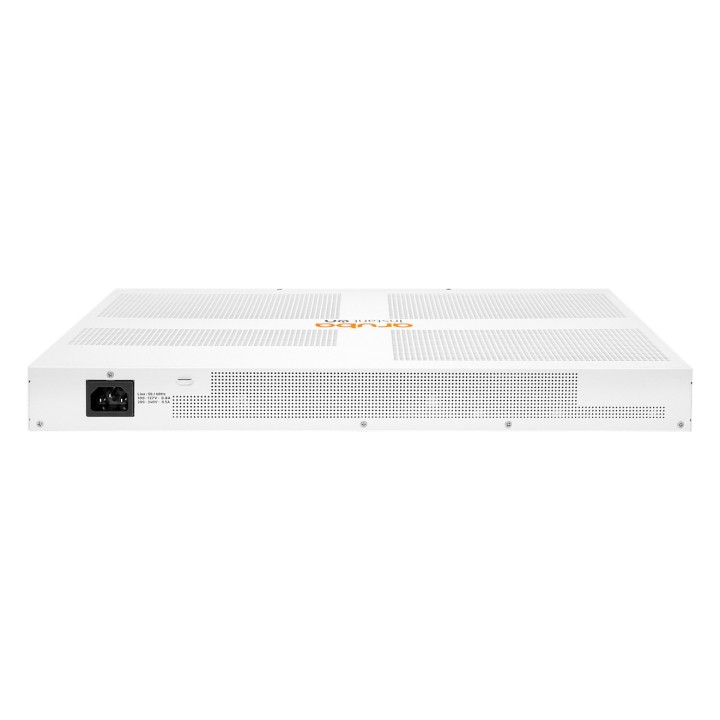
- Zasilanie: AC 100127200240 V (5060 Hz)
- Wymiary (szer.głęb.wys.): 44.25 cm x 32.26 cm x 4.39 cm
- Waga: 4.52 kg
- Lokalizacja: Angielski Europa
Szczegóły produktu
- Marka ARUBA
- Kod produktu 6610c717620507cf6ebf0008
- Dostępność 54 Przedmioty
- EAN13 0190017593654
- MPN JL686BABB
Producent
Producent
Comad Sp. z o.o.
Dobropole 4 70-892 Szczecin Polska
E-mail: info@comad.eu
Bezpieczeństwo
Informacje o bezpieczeństwie
List of safety warnings for network equipment based on the requirements of General Product Safety Regulation (GPSR) 2023/988: 1. Risk of electric shock: * Make sure that the device is connected to a working socket with grounding. * Do not touch the plug or cable with wet hands. * Avoid using the device in places with high humidity. 2. Risk of overheating: * Provide adequate ventilation while maintaining at least 5 cm of free space around the device. * Do not block ventilation openings and avoid putting network equipment on soft surfaces such as blankets or pillows. 3. Fire risk: * Use only original power supplies and accessories recommended by the manufacturer. * Do not leave the device on unattended near flammable materials. 4. Risk of bodily injury: * Use the device on a stable surface to minimize the risk of falling. 5. Hazards in humid environments: * Do not use network equipment outdoors in rain or in places with high humidity. * If the device is flooded, immediately disconnect it from the power source and contact the service. 6. Hazards at high temperatures: * Do not expose the device to direct sunlight. * Avoid using network equipment at temperatures above the recommended range (usually 5-35°C). 7. Risk of damage during cleaning: * Before cleaning, disconnect the device from the power supply and use a soft, slightly damp cloth. * Avoid using strong detergents that can damage the surface of the device. 8. Caution when replacing accessories: * Use only the accessories recommended by the manufacturer. * When replacing batteries, follow the manufacturer's instructions and do not expose the battery to high temperatures. 9. Risks associated with battery use: * Avoid damage to the battery by impact or puncture. * If the battery overheats or swells, stop using the device immediately. 10. Warnings for children: * Keep power cables out of reach of children. * Make sure that children do not play with the device or accessories that can be dangerous. 11. Electromagnetic interference: * Using network equipment near medical devices such as pacemakers can cause electromagnetic interference. * Maintain a distance of at least 15 cm between network equipment and medical devices. 12. Fire hazard: * Storing network equipment near flammable materials or using non-original power supplies may increase the risk of fire. * Use your smartphone away from fabrics, paper, and other flammable materials. 13. Regular maintenance: * Failure to regularly clean ports and sockets can lead to damage or failure. * Clean ports and sockets regularly using a dry and clean cloth, avoiding moisture input.
Switche
- Nowy
- Nowy
- Nowy
- Nowy
- Nowy
- Nowy
Ostatnio oglądane
Produkty, które ostatnio zwróciły Twoją uwagę.
- Nowy
- Nowy
- Nowy
- Nowy
- Nowy
- Nowy
- Nowy
- Nowy
- Nowy
- Nowy
- Nowy