- Nowy
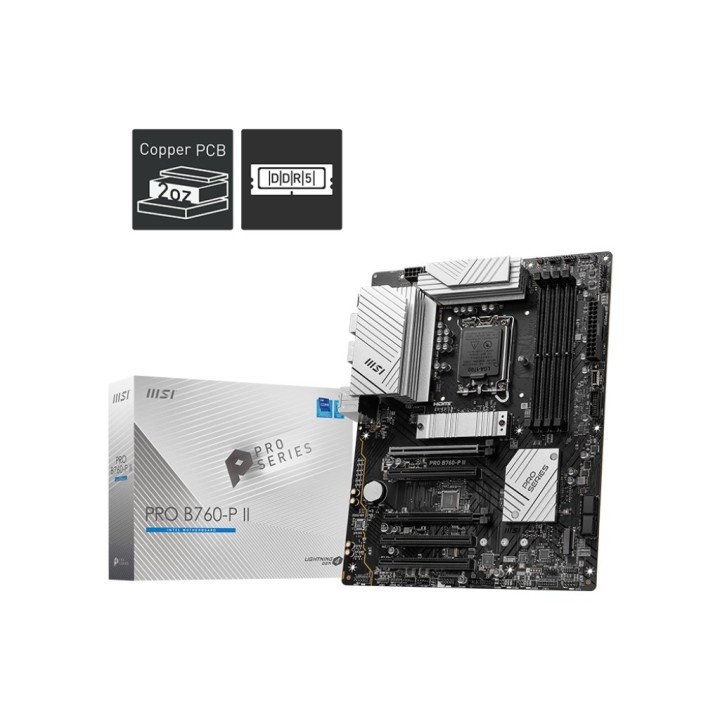
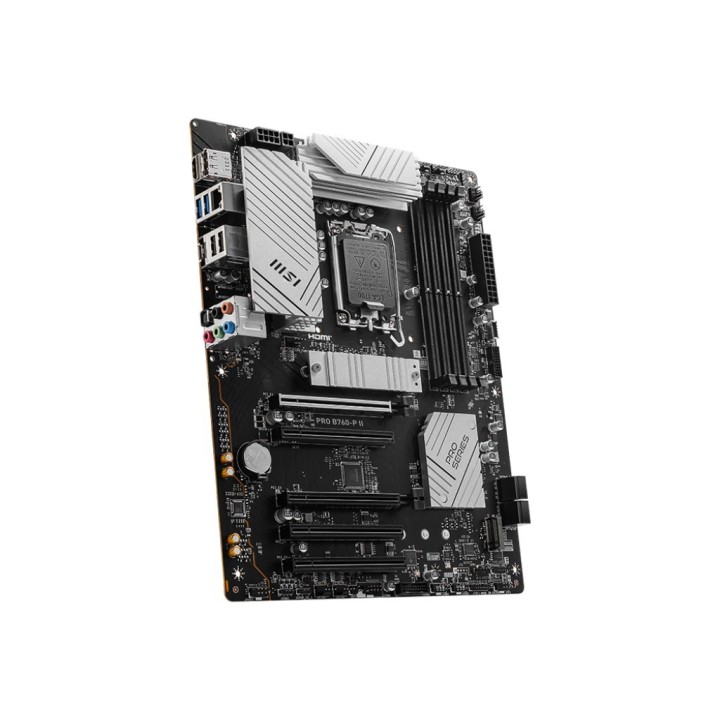
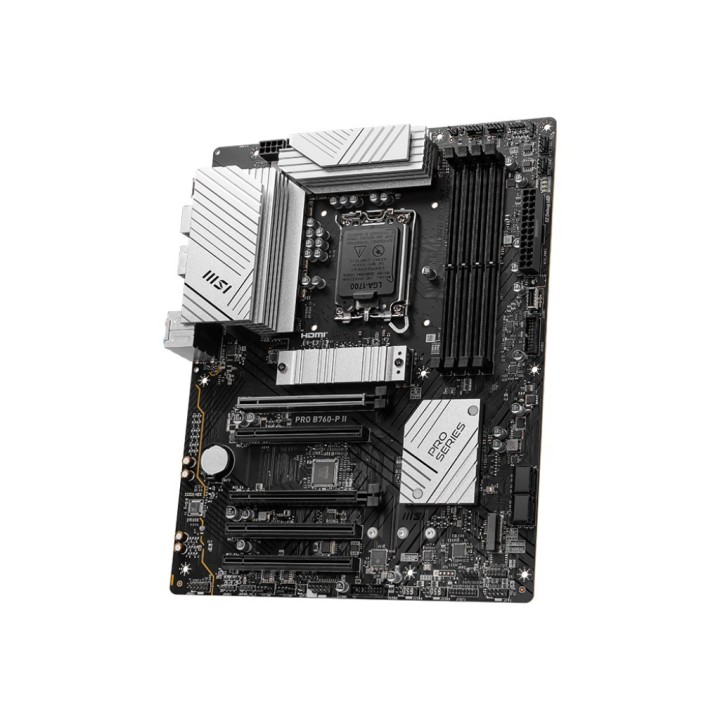
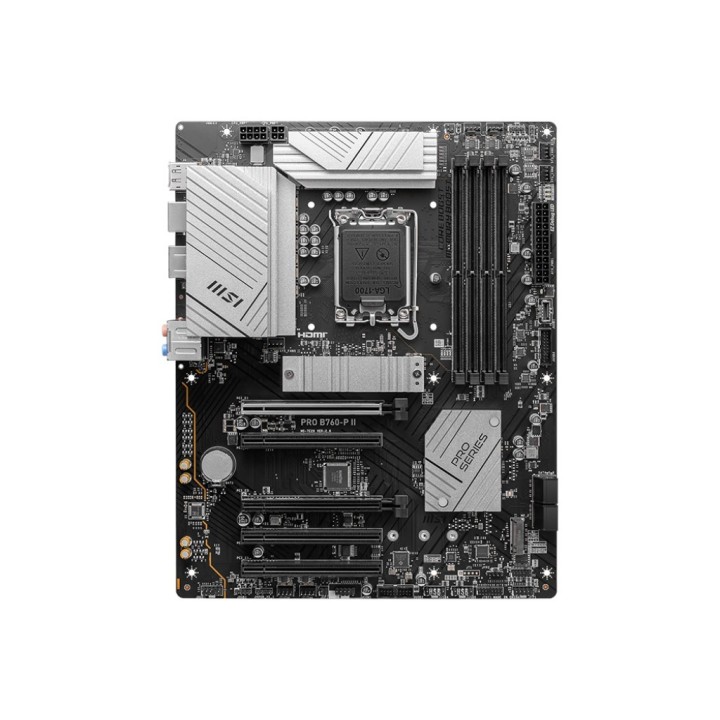
Płyta MSI PRO B760-P II /B760/DDR5/SATA3/M.2/USB3.1/PCIe4.0/s.1700/ATX obrazki
Płyta MSI PRO B760-P II /B760/DDR5/SATA3/M.2/USB3.1/PCIe4.0/s.1700/ATX
Opis produktu
Płyta MSI PRO B760-P II /B760/DDR5/SATA3/M.2/USB3.1/PCIe4.0/s.1700/ATX
Specyfikacja
- Gniazdo procesora: Socket 1700
- Obsługiwane typy procesorów: Intel Celeron™ (Socket 1700)
- Format płyty: ATX
- Chipset płyty głównej: Intel® B760
- Ilość złącz pamięci DDR5: 4
- Maksymalna wielkość pamięci: 256 GB
- Tryb pracy pamięci RAM: Dual Channel
- Standard pamięci: DDR5-7000+ (OC)
- Uwagi do pamięci RAM: Supports non-ECC, un-buffered memory
- Zintegrowany kontroler SATA: Chipset+CPU: 4x SATA III 6Gb/s - RAID 0,1,5,10 + 2x M.2
- Uwagi do kontrolera SATA: supports 2280/2260/2242 devices
- Wbudowana karta graficzna: Brak lub Intel® UHD Graphics 730/750/770/Iris Xe (zależy od procesora)
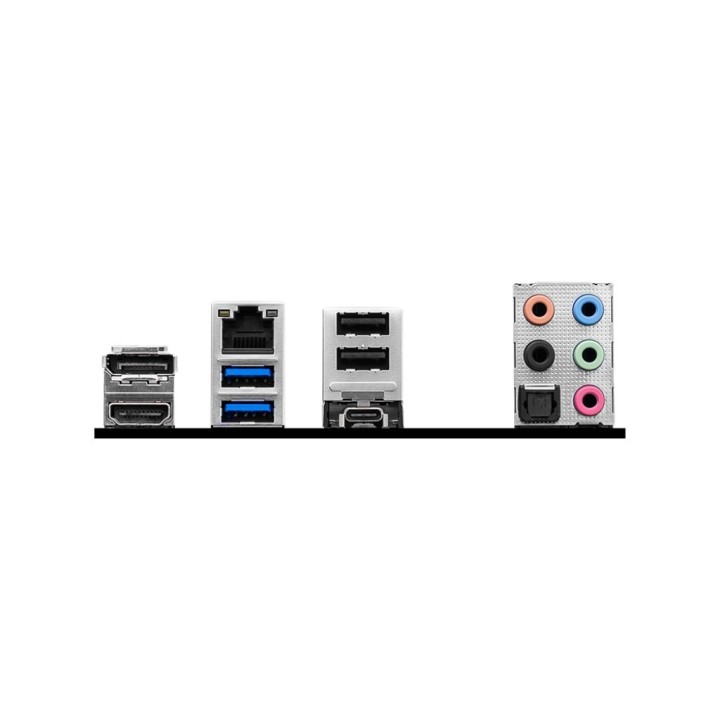
- Gniazda karty graficznej: DisplayPort
- Uwagi do karty graficznej: Graphics specifications may vary depending on the CPU installed
- Zintegrowana karta dźwiękowa: Realtek® ALC897 7.1-Channel High Definition Audio
- Gniazda karty dźwiękowej: Wyjście optyczne S/PDIF
- Złącza PCI Express x16: 5
- Uwagi do złącz PCI: PCI_E5 Gen PCIe 3.0 supports up to x1 (From Chipset)
- Port LAN: 1x 2,5 Gigabit LAN 100/1000/2500 Mb/s (Realtek® RTL8125BG)
- Maksymalna ilość portów USB 2.0: 6
- Maksymalna ilość portów USB 3.x: 8
- Porty USB na panelu tylnym: 2x USB 2.0 + 2x USB 3.0 + 1x USB 3.1 Type-C
- Gniazda USB na płycie głównej: 2x USB 2.0 (4 porty) + 2x USB 3.0 (4 porty) + 1x USB 3.0 Type-C (1 port)
- Port Wi-Fi: Nie
- Port Bluetooth: Nie
- Port PS/2: Brak
- Port szeregowy (COM): 1x wewnętrzne gniazdo portu COM
- Port równoległy (LPT): Brak
- Inne porty i gniazda: 4x EZ Debug LED
- Gniazdo zasilania: ATX (24-pin) + ATX12V (8-pin) + ATX12V (4-pin)
- Wymiary [S x W] (mm): 243,84 x 243,84
- Opakowanie: BOX
- Wyposażenie dodatkowe: European Union Regulatory Notice, Quick Installation Guide
- Zawiera baterię / akumulator: Tak
- Informacje dodatkowe: Support TPM 2.0
Szczegóły produktu
- Marka MSI
- Kod produktu 663baeb35521f6e903daacb1
- Dostępność 23 Przedmioty
- EAN13 4711377193887
- MPN PROB760PII
Specyfikacja
- Typ pamięci RAM DDR5
- Wi-Fi Nie
- Bluetooth Nie
- Maksymalna pojemność RAM (GB) 256 GB
- Chipset Intel B760
-
Złącza wewnętrzne
24pin ATX zasilanie
4-pin wentylator chłodzenia cieczą
4pin wentylator obudowy
4pin wentylator procesora
8pin 12V zasilanie
Adresowalna dioda LED
Czujnik otwarcia obudowy (chassis intrusion)
EZ Debug LED
Port szeregowy (COM)
Przedni panel audio
System panel (front)
Taśma LED RGB
TPM
USB 2.0/1.1
USB 3.0
USB C - Format płyty ATX
- Liczba slotów RAM (szt.) 4 szt.
- Liczba gniazd M.2 (szt.) 2 szt.
Producent
Producent
MSI Polska SP. z o. o.
Magazynowa 1 55-040 Kobierzyce Polska
E-mail: info.pl@msi.com
Osoba odpowiedzialna w UE
MSI Computer Europe B.V.
Science Park 5706 5692ER Son Eindhoven Netherlands
E-mail: GPSR@msi.com
Telefon: +31-40-267-6100
Bezpieczeństwo
Informacje o bezpieczeństwie
List of motherboard safety warnings based on the requirements of General Product Safety Regulation (EU) 2023/988 (GPSR): * Risk of electric shock: Make sure the power supply is disconnected before installing or disassembling any components. Do not touch pins, connectors or paths on the board with wet hands or in humid environments. * Short-circuit risk: Be careful that no metal objects come into contact with the plate during installation or use. * Risk of Electrostatic Damage (ESD): Use an antistatic band when working with the motherboard to avoid damage to sensitive components. * Risk of injury: Sharp edges and small elements on the board can pose a risk of injury. Be careful when manipulating. * Fire risk: Incorrect connection of power supply or overheating of components can lead to fire. Make sure all connections are correct and cooling is adequate. * Risk of component damage: Do not use excessive force when installing components to avoid damaging the board or the component itself. * Compatibility: Make sure that all components (processor, RAM, graphics card) are compatible with your motherboard. * Stability: Place the motherboard on a stable, flat surface to prevent mechanical damage. * Overheating: Provide adequate cooling to prevent the motherboard and its components from overheating. Clean radiators and fans regularly. * Kids: Keep the motherboard and small items out of reach of children to avoid the risk of ingestion or other accidents. * Installation: Disconnect the motherboard from power before any interference.
Płyty główne
- Nowy
- Nowy
- Nowy
- Nowy
- Nowy
- Nowy
- Nowy
- Nowy
- Nowy
- Nowy
- Nowy
Ostatnio oglądane
Produkty, które ostatnio zwróciły Twoją uwagę.
- Nowy
- Nowy
- Nowy
- Nowy
- Nowy
- Nowy
- Nowy