- Nowy
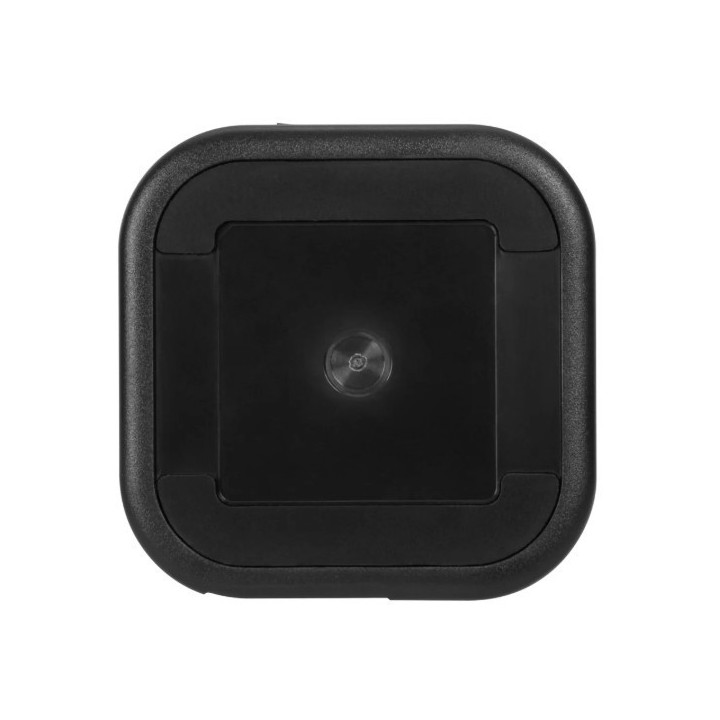

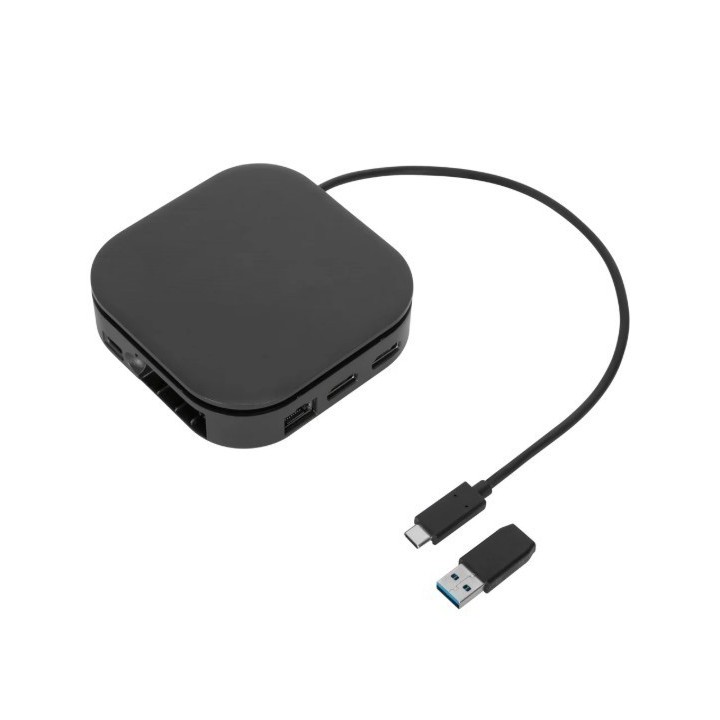
DUAL FHD HDMI DISPLAYLINK/TRAVEL DOCK BLACK obrazki
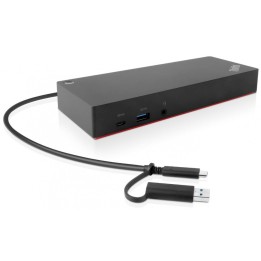
DUAL FHD HDMI DISPLAYLINK/TRAVEL DOCK BLACK
Opis produktu
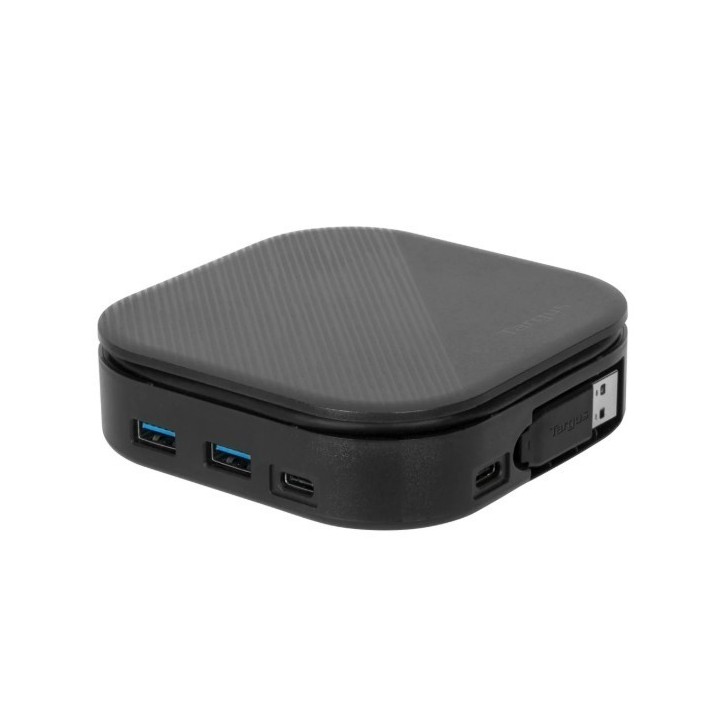
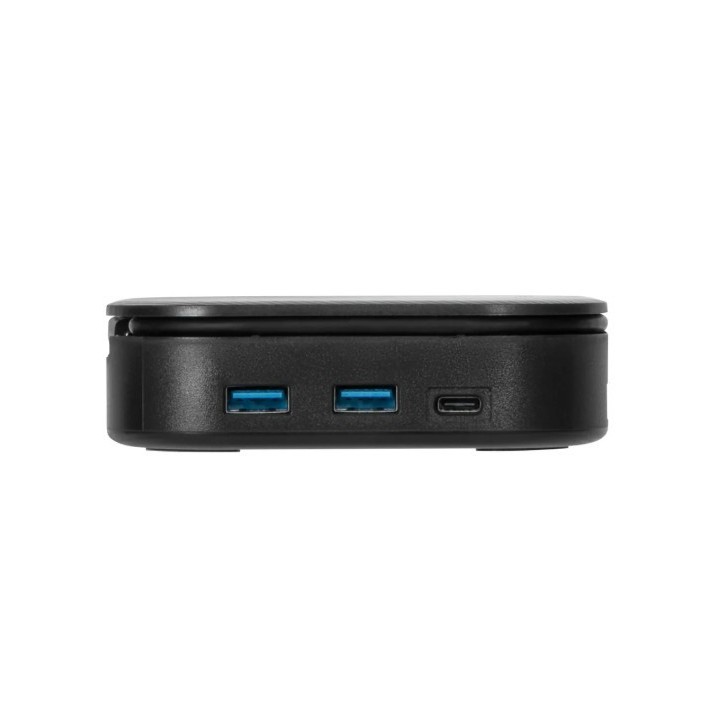
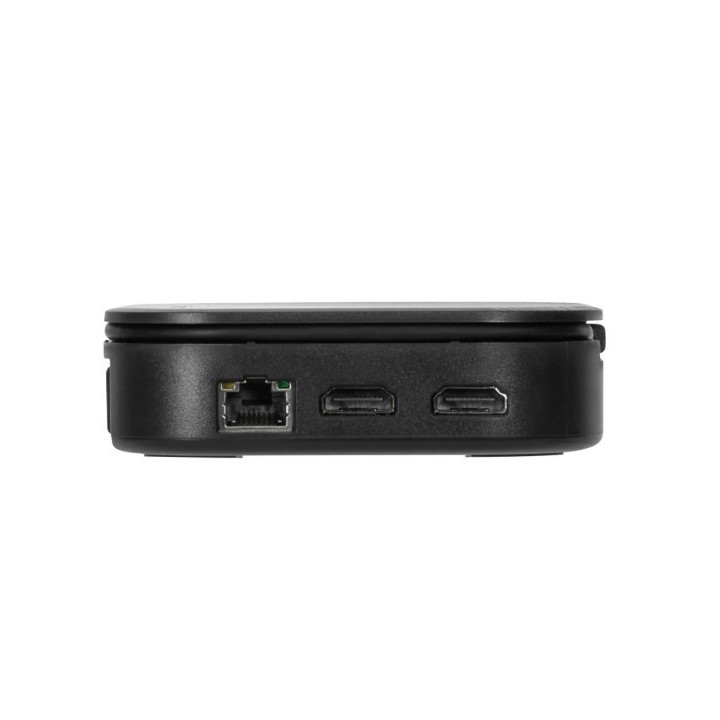
This flexible and powerful dock offers multiple ports — an Ethernet port, 1 USB-C port (10 Gbps) and 2 USB-A ports (10 Gbps) — to accommodate your essential accessories like a mouse, keyboard, or hard drive. Top that off, the DOCK116GLZ is the smartest travel dock you’ll need to stay connected, powered, and productive while on the road. With 80W power pass-thru**, keep your host and other devices charged while connecting your power supply to the dock. Or simply plug your dock into the host for the computer to do all the charging — no AC adapter needed.
Innovative Design
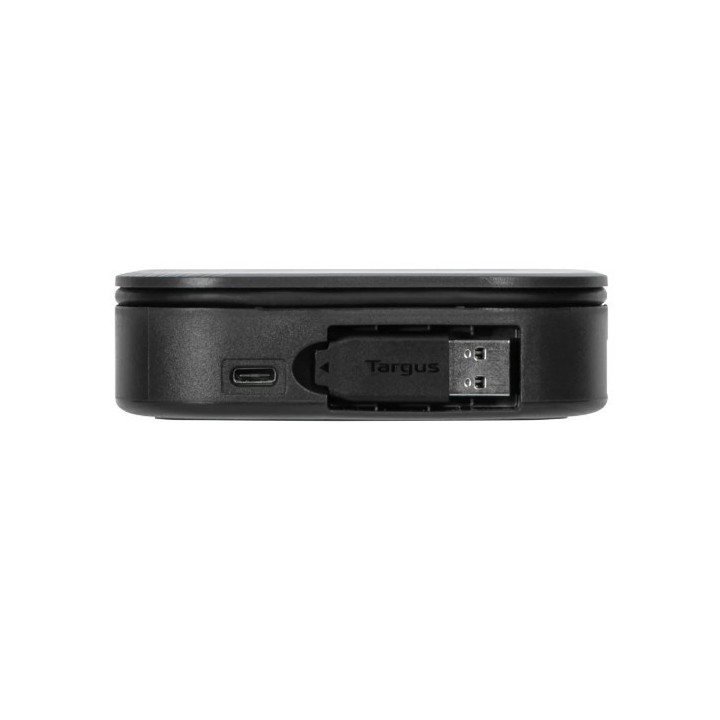
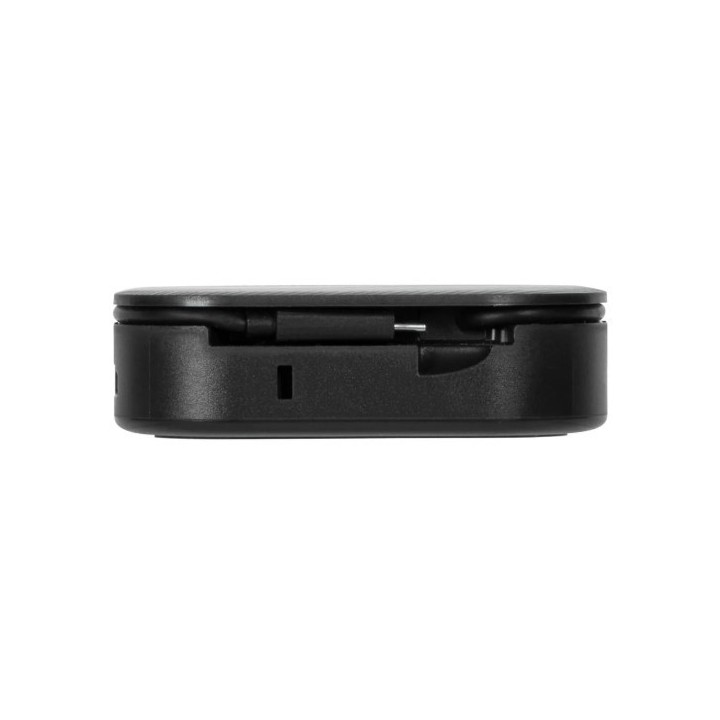
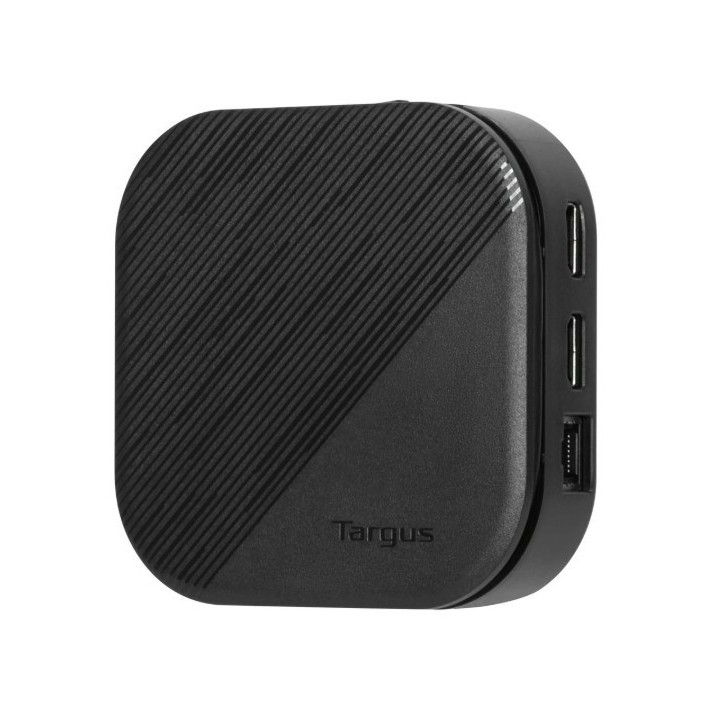
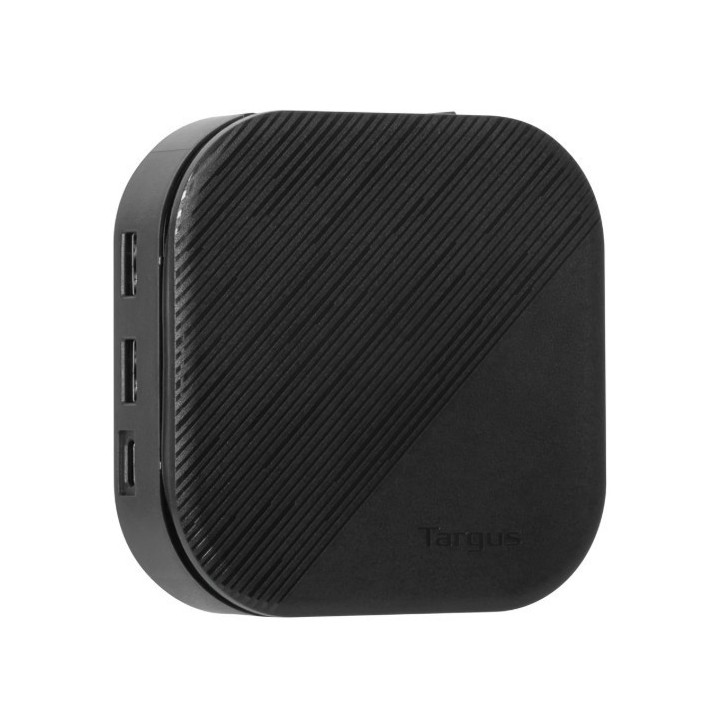
A compact, lightweight design makes this dock ideal for travel and easily fits into the pocket of your backpack. Its tethered stow-away cable management keeps messy wires at bay. For ultimate flexibility, it’s host bus-powered or you can connect a USB-C® power adapter to the dock (power adapter not included) to pass-thru and power the host. Perfect for those laptops with only a single USB-C port.
Truly Universal Compatibility
Unlike proprietary docking solutions that lock users into a specific platform, brand, or even model of laptop, this utilizes DisplayLink® technology for maximum compatibility. That compatibility eliminates the need to replace it at every laptop refresh, which translates to lower cost of ownership for higher productivity over a longer time. The DOCK116GLZ is compatible with both Windows® and macOS®, plus other operating systems.
Supports Dual HDMI Monitors
Create a picture-perfect dual display set-up on both PC and Mac. With two HDMI ports available, you can enjoy dual HD (2048 x 1152) displays via HDMI or opt for a single 2K (2560 x 1140) connection.
Connect Your Favorite Accessories
With 2 USB-A ports (10 Gbps) and 1 USB-C® port (10 Gbps), it’s simple to add the latest keyboard, external drives, and other peripherals to customize your travel workspace experience.
Enterprise Software Suite: A Targus Exclusive
Enhance security and improve user experience with the Targus Enterprise Software Suite for DOCK116.
- Wi-Fi Auto Switch: auto enables/disables Wi-Fi functionality when the dock’s Ethernet connection is active, reducing unnecessary network traffic and enabling faster connection speeds.
- MAC Address Cloning: auto replaces the MAC address of the connected Targus Ethernet network adapter with any (Wired Ethernet, Wireless Ethernet, Bluetooth) MAC address of the local host, supporting device-based authentication methods.
- Ghost Device Removal: purges older, latent Targus docking station devices from the local registry preventing registry bloat.
- Targus A/V Configuration Utility: restores audio configuration, icon, and first-level application window’s positions to external monitors when re-connecting to a previously used Targus docking station.
Specyfikacja
- USB 3.2 Gen 1 (3.1 Gen 1) Type-A ports quantity: 2
- Host interface: USB 3.2 Gen 2 (3.1 Gen 2) Type-C
- HDMI ports quantity: 2
- HDMI version: 1.4
- USB 3.2 Gen 2 (3.1 Gen 2) Type-C ports quantity: 2
- USB Power Delivery (USB PD): Yes
- USB Power Delivery up to: 80 W
- Connectivity technology: Wired
- Microphone in: No
- USB Power Delivery revision: 3.0
- Ethernet LAN (RJ-45) ports: 1
- Ethernet LAN: Yes
- Product colour: Black
- Card reader integrated: No
- Cable lock slot type: Kensington
- Data transfer rate: 10 Gbit/s
- HD type: HD
- Maximum refresh rate: 60 Hz
- Cable lock slot: Yes
- Power source type: USB
- Power connector: USB Type-C
- Windows operating systems supported: Yes
- Mac operating systems supported: Yes
- Other operating systems supported: ChromeOS
- Mobile operating systems supported: Android
- Weight: 199 g
- Depth: 105 mm
- Width: 105 mm
- Height: 28 mm
- Quantity per pack: 1 pc(s)
Szczegóły produktu
- Marka Targus
- Kod produktu 667b6ad5606d4e0eab9faf35
- Dostępność 3 Przedmioty
- EAN13 5051794037098
- MPN DOCK116GLZ
Specyfikacja
- Złącze do komputera USB 3.2 Gen 2 (3.1 Gen 2) Type-C
Producent
Producent
Targus
Berner Str. 40 60437 Frankfurt Niemcy
E-mail: support@targus.com
Formularz kontaktowy: https://eu.targus.com/pages/support
Osoba odpowiedzialna w UE
Targus Europe Ltd.
Van Hilststraat 19 5145 RK Waalwijk Netherlands
E-mail: AMurphy@targus.com
Formularz kontaktowy: https://eu.targus.com/pages/contact-us
Telefon: +44 7720 285 161
Bezpieczeństwo
Informacje o bezpieczeństwie
List of safety warnings for docking stations based on the requirements of General Product Safety Regulation (EU) 2023/988 (GPSR) * Risk of electric shock: * Make sure that the docking station is connected to an efficient grounded outlet. * Do not touch the plug or cable with wet hands. * Avoid using the docking station in areas with high humidity. * Risk of overheating: * Provide adequate ventilation while maintaining at least 5 cm of free space around the docking station. * Do not block ventilation openings. * Do not place the docking station on soft surfaces such as blankets or pillows. * Fire risk: * Use only original power supplies and accessories recommended by the manufacturer. * Do not leave the docking station on unattended near flammable materials. * Risk of bodily injury: * Use the docking station on a stable surface to minimize the risk of falling connected devices. * Avoid using the docking station in a position that causes excessive heat pressure on the skin to prevent burns. * Hazards in humid environments: * Do not use the docking station outdoors in rain or in places with high humidity, such as bathrooms. * If the docking station is flooded, immediately disconnect it from the power source and contact the service. * Hazards at high temperatures: * Do not expose the docking station to direct sunlight. * Avoid using the docking station at temperatures above the recommended range (usually 5-35°C). * Risk of damage during cleaning: * Disconnect the docking station from the power supply before cleaning and use a soft, slightly damp cloth. * Avoid using strong detergents that can damage the surface of the docking station. * Caution when replacing accessories: * Use only accessories recommended by the manufacturer. * When replacing batteries, follow the manufacturer's instructions and do not expose the battery to high temperatures. * Battery Use Hazards: * Avoid damaging the battery by impact or puncture. * If the battery overheats or swells, stop using the docking station immediately. * Child warnings: * Keep power cables out of reach of children. * Make sure your kids don't play with the docking station or accessories that can be dangerous. * Cleanliness: * Failure to regularly clean ports and sockets can lead to damage or failure. * Clean ports and sockets regularly using a dry and clean cloth, avoiding moisture input.
Stacje dokujące
- Nowy
- Nowy
- Nowy
- Nowy
- Nowy
- Nowy
- Nowy
Ostatnio oglądane
Produkty, które ostatnio zwróciły Twoją uwagę.
- Nowy
- Nowy

- Nowy
- Nowy

- Nowy
- Nowy
- Nowy
- Nowy
- Nowy
- Nowy