- Nowy
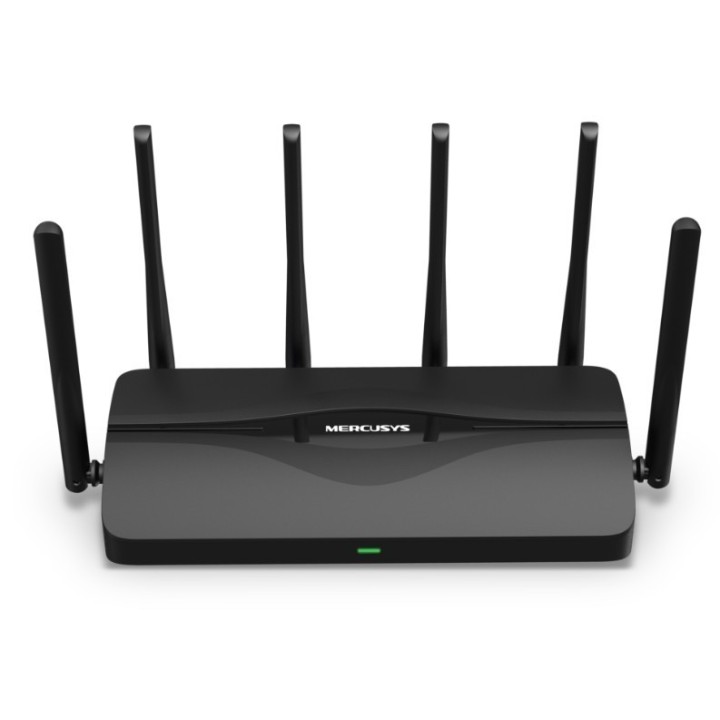
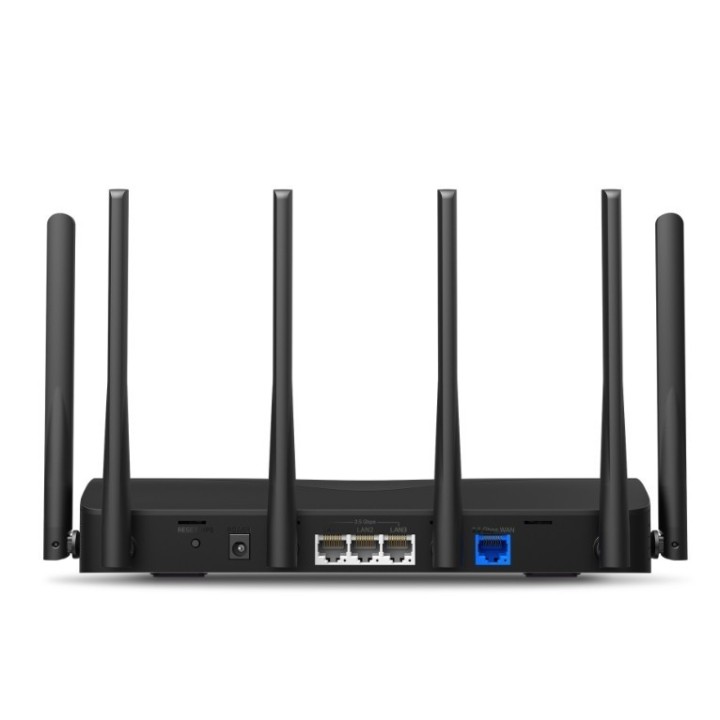
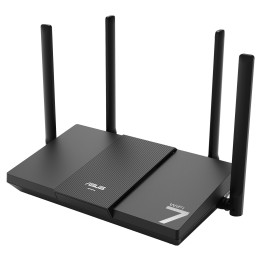
Wi-Fi 7 nadeszło i wprowadziło oszałamiającą wydajność - większą przepustowość, niższe opóźnienia, silniejsze przeciwdziałanie zacięciom sieci i wyższą efektywność. Dołącz do grona profesjonalistów i doświadcz najwyższej wydajności sieci Wi-Fi nowej generacji. MR47BE zapewni Ci płynne strumieniowanie treści w jakości 8K, dostęp do świata VR/AR, wideokonferencji, gier online i szybkiego pobierania plików.

MR47BE wyposażony w 1 port WAN 2,5 Gb/s i 3 porty LAN 2,5 Gb/s umożliwia pełne wykorzystanie Twojego łącza szerokopasmowego przez komputery, telewizory Smart, konsole do gier i urządzenia NAS. Wystarczy, że podłączysz je do ultraszybkich portów routera.

6 zewnętrznych, wydajnych anten i zintegrowane wzmacniacze sygnału zapewniają mocny sygnał sieci Wi-Fi, który może sięgnąć jeszcze dalej. Technologia Beamforming wykrywa Twoje urządzenia i koncentruje w ich kierunku sygnał bezprzewodowy, sprawiając, że połączenie jest jeszcze bardziej stabilne

Router MR47BE jest kompatybilny z technologią EasyMesh, dzięki czemu umożliwia Ci utworzenie domowej sieci Mesh, działającej pod jedną nazwą Wi-Fi i hasłem z punktami dostępowymi innych producentów, wspierających EasyMesh. Korzystaj z elastycznej, skalowalnej i płynnej sieci Wi-Fi Mesh w całym swoim domu!

Zarządzaj czasem i treściami, które oglądają Twoje dzieci, aby stworzyć bezpieczne środowisko sieciowe dla wszystkich. Utwórz profil dla każdego członka rodziny, którym chcesz zarządzać. Przydziel urządzenia do profilu, aby ustawić do niego kontrolę dostępu i limity czasowe. Ustal dzienne limity, które określają jak dużo czasu Twoje dzieci mogą spędzać w internecie i zablokuj do niego dostęp, gdy powinny odrabiać lekcje lub spać.

Aplikacja MERCUSYS jest najprostszym sposobem na skonfigurowanie i zarządzanie siecią Wi-Fi w domu i poza nim. Postępuj zgodnie z instrukcjami na ekranie, a w ciągu kilku minut skonfigurujesz swój router. Potrzebujesz jedynie urządzenia z iOS lub Androidem.

Wraz z najnowszym protokołem WPA3, Twoja sieć domowa zyskuje lepszą ochronę i niezakłócone działanie. Na jej straży stoi trudniejszy do złamania klucz szyfrowania haseł Wi-Fi oraz wzmocniona ochrona przed atakami Brute Force.

TP-LINK Polska Sp. z o.o.
Ożarowska 40/42 05-850 Duchnice Polska
E-mail: info.pl@tp-link.com
Telefon: +48 22 360 63 63
List of safety warnings for WiFi and Access Point Routers based on the requirements of Regulation (EU) 2023/988 on General Product Safety (GPSR) 1. Risk of electric shock: * Make sure that the device is connected to a working socket with grounding. * Do not touch the plug or cable with wet hands. * Avoid using the device in places with high humidity. 2. Risk of overheating: * Provide adequate ventilation while maintaining at least 5 cm of free space around the device. * Do not block ventilation openings. 3. Fire risk: * Use only original power supplies and accessories recommended by the manufacturer. * Do not leave the device on unattended near flammable materials. 4. Hazards at high temperatures: * Do not expose the device to direct sunlight. * Avoid using the router at temperatures above the recommended range (usually 5-35°C). 5. Risk of damage during cleaning: * Before cleaning, disconnect the device from the power supply and use a soft, slightly damp cloth. * Avoid using strong detergents that can damage the surface of the device. 6. Warnings for children: * Keep power cables out of reach of children. * Make sure that children do not play with the device or accessories that can be dangerous. 7. Regularly check the technical condition of the device: * Check the condition of the device regularly for mechanical damage, cracks or other defects. * Do not use the device if it has visible mechanical damage. 8. Use in humid environments * Avoid using your router in the bathroom, in the rain or in other humid environments 9. Interference with other devices * Using a router near medical devices such as pacemakers can cause electromagnetic interference. * Keep a distance of at least 15 cm between your router and medical devices. 10. Regular maintenance * Failure to regularly clean ports and sockets can lead to damage or failure. * Clean ports and sockets regularly using a dry and clean cloth, avoiding moisture input. 11. Risk of loss of water resistance * Do not immerse in water if it is not waterproof. 12. Electromagnetic interference * Smartwatches can interfere with medical devices such as pacemakers. 13. Small parts: * Components of the device, can be swallowed by children. * Keep your device and its accessories out of reach of children. Do not allow children to use the device themselves without supervision. 14. Risk of battery damage * Improper use, such as overheating or using a non-original charger, can lead to battery damage and, in extreme cases, to battery explosion. * Charge your device at room temperature and use only original accessories. Do not expose your smartwatch to high temperatures. 15. Maintenance and cleaning * Impurities such as sweat or dirt can cause discomfort and damage to materials. * Clean your smartwatch and strap regularly with a soft, damp cloth. Avoid using harsh chemicals.