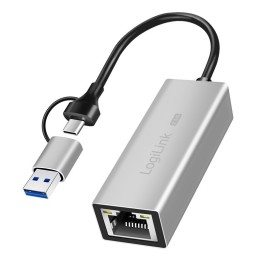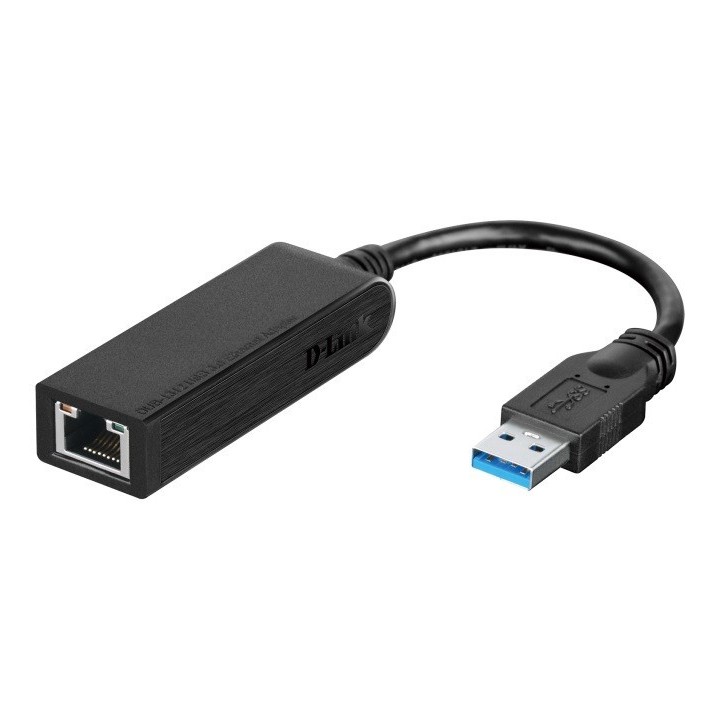
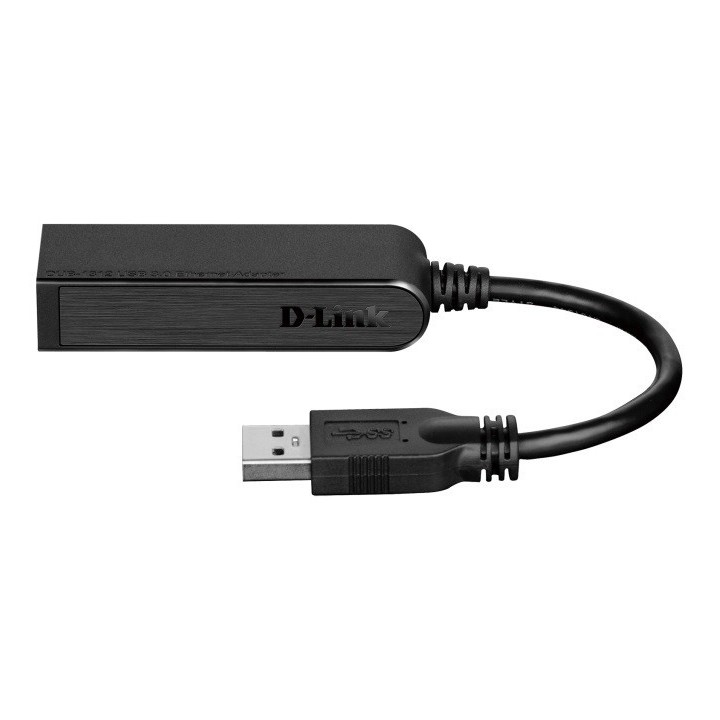
USB 3.0 to GE Adapter
Opis produktu
Przejściówka z USB 3.0 na Gigabit Ethernet (DUB-1312) ułatwia łączenie z szybką siecią Gigabit Ethernet.
Niewielkich rozmiarów przejściówkę wystarczy podłączyć do portu USB w komputerze z systemem Windows lub Mac w celu udostępnienia portu RJ-45 obsługującego sieci 10/100/1000BASE-T.
Specyfikacja
- Rodzaj kabla: Adapter
- Zastosowanie kabla/adaptera: Sieciowy (LAN)
- Złącza #1: USB Typ A Męska
- Złącza #2: RJ45 Żeńska
- Standard USB/HDMI (wywalić gdy nie dotyczy): USB 3.0/USB 3.1 gen 1
- Kolor (wyliczeniowy): Czarny
- Wymiary: 74.4 x 21 x 16 mm
- Waga: 46.4 g
- Pozostałe parametry: - IEEE 802.3 Ethernet- Kompatybilność z IEEE 802.3u 100BASE-T, TX oraz T4- Wsparcie dla trybu zdalnego uruchomienia- Wsparcie dla pół dupleksu oraz pełnego dupleksu w trybie Gigabit Ethernet- Zasilanie: Wejście: Bus-powered 500 mA, 5 V DC, Pobór mocy: 150 mA, 3.3 V DC
- Uwaga: CE+WEEE
Szczegóły produktu
- Marka D-Link
- Kod produktu 660fb9c871a267703cad4c48
- Dostępność 30 Przedmioty
- EAN13 0790069398858
- MPN DUB-1312
Specyfikacja
- Interfejs do komputera USB
Producent
Producent
D-Link (Polska) Sp. z o.o.
ul. Mysikrólika 11A 02-809 Warszawa Polska
E-mail: pl-info@dlink.com
Formularz kontaktowy: https://www.dlink.com/pl/pl/wsparcie-techniczne/contact
Telefon: +48 22 853 03 00
Bezpieczeństwo
Informacje o bezpieczeństwie
List of network card security warnings based on the requirements of General Product Safety Regulation (GPSR) 2023/988: * Make sure that the installation of the network adapter complies with the manufacturer’s instructions. Incorrect installation can lead to damage to your device or computer. * Before installing or disassembling the network card, turn off the computer and disconnect it from power. * Protect your network card from moisture and extreme temperatures. Do not use it in places where it may be exposed to water or direct sunlight. * Use the network adapter for its intended purpose. Do not try to modify or repair it on your own. * Regularly check that the network card is properly attached to the motherboard slot. A loose connection can cause network problems. * Make sure your network adapter drivers are up to date. Outdated drivers can lead to compatibility and security issues. * Use a dry, soft cloth when cleaning the network card. Avoid using cleaning products that can damage components. * If your network card has an antenna, make sure it is properly attached and undamaged. A damaged antenna can affect signal quality. * Pay attention to sharp edges or card components that may pose a potential injury hazard during installation or disassembly. * If your network card has electronic components, keep it away from children.
Karty sieciowe i adaptery Bluetooth
Ostatnio oglądane
Produkty, które ostatnio zwróciły Twoją uwagę.