- Nowy
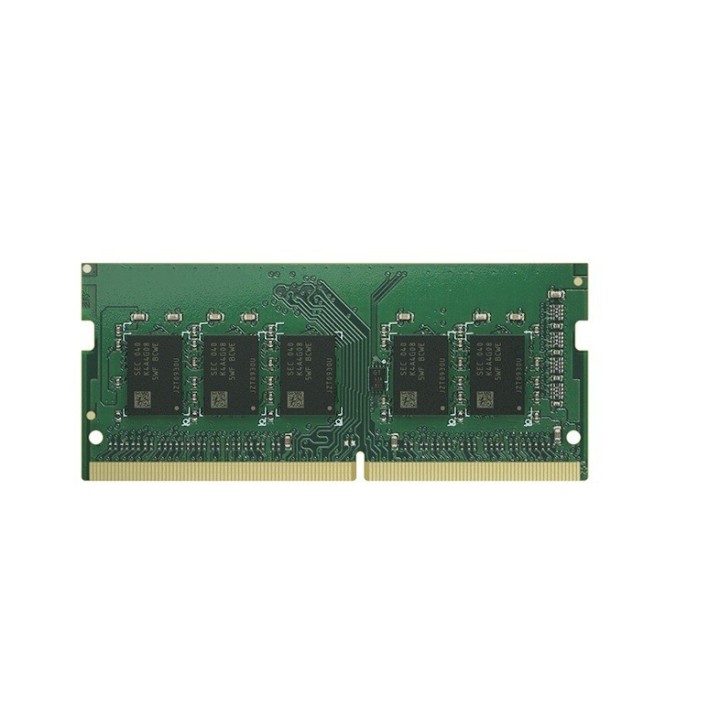
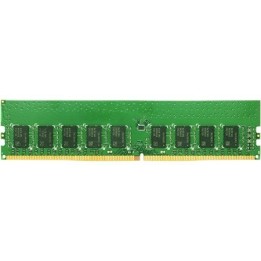
Synology RAM DDR4 SO-DIMM 4GB / ECC D4ES04-4G obrazki
Synology RAM DDR4 SO-DIMM 4GB / ECC D4ES04-4G
Opis produktu
Synology D4ES04 4G moduł pamięci RAM DDR4 ECC SODIMM 4 GB
Moduł pamięci Synology D4ES04 4G to wysokowydajna, 4 GB pamięć RAM DDR4 ECC. Zapewnia większą stabilność systemu, niezawodność przetwarzania danych i wyższą wydajność operacyjną, co przekłada się na sprawniejsze działanie aplikacji biznesowych i zwiększoną responsywność urządzenia nawet przy dużym obciążeniu.
- 4 GB DDR4 ECC Unbuffered SODIMM:
- Pełna kompatybilność z modelem Synology DS925+:
- Korekcja błędów ECC: większe bezpieczeństwo danych
- Niższe zużycie energii dzięki technologii DDR4:
- Przetestowana i zatwierdzona przez Synology:
- 5-letnia gwarancja producenta:
Bezpieczeństwo i zgodność pamięci
Zalecamy używanie wyłącznie oryginalnych modułów pamięci Synology od autoryzowanych dystrybutorów. Stosowanie pamięci innych producentów może powodować problemy z działaniem oraz skutkować utratą gwarancji i wsparcia technicznego. Szczegóły w dokumentacji producenta.
Informacje techniczne:
- Pojemność: 4 GB
- Typ: DDR4 ECC Unbuffered SO DIMM
- Technologia ECC: tak, korekcja pojedynczych błędów
- Kompatybilne modele: DS925+
- Gwarancja: 5 lat
- EAN: 4711174726448
Szczegóły produktu
- Marka Synology
- Kod produktu 6825db32c36ec709f746ac6c
- Dostępność 5 Przedmioty
- EAN13 4711174726448
- MPN D4ES044G
Producent
Producent
Synology GmbH
Grafenberger Allee 125 40237 Düsseldorf Niemcy
E-mail: pl_sales@synology.com
Formularz kontaktowy: https://www.synology.com/company/contact_us
Osoba odpowiedzialna w UE
Synology GmbH
Allee 295 40237 Düsseldorf Germany
E-mail: pbiel-ext@synology.com
Formularz kontaktowy: https://www.synology.com/form/inquiry/product
Telefon: +49 211 9666 9666
Bezpieczeństwo
Informacje o bezpieczeństwie
List of RAM security warnings based on the requirements of General Product Safety Regulation (GPSR) 2023/988 * Short circuit risk: Ensure that RAM modules are properly installed and secured in the slots on the laptop motherboard. Incorrect connection can lead to short circuit and damage to components. * Risk of Electrostatic Damage (ESD): Before touching the RAM modules, ground yourself to avoid electrostatic discharges that can damage electronic components. * Risk of overheating: Provide adequate ventilation inside the laptop to prevent RAM modules from overheating during heavy use. * Compatibility: Make sure the RAM modules you purchase are compatible with your laptop model and motherboard specifications. Incompatible modules can cause operating problems or system corruption. * Installation: Turn off your laptop and disconnect it from power before installing or replacing RAM modules. Follow the laptop manufacturer's instructions for proper installation. * Mechanical Damage: Avoid dropping or hitting RAM modules, as they can be damaged and stop working. * Kids: Keep RAM modules out of reach of children, as small items can pose a choking hazard. * Recycling: Recycle used RAM modules at appropriate collection points to avoid negative environmental impacts. * Moisture and liquids: Avoid contact of RAM modules with moisture and liquids that can cause corrosion and damage.
Podzespoły serwerowe
- Nowy

- Nowy
- Nowy
- Nowy

- Nowy
- Nowy
- Nowy
- Nowy
- Nowy
- Nowy
Ostatnio oglądane
Produkty, które ostatnio zwróciły Twoją uwagę.
- Nowy
- Nowy
- Nowy
- Nowy
- Nowy
- Nowy
- Nowy
- Nowy
- Nowy
- Nowy
- Nowy

- Nowy