- Nowy
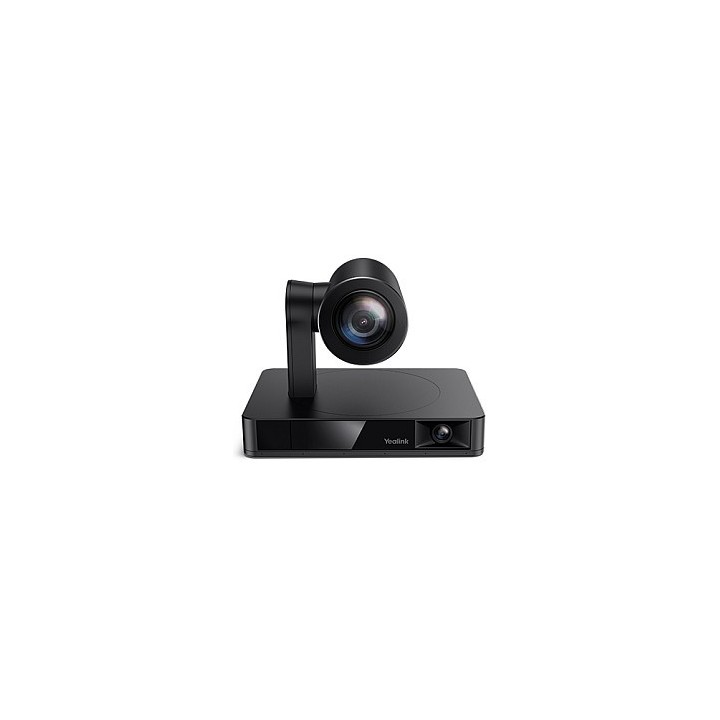
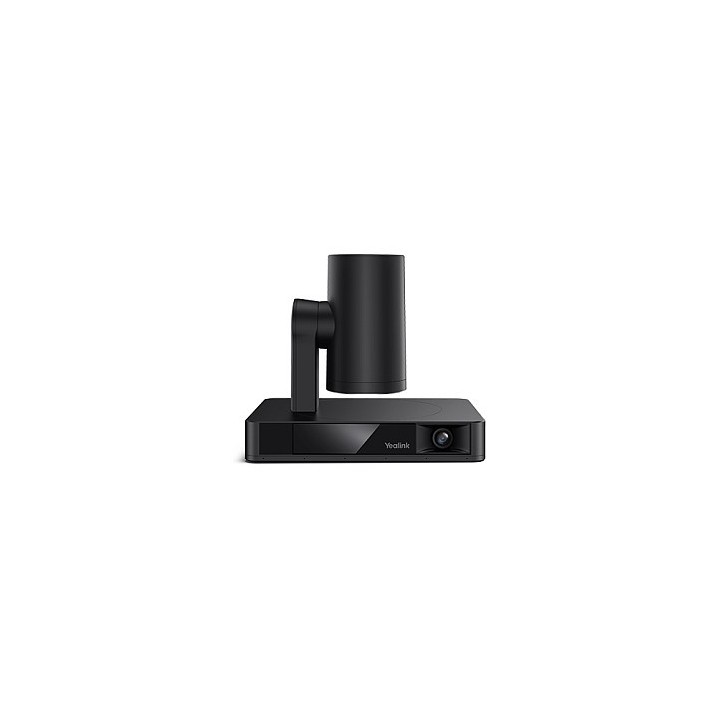
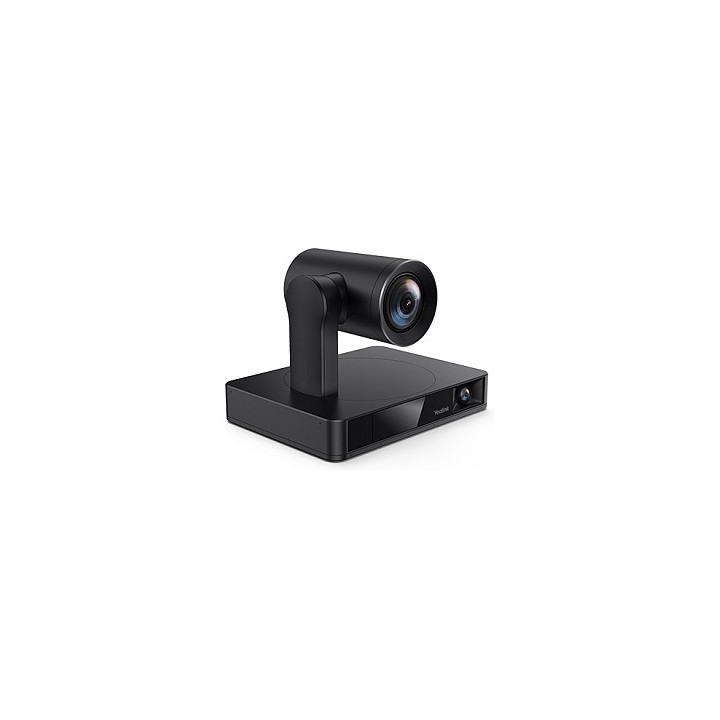
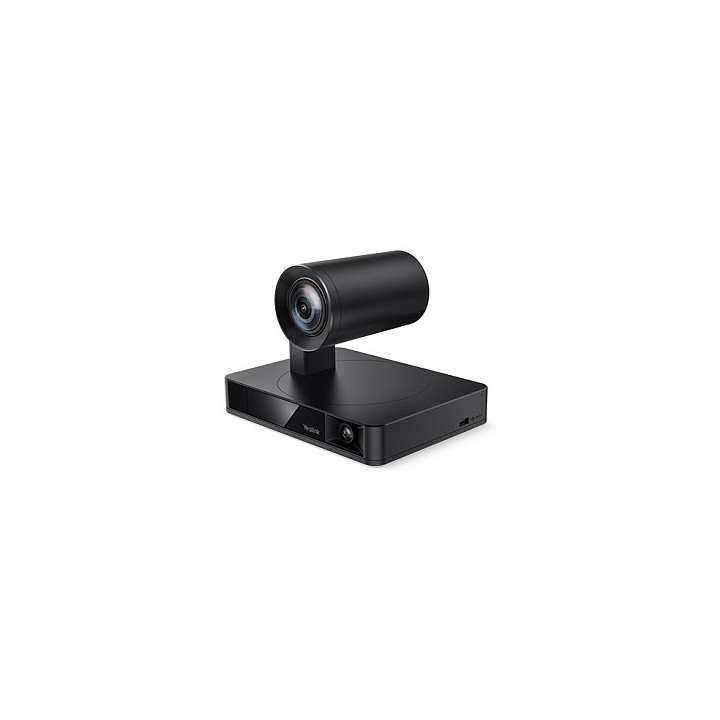
Zawartość opakowania:
Kamera UVC86
Pilot zdalnego sterowania VCR20
Zasilacz
Uchwyty ścienne i akcesoria
Kabel USB 7m (2,5m dla zestawu MVC)
Kamera PTZ:
Czujnik Sony 8MP
Autofokus
Kąt widzenia: 90 DFOV, 81 HFOV, 50 VFOV
Zoom HD 20.4x (12x optyczny, 1.7x cyfrowy)
Pan: 100, Tilt: 40, 90
9 ustawień kamery (presetów)
Kamera panoramiczna:
Czujnik Sony 8MP
Kąt widzenia: 120 DFOV, 110 HFOV, 78 VFOV
Ręczna regulacja kąta nachylenia: 9
Funkcje AI:
Auto Framing
Śledzenie mówcy (Speaker Tracking)
PIP (Picture in Picture)
Multi Focus
Śledzenie prezentera (Wide Area, Stage i Segment Tracking)
Złącza UVC86:
1 x port USB3.0 TypeB
1 x port USB2.0 TypeA
1 x port Yealink VCH (RJ45) dla urządzeń audio, BYOD Extender lub Yealink Codec
1 x port 3.5mm LineIn
1 x port zasilania
1 x gniazdo blokady bezpieczeństwa
1 x gniazdo resetowania
1 x port HDMI Out
Port HDMI Out jest kompatybilny z urządzeniami VCS, ale nie z urządzeniami MVC.
Specyfikacje produktu:
Kamera UVC86:
Wymiary w stanie uśpienia (W.D.H): 210 mm x 156 mm x 183 mm
Wymiary robocze (W.D.H): 210 mm x 156 mm x 156 mm
Wysokość robocza: 156 mm 192 mm
Waga: 3.27 kg
UVC86 to kamera 4K z podwójnym obiektywem, idealna do średnich i dużych sal konferencyjnych, która uchwyci każdego uczestnika i każdy szczegół spotkania. Dzięki funkcjom Auto Framing, Speaker Tracking i Presenter Tracking, UVC86 zapewnia inteligentne, płynne i pełne wrażeń wideo, dokładnie rejestrując każdą chwilę, jednocześnie prezentując najlepszy widok Twojej sali. Kamera UVC86 zawiera wbudowaną kamerę PTZ (pantiltzoom) z kątem widzenia 90 oraz panoramiczny obiektyw z kątem widzenia 120.
Kluczowe funkcje i korzyści:
Kamera DualEye 4K
UVC86 to kamera z podwójnym obiektywem 4K: panoramiczna kamera do wykrywania uczestników w czasie rzeczywistym oraz kamera PTZ, która zapewnia najczystszy widok uczestników. Dzięki wsparciu dla strumienia wideo w rozdzielczości 4K, kamera uchwyci każdy szczegół spotkania.
Dokładne i płynne śledzenie
UVC86 wspiera funkcje Auto Framing, Speaker Tracking oraz Presenter Tracking. Dzięki podwójnemu obiektywowi śledzenie uczestników jest stabilne i płynne, zapewniając optymalne doświadczenie.
12x zoom optyczny i szeroki kąt widzenia 90
Dzięki 12krotnemu zoomowi optycznemu i polu widzenia 90, UVC86 bez trudu obejmuje średniej i dużej wielkości sale konferencyjne, umożliwiając uczestnikom zdalnym zobaczenie wszystkich osób siedzących w sali.
Elastyczne opcje montażu
Kamera UVC86 oferuje zestaw montażowy, dzięki któremu można ją zamontować na stole konferencyjnym, na monitorze, na ścianie, suficie, stojaku telewizyjnym lub na statywie, co zapewnia pełną elastyczność w dopasowaniu do przestrzeni konferencyjnej.
Zwiększona prywatność dzięki elektrycznej osłonie obiektywu i automatycznemu przechyleniu
Podczas rozpoczęcia wideokonferencji elektryczna osłona obiektywu panoramicznej kamery UVC86 otwiera się, a kamera PTZ uruchamia, skupiając się na uczestnikach. Gdy kamera nie jest używana, osłona obiektywu pozostaje zamknięta, a kamera PTZ automatycznie przechyla się w dół, zapewniając prywatność.
Yealink (Europe) Network Technology B.V.
Keizersgracht 62 1015 CS Amsterdam Holandia
E-mail: europe@yealink.com
Formularz kontaktowy: https://www.yealink.com/en/contact
Telefon: +86 5925702000
Yealink (Europe) Network Technology B.V.
Keizersgracht 62 1015 CS Amsterdam Netherlands
E-mail: europe@yealink.com
Formularz kontaktowy: https://www.yealink.com/
Telefon: +86 5925702000
List of safety warnings for video conferencing sets and cameras based on the requirements of Regulation (EU) 2023/988 on General Product Safety (GPSR) 1. Risk of electric shock: * Make sure that the device is connected to a working socket with grounding. * Do not touch the plug or cable with wet hands. * Avoid using the device in places with high humidity. 2. Risk of overheating: * Provide adequate ventilation while maintaining at least 5 cm of free space around the device. * Do not block ventilation openings. 3. Fire risk: * Use only original chargers and accessories recommended by the manufacturer. * Do not leave the device on unattended near flammable materials. 4. Risk of bodily injury: * Avoid using the device in a position that causes excessive heat pressure on the skin to prevent burns. * Use the device on a stable surface to minimize the risk of falling. 5. Hazards in humid environments: * Do not use the unit outdoors in rain or in areas with high humidity, such as bathrooms. * If the device is flooded, immediately disconnect it from the power source and contact the service. 6. Hazards at high temperatures: * Do not expose the device to direct sunlight. * Avoid using the device at temperatures exceeding the recommended range (usually 5-35°C). 7. Risk of damage during cleaning: * Before cleaning, disconnect the device from the power supply and use a soft, slightly damp cloth. * Avoid using strong detergents that can damage the surface of the device. 8. Caution when replacing accessories: * Use only the accessories recommended by the manufacturer. * When replacing batteries, follow the manufacturer's instructions and do not expose the battery to high temperatures. 9. Risks associated with battery use: * Avoid damage to the battery by impact or puncture. * If the battery overheats or swells, stop using the device immediately. 10. Child Hazards: * Keep power cables out of reach of children. * Make sure that children do not play with the device or accessories that can be dangerous. 11. Risk of mechanical damage and injury: * The device's fall may cause the screen to shatter, which can lead to user cuts. * Use durable protective cases and tempered glass for your screen. If the screen is damaged, do not use the device until repaired. 12. Risk of electromagnetic interference * Using the device near medical devices such as pacemakers can cause electromagnetic interference. * Maintain a distance of at least 15 cm between the device and medical devices. 13. Effects on vision * Long-term use of the device, especially in dark conditions, can lead to eye strain. * Use eye protection mode if available, and take breaks from the screen regularly. 14. Regular maintenance * Failure to regularly clean ports and sockets can lead to damage or failure. * Clean ports and sockets regularly using a dry and clean cloth, avoiding moisture input. 15. Allergic reactions to materials * Materials used in the device housing (e.g. silicone, metal) can cause skin irritation or allergic reactions. * In case of redness or discomfort, remove the device and consult a dermatologist. Clean the case regularly to avoid accumulation of sweat or dirt.
Produkty, które ostatnio zwróciły Twoją uwagę.