- Nowy
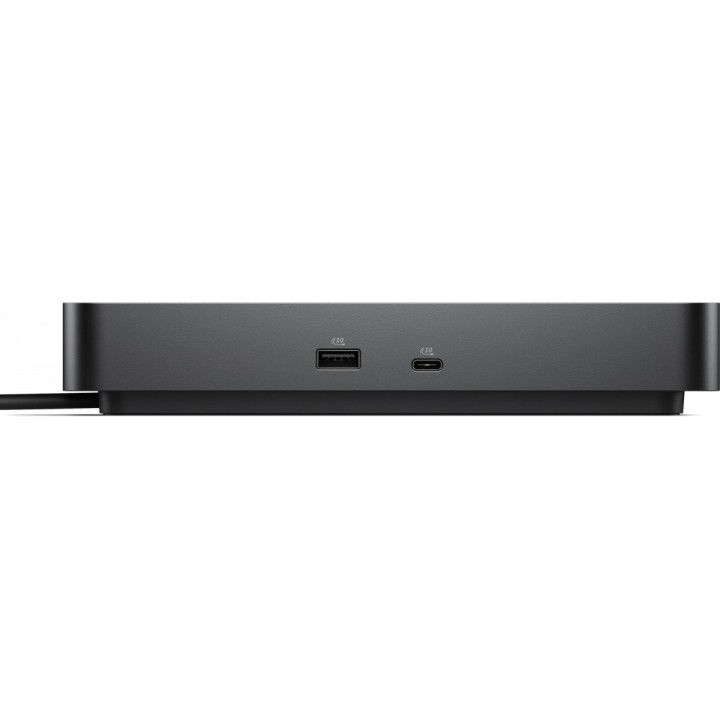
Dell Pro Dock WD25Z Stacja dokująca obrazki
Dell Pro Dock WD25Z Stacja dokująca
Opis produktu
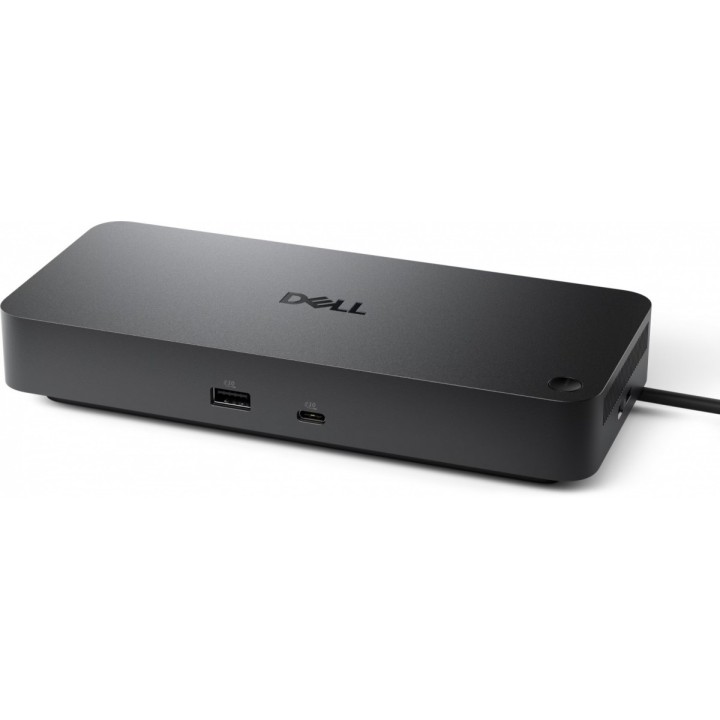
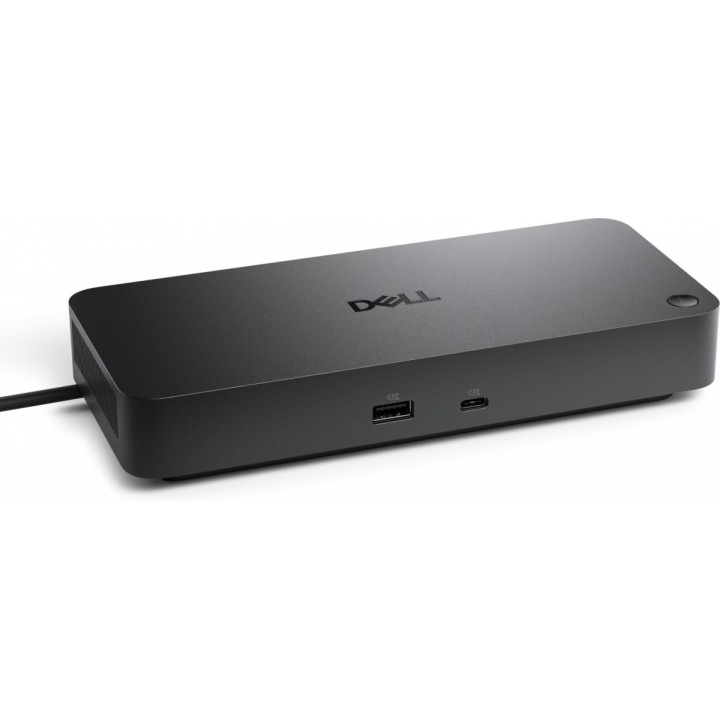
Dell Pro Dock WD25Z to zaawansowana stacja dokująca zaprojektowana do centralizacji stanowiska pracy i zwiększenia wydajności. Oferuje rozbudowane możliwości podłączeń przewodowych, w tym złącza HDMI i DisplayPort oraz wielokanałową łączność USB, co ułatwia podłączenie wielu urządzeń peryferyjnych za pomocą jednego kabla do komputera.
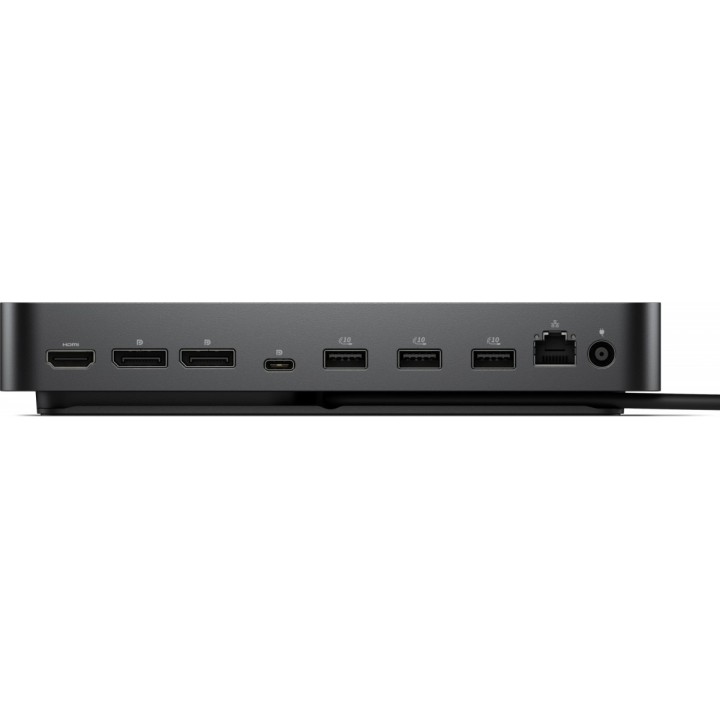
Urządzenie obsługuje do czterech wyświetlaczy jednocześnie, udostępniając złącze HDMI (wersja 2.1) oraz dwa złącza DisplayPort zgodne ze standardem 1.4. Pozwala to na uzyskanie maksymalnej cyfrowej rozdzielczości 6144 x 3456 przy stabilnym odświeżaniu do 60 Hz. Stacja wyposażona jest w gigabitową sieć przewodową o podwyższonej przepustowości (2500 Mbit/s) oraz funkcje takie jak Wake-on-LAN i Power Button Sync.
WD25Z zapewnia bogate porty USB: dwa porty USB-C (USB 3.2 Gen 2) i cztery porty USB-A (USB 3.2 Gen 2), a także mechanizmy zabezpieczeń fizycznych (gniazdo Kensington) i wskaźniki stanu zasilania. W zestawie znajduje się zasilacz o mocy 180 W oraz przewód zasilający i dokumentacja w formie skróconej instrukcji obsługi. Stacja jest przystosowana do zarządzania i aktualizacji oprogramowania układowego za pomocą narzędzi do zarządzania Dell, co ułatwia administrację i utrzymanie środowiska pracy.
Specyfikacja
- Producent: Dell
- Model: WD25Z
- Kolor: Czarny
- Interfejs hosta: USB 3.2 Gen 2 (Type-C)
- Porty HDMI: 1 x HDMI Type A
- Wersja HDMI: 2.1
- Porty DisplayPort: 2
- Wersja DisplayPort: 1.4
- Liczba obsługiwanych wyświetlaczy: 4
- Maksymalna rozdzielczość cyfrowa: 6144 x 3456
- Maksymalna częstotliwość odświeżania: 60 Hz
- Porty USB-C: 2 x USB 3.2 Gen 2 (Type-C)
- Porty USB-A: 4 x USB 3.2 Gen 2 (Type-A)
- Obsługa USB Power Delivery: Tak
- Ethernet (RJ-45): 1 x 2.5 Gbit/s (2500 Mbit/s)
- Wake-on-LAN: Tak
- MAC Address Pass-Through: Tak
- Power Button Sync: Tak
- Gniazdo blokady kablowej: Kensington
- Wskaźniki LED: Power
- Źródło zasilania: DC
- Zasilacz w zestawie: 180 W (AC adapter included)
- Kable w zestawie: Przewód zasilający (AC)
- Dokumentacja w zestawie: Skrócona instrukcja obsługi
- Czytnik kart: Brak
- Wysokość: 205 mm
- Szerokość: 90 mm
- Głębokość: 35.3 mm
- Waga: 550 g
- Zarządzanie i aktualizacje firmware: Kompatybilność z Dell Device Management Console oraz Dell Display and Peripheral Manager
Szczegóły produktu
- Marka Dell
- Kod produktu 693a32a606853cf25d767f06
- Dostępność 30 Przedmioty
- EAN13 5397321029045
- MPN 210-BTJB
Specyfikacja
-
Obsługiwane systemy
Windows 10
Windows 11
Producent
Producent
Dell Sp. z o.o.
ul. Inflancka 4A 00-189 Warszawa Poland
E-mail: regulatory.compliance@dell.com
Telefon: 15 123 381 551
Bezpieczeństwo
Informacje o bezpieczeństwie
List of safety warnings for docking stations based on the requirements of General Product Safety Regulation (EU) 2023/988 (GPSR) * Risk of electric shock: * Make sure that the docking station is connected to an efficient grounded outlet. * Do not touch the plug or cable with wet hands. * Avoid using the docking station in areas with high humidity. * Risk of overheating: * Provide adequate ventilation while maintaining at least 5 cm of free space around the docking station. * Do not block ventilation openings. * Do not place the docking station on soft surfaces such as blankets or pillows. * Fire risk: * Use only original power supplies and accessories recommended by the manufacturer. * Do not leave the docking station on unattended near flammable materials. * Risk of bodily injury: * Use the docking station on a stable surface to minimize the risk of falling connected devices. * Avoid using the docking station in a position that causes excessive heat pressure on the skin to prevent burns. * Hazards in humid environments: * Do not use the docking station outdoors in rain or in places with high humidity, such as bathrooms. * If the docking station is flooded, immediately disconnect it from the power source and contact the service. * Hazards at high temperatures: * Do not expose the docking station to direct sunlight. * Avoid using the docking station at temperatures above the recommended range (usually 5-35°C). * Risk of damage during cleaning: * Disconnect the docking station from the power supply before cleaning and use a soft, slightly damp cloth. * Avoid using strong detergents that can damage the surface of the docking station. * Caution when replacing accessories: * Use only accessories recommended by the manufacturer. * When replacing batteries, follow the manufacturer's instructions and do not expose the battery to high temperatures. * Battery Use Hazards: * Avoid damaging the battery by impact or puncture. * If the battery overheats or swells, stop using the docking station immediately. * Child warnings: * Keep power cables out of reach of children. * Make sure your kids don't play with the docking station or accessories that can be dangerous. * Cleanliness: * Failure to regularly clean ports and sockets can lead to damage or failure. * Clean ports and sockets regularly using a dry and clean cloth, avoiding moisture input.
Stacje dokujące
- Nowy
- Nowy
- Nowy
- Nowy
- Nowy
- Nowy
- Nowy
- Nowy
Ostatnio oglądane
Produkty, które ostatnio zwróciły Twoją uwagę.
- Nowy
- Nowy
- Nowy

- Nowy

- Nowy
- Nowy
- Nowy

- Nowy
- Nowy

- Nowy
- Nowy
- Nowy