- Nowy
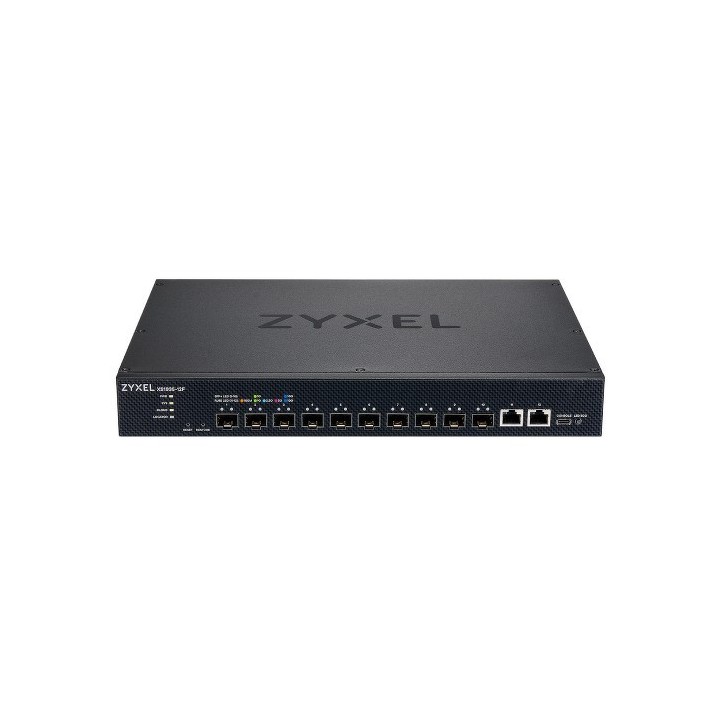
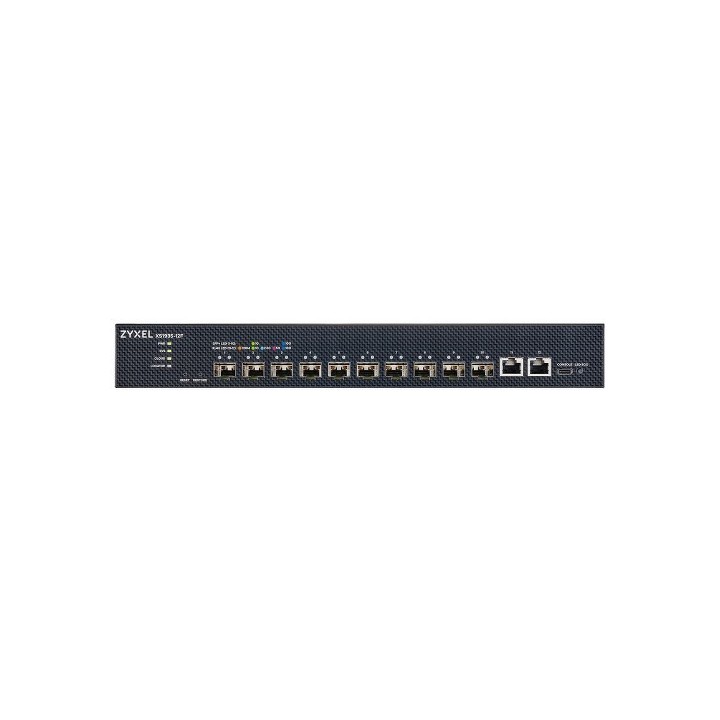
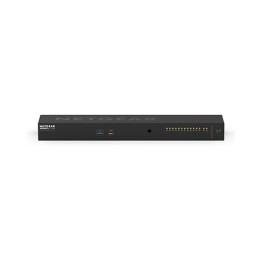
Szukasz wydajnego i skalowalnego rozwiązania do sieci światłowodowej? Zyxel XS1935-12F to zaawansowany switch 10G Lite-L3, który zapewnia wysoką przepustowość, stabilność działania i pełną kontrolę nad ruchem w sieci – idealny do środowisk biznesowych i infrastruktury krytycznej.
Z 10 portami SFP+ 10G i przepustowością 240 Gbps switch obsłuży duży ruch sieciowy bez spadków wydajności. Idealny do serwerowni, sieci kampusowych, ISP oraz środowisk wymagających wysokiej przepustowości, takich jak monitoring czy multimedia.
NebulaFlex™ umożliwia zarządzanie w chmurze lub lokalnie, a dodatkowo Web GUI, SNMP i CLI pozwalają kontrolować wiele urządzeń jednocześnie. Szybka konfiguracja i odzyskiwanie ustawień sprawiają, że urządzenie dopasowuje się do Twojego stylu pracy.

Obsługa do 4 000 VLAN oraz routing między VLANami pozwala precyzyjnie zarządzać ruchem sieciowym. Dzięki QoS priorytetyzujesz krytyczne aplikacje i ograniczasz niepotrzebny ruch.
Mechanizmy zabezpieczeń 802.1X, RADIUS, ACL, izolacja portów i VLAN zapewniają pełną kontrolę nad dostępem do sieci i chronią infrastrukturę przed nieautoryzowanym użyciem.

Redundancja STP, RSTP, MSTP, agregacja LACP, dual firmware oraz monitoring w czasie rzeczywistym gwarantują stabilność pracy nawet w przypadku awarii.
Zyxel Communications A/S
Generatorvej 8D 2860 Søborg Dania
E-mail: sales@zyxel.eu
Formularz kontaktowy: https://www.zyxel.com/service-provider/global/en/contact-us
Zyxel Networks A/S
Gladsaxevej 378 2860 Søborg Denmark
E-mail: sales@zyxel.dk
Formularz kontaktowy: https://www.zyxel.com/global/en/contact
Telefon: +45 39550700
List of safety warnings for network equipment based on the requirements of General Product Safety Regulation (GPSR) 2023/988: 1. Risk of electric shock: * Make sure that the device is connected to a working socket with grounding. * Do not touch the plug or cable with wet hands. Avoid using the device in places with high humidity. 2. Risk of overheating: * Provide adequate ventilation while maintaining at least 5 cm of free space around the device. * Do not block ventilation openings and avoid putting network equipment on soft surfaces dry as blankets or pillows. 3. Fire risk: * Use only original power supplies and accessories recommended by the manufacturer. * Do not leave the device on unattended near flammable materials. 4. Risk of bodily injury: * Use the device on a stable surface to minimize the risk of falling. 5. Gambling in humid environments: * Do not use network equipment outdoors in rain or in places with high humidity. If the device is flooded, immediately disconnect it from the power source and contact the service. 6. Hazards at high temperatures: * Do not expose the device to direct sunlight. * Avoid using network equipment at temperatures above the recommended range (usually 5-35°C). 7. Risk of damage during cleaning: * Before cleaning, disconnect the device from the power supply and use a soft, slightly damp cloth. Avoid using strong detergents that can damage the surface of the device. 8. Caution when replacing accessories: * Use only the accessories recommended by the manufacturer. * When replacing batteries, follow the manufacturer's instructions and do not expose the battery to high temperatures. 9. Risks associated with battery use: * Avoid damage to the battery by impact or puncture. If the battery overheats or swells, stop using the device immediately. 10. Warnings for children: * Keep power cables out of reach of children. Make sure that children do not play with the device or accessories that can be dangerous. 11. Electromagnetic interference: * Using network equipment near medical devices such as pacemakers can cause electromagnetic interference. * Maintain a distance of at least 15 cm between network equipment and medical devices. 12. Fire hazard: * Storing network equipment near flammable materials or using non-original power supplies may increase the risk of fire. Use your smartphone away from fabrics, paper, and other flammable materials. 13. Regular maintenance: * Failure to regularly clean ports and sockets can lead to damage or failure. * Clean ports and sockets regularly using a dry and clean cloth, avoiding moisture input.
Produkty, które ostatnio zwróciły Twoją uwagę.