- Nowy
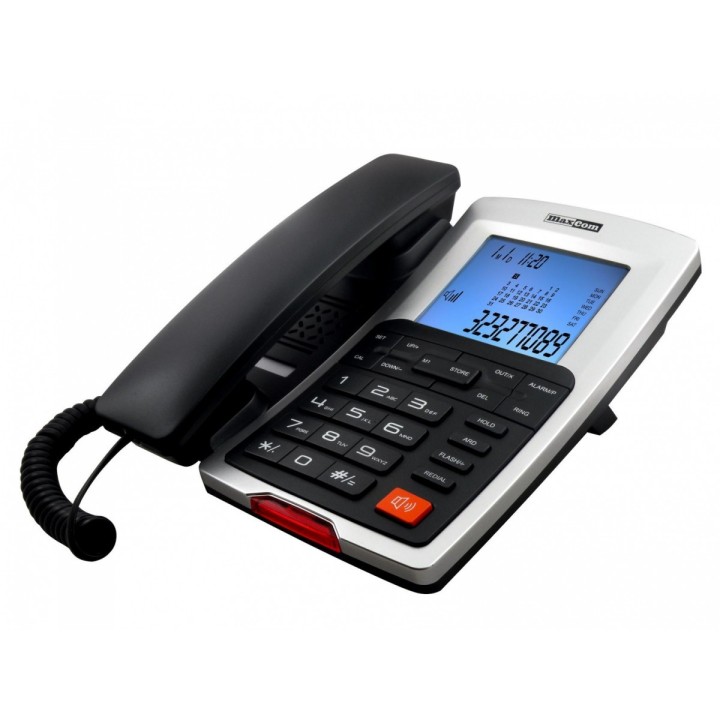
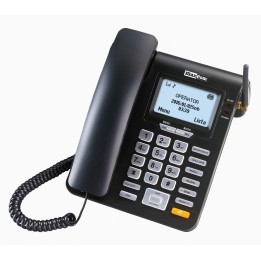
Telefon stacjonarny Maxcom KXT 709
Maxcom S.A.
Towarowa 23A 43-100 Tychy Polska
E-mail: office@maxcom.pl
Formularz kontaktowy: https://maxcom.pl/kontakt/
Telefon: +48 32 327 70 89
MAXCOM S.A.
TOWAROWA 23 A 43-100 Tychy Polska
E-mail: office@maxcom.pl
List of wired phone safety warnings based on the requirements of General Product Safety Regulation (EU) 2023/988 (GPSR): 1. Risk of electric shock: * Do not touch cables or plugs with wet hands when connecting your phone to an outlet. * Make sure the outlet is functional and has grounding. 2. Battery Hazards (if your phone uses them): * Danger of explosion or fire: Do not use damaged or unloaded batteries. * Do not expose the battery to extreme temperatures or direct sunlight. * Improper disposal of batteries can cause contamination of the environment. Follow local recycling regulations. 3. Choking risk: * Hold small items (e.g. SIM cards) away from children. 4. Ergonomics and health: * Long-term use of the phone can cause discomfort or fatigue. Try to take regular breaks. * Avoid holding the earbud too close to your ear at high volume levels to prevent hearing damage. 5. Installation and use: * Make sure the wires are properly connected and do not constitute an obstacle to movement. * Avoid placing your phone in areas exposed to moisture, high temperature, or direct sunlight. 6. Cleaning and Maintenance: * Disconnect your phone from the outlet before cleaning. * Use a soft, dry cloth to clean. Do not use chemicals. 7. Children and the elderly: * Make sure that the phone is stable and will not fall from a height on children or the elderly. 8. Interference with other devices: * Some phones may interfere with medical devices. Be careful near such devices. 9. Repairs: * Do not try to repair the device yourself. Contact an authorized service provider.

Produkty, które ostatnio zwróciły Twoją uwagę.