- Nowy
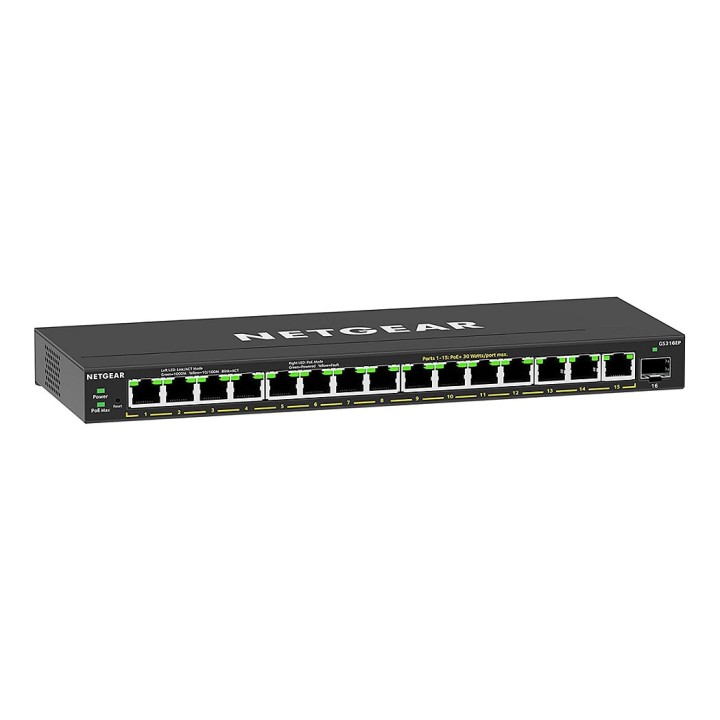
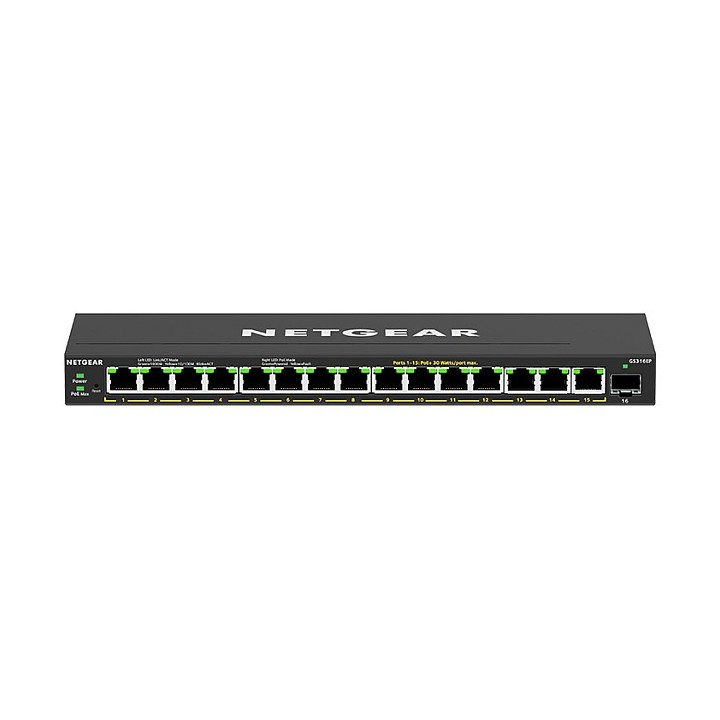
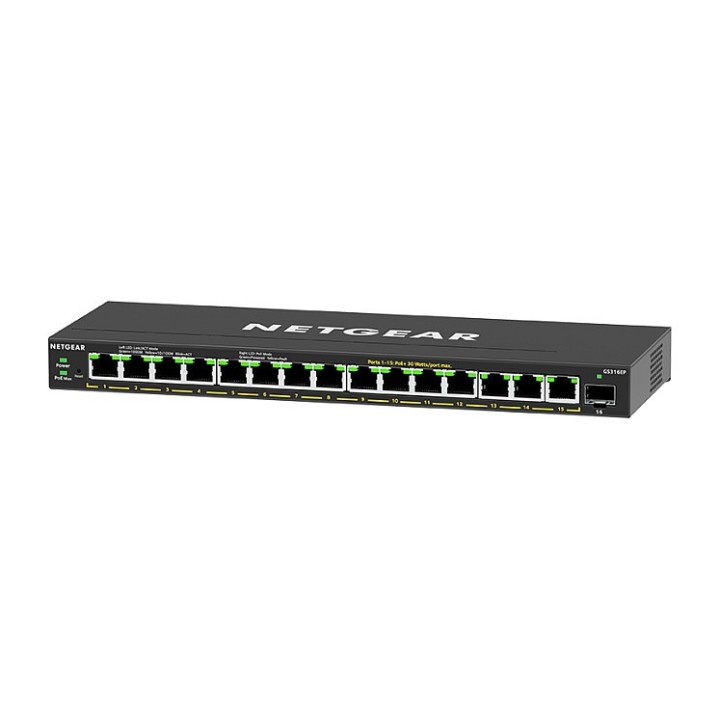
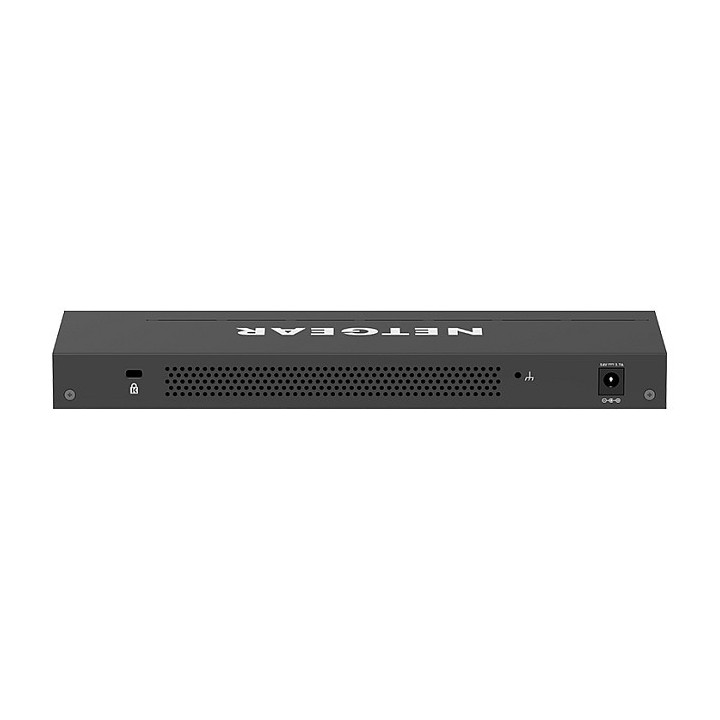
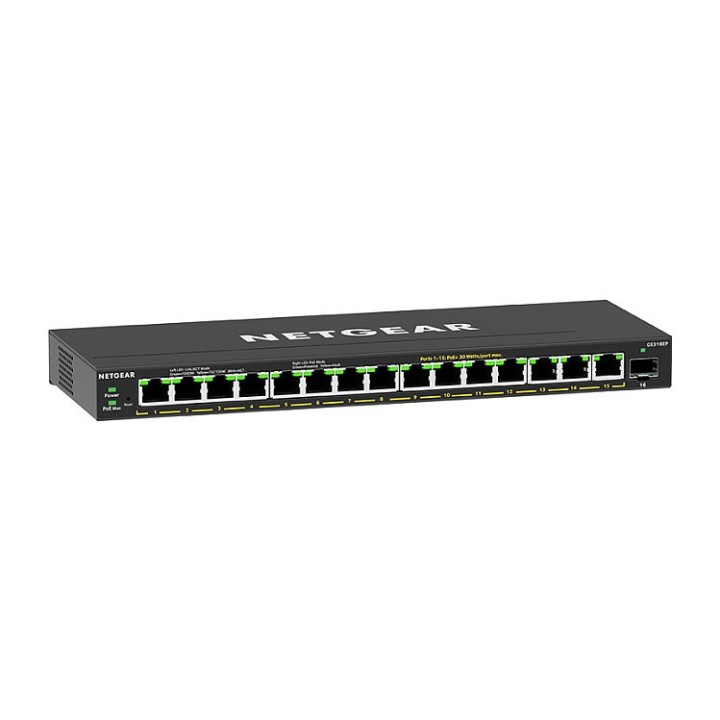
Przełącznik niezarządzalny GS316EP 16xGE PoE+ obrazki
Przełącznik niezarządzalny GS316EP 16xGE PoE+
Opis produktu
16-portowy przełącznik PoE+ Gigabit Ethernet Plus (180W) z 1 modułem SFP
16-portowy przełącznik NETGEAR Gigabit Ethernet Plus firmy PoE+ oferuje podstawowe funkcje sieciowe dla firm i zasila urządzenia PoE+, takie jak telefony VoIP, kamery IP i wiele innych.
- Gigabit Ethernet - 16 portów zapewnia do 1000 Mb/s dedykowanego, nieblokującego przepustowości pasma każdy
- Obsługa PoE+ - 15 portów PoE+ zapewnia łącznie 180 W mocy, dzięki czemu możesz zasilać i podłączać swoje urządzenia jednym przewodem
- Zaawansowane sterowanie PoE - Zarządzanie priorytetami PoE, limitem zasilania PoE na port, planowaniem PoE i innymi funkcjami w celu zapewnienia prostej kontroli nad wszystkimi urządzeniami zasilanymi przez PoE
- Przełączanie bez blokowania - 10 Gb/s (10/100/1000 Mb/s) sieć szkieletowa o szybkości linii zapewnia łączność z urządzeniami bez ograniczeń
- Konstrukcja bez wentylatora - Cicha praca sprawia, że ten przełącznik jest idealny do środowisk wrażliwych na hałas
- Wszechstronne opcje montażu - Zainstaluj przełącznik na pulpicie lub zamontuj go na na ścianie za pomocą elementów montażowych dostarczonych w opakowaniu
Specyfikacja
- Klasa przełącznika: Niezarządzalny
- Zastosowanie (switche): Dom i małe biuro (do 16 portów)
- Warstwa przełączania (switche): L2
- Architektura sieci (switche): GigabitEthernet
- Liczba portów PoE (PoE + PoE+): Brak
- Liczba portów PoE+: 15
- Liczba portów SFP: 1
- Port konsoli: Nie
- Tryb przekazywania: Store-and-forward
- Przepustowość (switche Gbps): 32 GB/s
- Bufor pamięci (switche): 192 KB
- Rozmiar tablicy adresów MAC: 4000
- Obsługa ramek Jumbo: Tak
- Rozmiar ramki Jumbo: 10000 KB
- QoS: Rate Limiting DSCP IEEE 802.1p COS Port-based VLAN TOS WRR (Weighted Round Robin) Strict Priority queue technology
- Zarządzanie, monitorowanie, konfiguracja: Hasło systemowe GUI do zarządzania przez przeglądarkę internetową Dublowanie portów Maksymalna dozwolona liczba portów źródłowych (dublowanie portów jeden do jednego): 1 Many-to-one Port Mirroring Cable Test Utility Przesyłanie konfiguracji (do serwera)
- Funkcje L2: VLAN (# Supported): 64 Etykietowanie sieci VLAN IEEE 802.1Q Sieci VLAN oparte na portach Link Aggregation/Port Trunking Liczba LGD z podręcznika statycznego i liczba członków: 8/8 IGMP snooping (v1, v2, and v3) Block unknown multicast Obsługiwane grupy Multicast: 128
- Funkcje L3: DHCP client
- Typ obudowy: Desktop (PC/Switche)
- Wentylator (switche): Nie
- Zasilacz (switche): Zewnętrzny
- Czas pracy pomiędzy awariami (MTBF): 784742 h
- Akcesoria w zestawie: Przełącznik NETGEAR Plus Zasilacz (kabel zasilający zależy od regionu) Zestaw do montażu na ścianie Gumowe nóżki Instrukcja
- Wymiary: 286 x 102 x 27 mm
- Waga: 880 g
- Uwaga: CE+WEEE
Szczegóły produktu
- Marka Netgear
- Kod produktu 660fbf7971a267703cb560ca
- Dostępność 24 Przedmioty
- EAN13 0606449153651
- MPN GS316EP100PES
Specyfikacja
- Rodzaj zarządzania Niezarządzalny
- Montaż Rack Nie
- Bez wentylatora Tak
- Liczba portów SFP (szt.) 1 szt.
- Typ obudowy sieciowej Desktop (PC/Switche)
Producent
Producent
NETGEAR International Limited
6th Floor, Penrose Two, Penrose Dock T23 YY09 Cork Ireland
E-mail: emea.orders@netgear.com
Formularz kontaktowy: https://www.netgear.com/support/
Telefon: +353 (0)4089 078000
Bezpieczeństwo
Informacje o bezpieczeństwie
List of safety warnings for network equipment based on the requirements of General Product Safety Regulation (GPSR) 2023/988: 1. Risk of electric shock: * Make sure that the device is connected to a working socket with grounding. * Do not touch the plug or cable with wet hands. * Avoid using the device in places with high humidity. 2. Risk of overheating: * Provide adequate ventilation while maintaining at least 5 cm of free space around the device. * Do not block ventilation openings and avoid putting network equipment on soft surfaces such as blankets or pillows. 3. Fire risk: * Use only original power supplies and accessories recommended by the manufacturer. * Do not leave the device on unattended near flammable materials. 4. Risk of bodily injury: * Use the device on a stable surface to minimize the risk of falling. 5. Hazards in humid environments: * Do not use network equipment outdoors in rain or in places with high humidity. * If the device is flooded, immediately disconnect it from the power source and contact the service. 6. Hazards at high temperatures: * Do not expose the device to direct sunlight. * Avoid using network equipment at temperatures above the recommended range (usually 5-35°C). 7. Risk of damage during cleaning: * Before cleaning, disconnect the device from the power supply and use a soft, slightly damp cloth. * Avoid using strong detergents that can damage the surface of the device. 8. Caution when replacing accessories: * Use only the accessories recommended by the manufacturer. * When replacing batteries, follow the manufacturer's instructions and do not expose the battery to high temperatures. 9. Risks associated with battery use: * Avoid damage to the battery by impact or puncture. * If the battery overheats or swells, stop using the device immediately. 10. Warnings for children: * Keep power cables out of reach of children. * Make sure that children do not play with the device or accessories that can be dangerous. 11. Electromagnetic interference: * Using network equipment near medical devices such as pacemakers can cause electromagnetic interference. * Maintain a distance of at least 15 cm between network equipment and medical devices. 12. Fire hazard: * Storing network equipment near flammable materials or using non-original power supplies may increase the risk of fire. * Use your smartphone away from fabrics, paper, and other flammable materials. 13. Regular maintenance: * Failure to regularly clean ports and sockets can lead to damage or failure. * Clean ports and sockets regularly using a dry and clean cloth, avoiding moisture input.
Switche
- Nowy
- Nowy
- Nowy
- Nowy
- Nowy
- Nowy
- Nowy
- Nowy
- Nowy