- Nowy
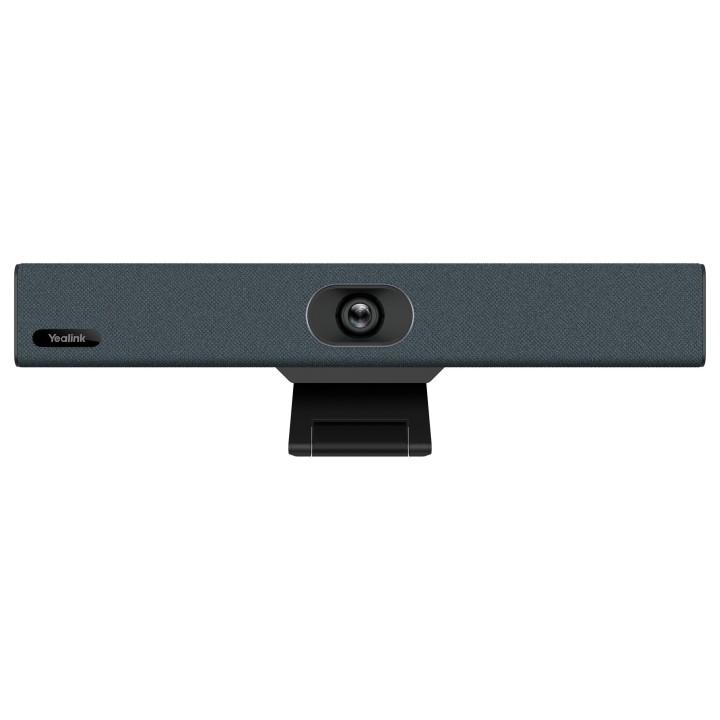
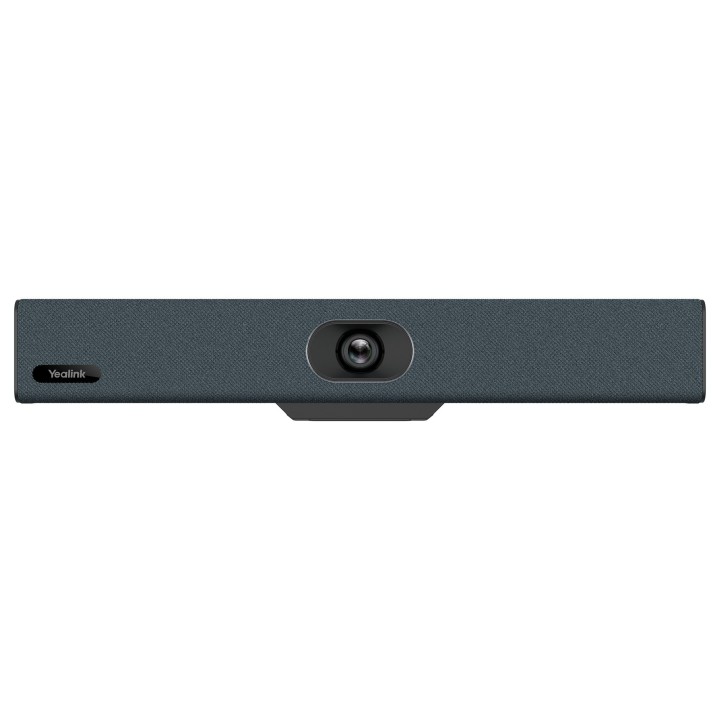
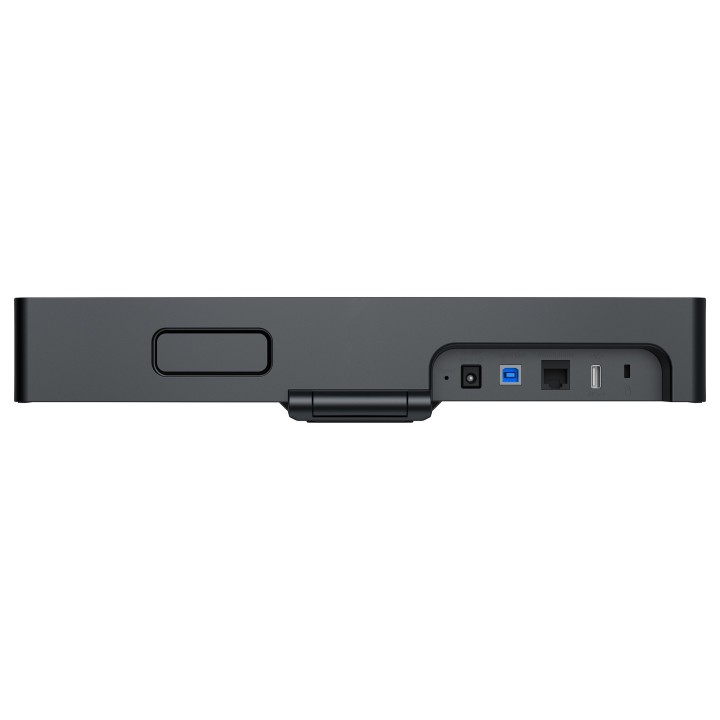
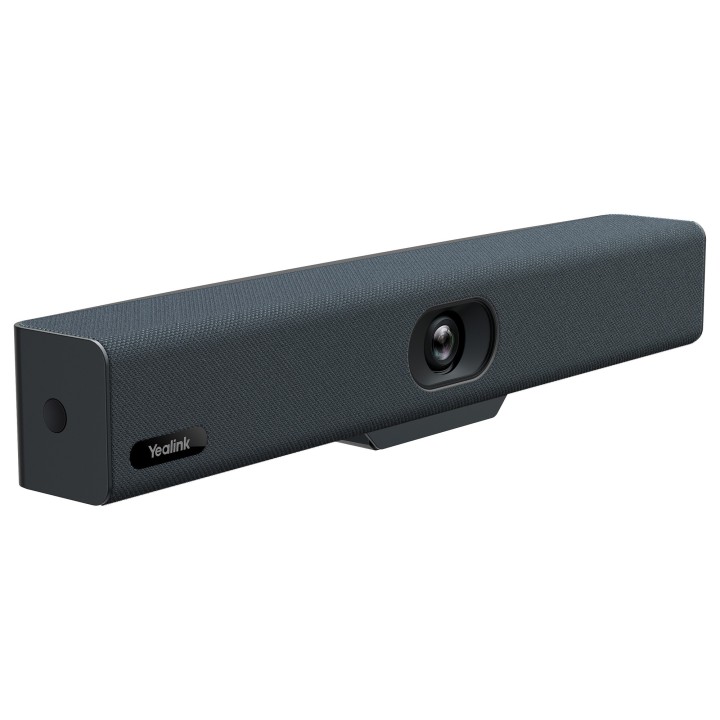
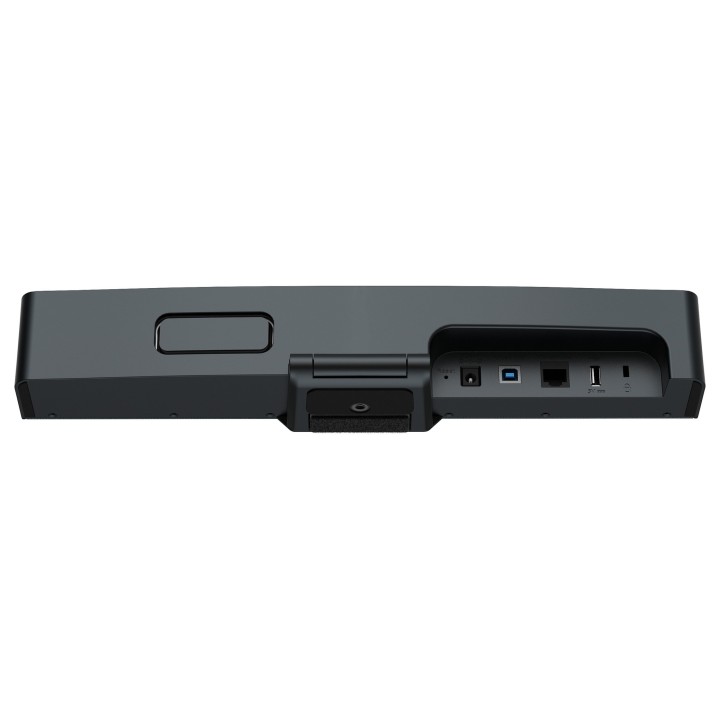
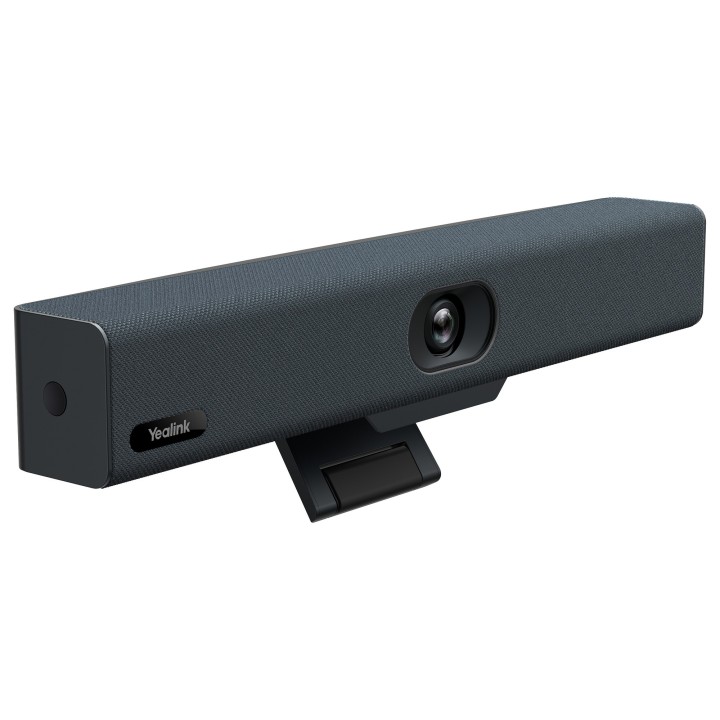


Yealink UVC34 Kamera wideobar 4K obrazki
Yealink UVC34 Kamera wideobar 4K
Opis produktu
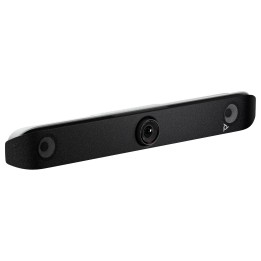
Yealink UVC34 to kompaktowy wideobar all‑in‑one zaprojektowany z myślą o małych salach konferencyjnych, pomieszczeniach typu huddle oraz pracy zdalnej. Wyposażony w kamerę 4K (3840×2160) pracującą do 30 kl./s, szerokokątny obiektyw 120° oraz 5‑krotny zoom cyfrowy z funkcją e‑PTZ, UVC34 umożliwia płynne kadrowanie i szybkie przejścia między ustawieniami bez potrzeby dodatkowego sprzętu.
Urządzenie łączy w sobie zaawansowane funkcje wideo i audio: elektryczną osłonę obiektywu dla ochrony prywatności, 9 presetów kamery oraz algorytmy sztucznej inteligencji do automatycznego kadrowania i wykrywania twarzy. W zakresie audio UVC34 oferuje ośmiomikrofonowy system, pełny dupleks, technologie redukcji szumów Yealink Noise Proof oraz eliminację echa, a także wbudowany głośnik o mocy 5 W i paśmie przenoszenia 100–20000 Hz.
Szeroki zakres łączności obejmuje porty USB 2.0 (typ A i B), port mikrofonu Yealink (RJ‑45), złącze zasilania oraz wsparcie dla UAC2.0 i UVC1.1, co ułatwia integrację z systemami współpracującymi z klasą audio/video USB. Dodatkowo urządzenie posiada wbudowane Wi‑Fi i Bluetooth 4.2 oraz wsparcie dla systemów Windows i macOS, a kompaktowe wymiary i zintegrowana konstrukcja ułatwiają montaż i instalację w różnych konfiguracjach sal.
Specyfikacja
- Marka: Yealink
- Model: UVC34
- Typ produktu: Osobisty system wideokonferencyjny
- Rozdzielczość kamery: 3840 x 2160 (4K Ultra HD)
- Maksymalna liczba klatek na sekundę: 30 fps
- Kąt widzenia (FOV): 120°
- Zoom cyfrowy: 5x
- Typ przetwornika obrazu: CMOS
- Megapiksele: 8 MP
- Funkcja e-PTZ: Tak
- Liczba presetów kamery: 9
- Liczba kamer: 1
- Liczba mikrofonów: 8
- Liczba matryc mikrofonowych: 1
- Tryb audio: Pełny dupleks
- Moc głośnika: 5 W
- Pasmo przenoszenia głośników: 100 - 20000 Hz
- Technologie audio: Yealink Noise Proof; Eliminacja echa
- Interfejsy (porty): 1 x USB 2.0 typu B; 1 x USB 2.0 typu A; 1 x port mikrofonu Yealink (RJ-45); port zasilania; gniazdo blokady bezpieczeństwa; gniazdo resetowania
- Obsługiwane sterowniki: UAC2.0, UVC1.1
- Łączność bezprzewodowa: Wbudowane Wi‑Fi; Bluetooth 4.2
- Systemy operacyjne: Windows 7, Windows 8.1, Windows 10; macOS 10.10 lub nowszy
- Zasilanie (AC): 100 - 240 V AC
- Wyjście DC: 48 V, 0.7 A
- Kolor: Czarny
- Szerokość produktu: 380 mm
- Głębokość produktu: 55 mm
- Wysokość produktu: 55 mm
- Waga produktu: 1.28 kg
- Liczba portów USB 2.0: 2
Szczegóły produktu
- Marka Yealink
- Kod produktu 660fc10971a267703cb763ea
- Dostępność 1 Przedmiot
- EAN13 6938818309111
- MPN 1206611
Producent
Producent
Yealink (Europe) Network Technology B.V.
Keizersgracht 62 1015 CS Amsterdam Holandia
E-mail: europe@yealink.com
Formularz kontaktowy: https://www.yealink.com/en/contact
Telefon: +86 5925702000
Osoba odpowiedzialna w UE
Yealink (Europe) Network Technology B.V.
Keizersgracht 62 1015 CS Amsterdam Netherlands
E-mail: europe@yealink.com
Formularz kontaktowy: https://www.yealink.com/
Telefon: +86 5925702000
Bezpieczeństwo
Informacje o bezpieczeństwie
List of safety warnings for video conferencing sets and cameras based on the requirements of Regulation (EU) 2023/988 on General Product Safety (GPSR) 1. Risk of electric shock: * Make sure that the device is connected to a working socket with grounding. * Do not touch the plug or cable with wet hands. * Avoid using the device in places with high humidity. 2. Risk of overheating: * Provide adequate ventilation while maintaining at least 5 cm of free space around the device. * Do not block ventilation openings. 3. Fire risk: * Use only original chargers and accessories recommended by the manufacturer. * Do not leave the device on unattended near flammable materials. 4. Risk of bodily injury: * Avoid using the device in a position that causes excessive heat pressure on the skin to prevent burns. * Use the device on a stable surface to minimize the risk of falling. 5. Hazards in humid environments: * Do not use the unit outdoors in rain or in areas with high humidity, such as bathrooms. * If the device is flooded, immediately disconnect it from the power source and contact the service. 6. Hazards at high temperatures: * Do not expose the device to direct sunlight. * Avoid using the device at temperatures exceeding the recommended range (usually 5-35°C). 7. Risk of damage during cleaning: * Before cleaning, disconnect the device from the power supply and use a soft, slightly damp cloth. * Avoid using strong detergents that can damage the surface of the device. 8. Caution when replacing accessories: * Use only the accessories recommended by the manufacturer. * When replacing batteries, follow the manufacturer's instructions and do not expose the battery to high temperatures. 9. Risks associated with battery use: * Avoid damage to the battery by impact or puncture. * If the battery overheats or swells, stop using the device immediately. 10. Child Hazards: * Keep power cables out of reach of children. * Make sure that children do not play with the device or accessories that can be dangerous. 11. Risk of mechanical damage and injury: * The device's fall may cause the screen to shatter, which can lead to user cuts. * Use durable protective cases and tempered glass for your screen. If the screen is damaged, do not use the device until repaired. 12. Risk of electromagnetic interference * Using the device near medical devices such as pacemakers can cause electromagnetic interference. * Maintain a distance of at least 15 cm between the device and medical devices. 13. Effects on vision * Long-term use of the device, especially in dark conditions, can lead to eye strain. * Use eye protection mode if available, and take breaks from the screen regularly. 14. Regular maintenance * Failure to regularly clean ports and sockets can lead to damage or failure. * Clean ports and sockets regularly using a dry and clean cloth, avoiding moisture input. 15. Allergic reactions to materials * Materials used in the device housing (e.g. silicone, metal) can cause skin irritation or allergic reactions. * In case of redness or discomfort, remove the device and consult a dermatologist. Clean the case regularly to avoid accumulation of sweat or dirt.
Zestawy do wideokonferencji
- Nowy
- Nowy
- Nowy
- Nowy
- Nowy
- Nowy
- Nowy
- Nowy
- Nowy
- Nowy
- Nowy
Ostatnio oglądane
Produkty, które ostatnio zwróciły Twoją uwagę.
- Nowy
- Nowy
- Nowy

- Nowy
- Nowy
- Nowy
- Nowy
- Nowy
- Nowy
- Nowy
- Nowy
- Nowy