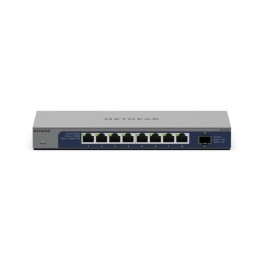
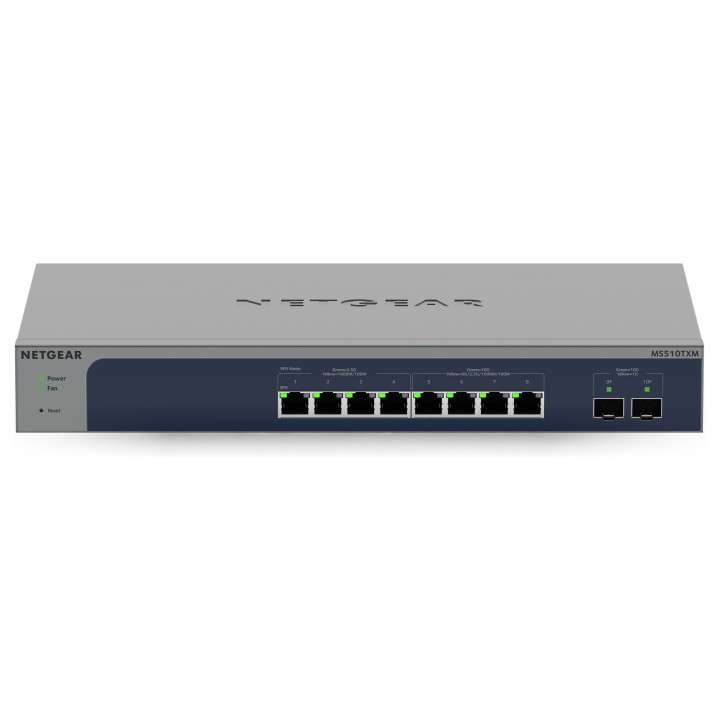
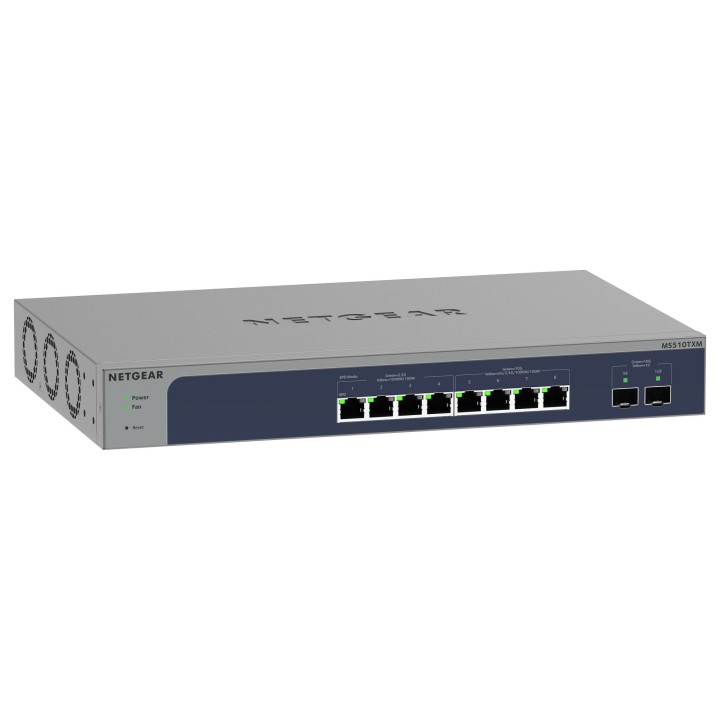
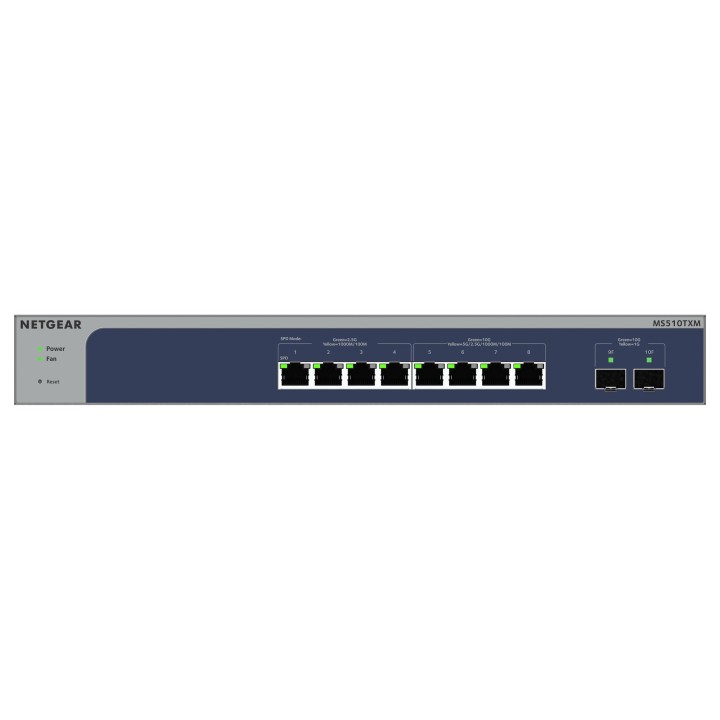
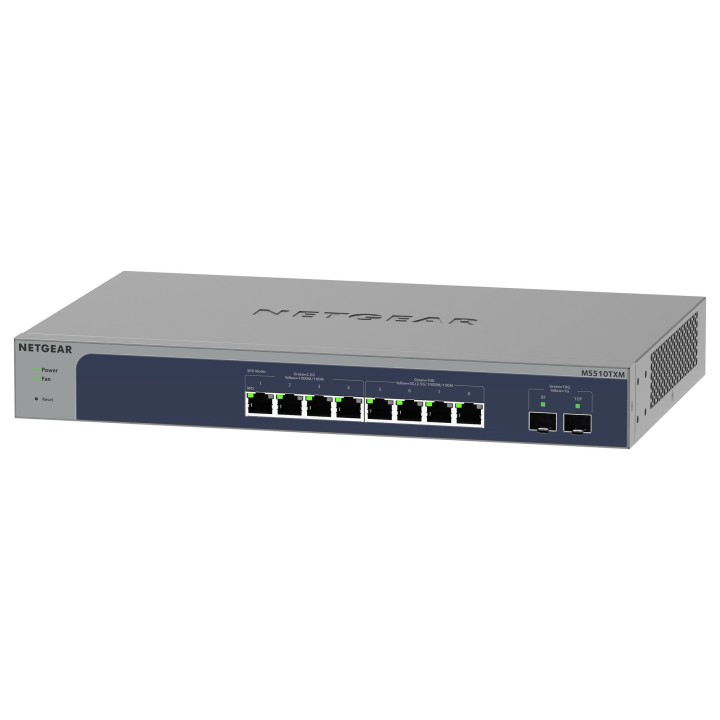
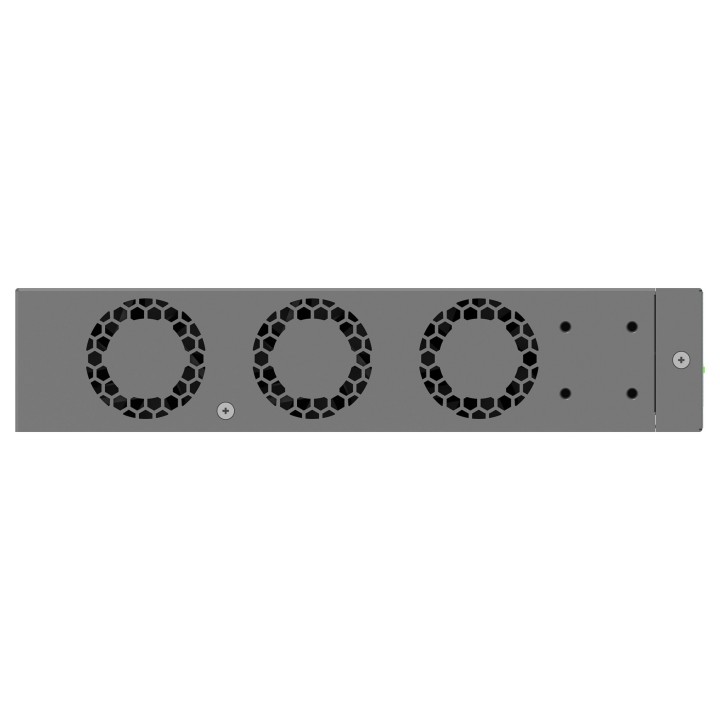

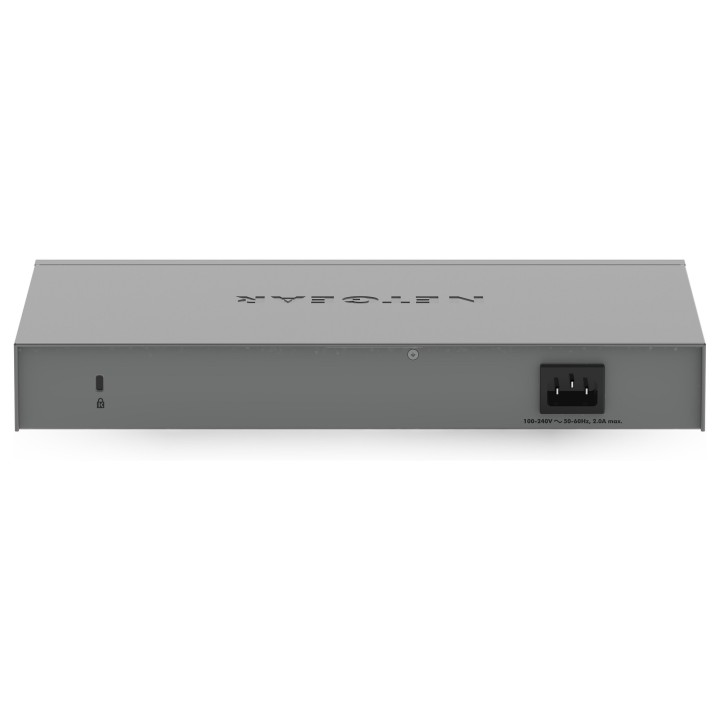
Przełącznik MS510TXM Switch Smart 8x10GE 2xSFP+
Opis produktu
8-portowy przełącznik Smart Switch Multi-Gigabit/10G Ethernet z 2 portami SFP+
Zapewnia 4 portów 1G/2.5G i 4 portów Multi-GIG/10G z 2 dedykowanymi portami światłowodowymi 10 Gigabit dla połączeń WiFi 6 AP, nadzoru IP i mobilności. Obejmuje roczną subskrypcję Insight Premium lub Pro.
Zarządzanie aktywnością
- Automatyczne dostosowywanie prędkości i trybów dupleksowych
- Kontrola przepływu danych IEEE 802.3x
- Dynamiczne zarządzanie adresem MAC
- IEEE 802.1Q VLAN
- Funkcja QoS w oparciu o algorytm WRR i/lub ścisły priorytet
- Funkcja QoS w oparciu o porty i protokół IEEE 801.2p
- Usługa QoS oparta na protokole TCP/UDP
- Funkcja DiffServ
- Obsługa DSCP
- Ograniczanie przepustowości (wejściowej lub wyjściowej)
- Agregacja połączeń i funkcja LACP
Zarządzanie przełącznikiem sieciowym
- Aplikacja mobilna Insight lub portal Insight Cloud
- Zarządzanie w przeglądarce za pomocą interfejsu graficznego
- Oprogramowanie Smart Control Center ułatwiające zarządzanie wieloma przełącznikami
- Lista dostępów do adresów IP
- Zarządzanie IPv6
- Konfigurowalne zarządzanie VLAN
- Protokół SNMP: v1, v2c, v3
- Standardy MIB (RFC1213, RFC1643, RFC1493)
- Standard RMON grupy 1, 2, 3, 9
- Aktualizacja oprogramowania sprzętowego poprzez Smart Control Center (TFTP)
- Pobieranie (do przełącznika) i przesyłanie (do serwera) oprogramowania sprzętowego z wykorzystaniem protokołu TFTP/HTTP
- Konfiguracja i przesyłanie obrazów (do komputerów PC) z wykorzystaniem protokołu HTTP
- Pobieranie (do przełącznika) oprogramowania sprzętowego z wykorzystaniem protokołu TFTP/HTTP i przesyłanie (do serwera)
- Zapis stanu pamięci i FLASH
- Dziennik systemu (serwera)
- Ochrona systemu hasłem
Bezpieczeństwo
- Blokada MAC
- Blokada adresów MAC wg ich liczby
- Uwierzytelnienie portu IEEE 802.1x
- Dynamiczne przypisywanie VLAN
- Gościnna sieć VLAN
- TACACS+
- 3 wersje HTTPS/SSL
- Sesja TLS
- Zaufane adresy MAC
- Listy ACL dla protokołu IPv4, L4
Wydajność Multicast
- Protokół filtrujący IGMP Snooping w wersjach v1, v2 i v3
- Generator zapytań IGMP Snooping
- Blokowanie niezidentyfikowanej aktywności z zakresu dystrybucji Multicast
- Rozpoznawanie protokołu MLD
Drzewo rozszerzone, routing i łączenie
- IEEE 802.1D, IEEE 802.1w RSTP oraz MSTP
- Możliwość wł. / wył. przepełniania BPDU po wyłączeniu funkcji STP
Niezawodność, wydajność i rozwiązywanie problemów
- Obsługa lustrzanych portów dla ruchu przychodzącego i wychodzącego
- Obsługa ramki Jumbo
- Kontrola burzy broadcastowej
- Diagnostyka przewodów
- Wykrywanie pętli
- Zapobieganie atakom DoS
- Protokół IEEE 802.1ab LLDP
- Protokół LLDP-MED
- Dwa obrazy
- Protokół SNTP
- Opcja przełączania przepełniania protokołu EAPOL po wyłączeniu trybu 802.1x
- Chronione porty
- Klient DNS
- Klienci DHCP
- Metoda DHCP Snooping
- Ping i klient traceroute
Specyfikacja
- Klasa przełącznika: SMART
- Zastosowanie (switche): Dom i małe biuro (do 16 portów)
- Warstwa przełączania (switche): L2+
- Architektura sieci (switche): GigabitEthernet
- Liczba portów 10/100 Mbps: Brak
- Liczba portów 10/100/1000 Mbps: Brak
- Liczba portów 10/100/1000/2500 Mbps: 4
- Liczba portów 10Gb: 6
- Liczba portów PoE (PoE + PoE+): Brak
- Liczba portów PoE+: Brak
- Liczba portów COMBO: Brak
- Liczba portów SFP: Brak
- Liczba portów SFP+: 2
- Liczba portów QSFP+: Brak
- Port konsoli: Nie
- Tryb przekazywania: Store-and-forward
- Przepustowość (switche Gbps): 140 Gb/s
- Bufor pakietów: 2 MB
- Rozmiar tablicy adresów MAC: 32000
- Obsługa ramek Jumbo: Tak
- Rozmiar ramki Jumbo: 10 KB
- Możliwość łączenia w stos: Nie
- Liczba grup VLAN (tylko mng i smart): 256
- Obsługiwane protokoły i standardy: IEEE 802.3ad - LAGs (LACP) IEEE 802.3x (full duplex and flow control) IEEE 802.1D Spanning Tree Protocol IEEE 802.1w Rapid Spanning Tree Protocol IEEE 802.1s Multiple Spanning Tree Protocol
- QoS: Port-based rate limiting wejście i wyjście Port-based QoS Support for IPv6 fields DiffServ QoS wejście IEEE 802.1p COS Destination MAC and IP IPv4 and v6 DSCP IPv4 and IPv6 TCP/UDP-based Weighted Round Robin (WRR) Strict priority queue technology Auto-VoIP VLAN / Auto-Voice VLAN: Yes, manual or automatic assigment of VoIP phone traffic based on OUI bytes (default database and user-based OUIs) in the phone source MAC address to Voice VLAN associated with high priority QoS parameters
- Bezpieczeństwo: IEEE 802.1x Guest VLAN RADIUS-based VLAN assignment via .1x MAC-based .1x RADIUS accounting Access Control Lists (ACLs) L2 / L3 / L4 IP-based ACLs (IPv4 and IPv6) MAC-based ACLs TCP/UPD-based ACLs MAC lockdown MAC lockdown by the number of MACs Control MAC # Dynamic learned entries (per port) 4096 Control MAC # static entries 48 IEEE 802.1x RADIUS port access authentication/type Port-based security by locked MAC addresses Broadcast, multicast, unknown unicast storm control DoS attacks preventio Protected ports
- Zarządzanie, monitorowanie, konfiguracja: Cloud/Remote management Insight mobile app & Insight Cloud Portal management uPnP Discovery - activated by default Networking monitoring Data/performance logs Centralized network configuration/policies (network-centric management) Device auto-join and configure (zero-touch provisioning) Multi-site, multi-network single pane-of-glass view Multi-switch, multi-port concurrent configuration Network/global password (for all Insight Managed devices on a network) - (per network/subnet via NETGEAR Insight mobile app and Insight Cloud Portal) Password management IP Access List Configurable management VLAN Admin access control via RADIUS and TACACS+ IPv6 management SNTP client over UDP port 123 Firmware upgrade direct from Cloud (via mobile device or Insight Cloud Portal) SNMP v1/v2c SNMP v3 with multiple IP addresses RMON group 1, 2, 3, 9 Smart Control Center (SCC) for multi-switch management Port mirroring Many-to-one port mirroring Cable test utility Ping and tracerout client Local-only web browser-based management GUI HTTP/TLS Web-based access (version) (v1.2) HTTP firmware upload/download Dual software (firmware) image Memory and flash log Syslog (Server)
- Funkcje L2: IGMP snooping (v1, v2 and v3) MLD snooping support (v1 and v2) IGMP snooping querier Block unknown multicast
- Typ obudowy: Desktop (PC/Switche)
- Wentylator (switche): Tak
- Zasilacz (switche): Wewnętrzny
- Pobór mocy: 47 W
- Akcesoria w zestawie: Przełącznik Kabel zasilający Zestaw montażowy Gumowe podkładki do montażu na stole Instrukcja instalacji
- Wymiary: 330 x 206 x 43 mm
- Waga: 2.08 kg
- Wymagania środowiskowe: Temperatura pracy: 0° - 50°C Wilgotność robocza: 95% bez kondensacji Wysokość robocza: do 3 000 m Temperatura przechowywania: - 20° do 70°C Wilgotność przechowywania: 95% bez kondensacji Wysokość przechowywania: do 3 000 m
- Pozostałe parametry: 2 x Wentylator
- Uwaga: CE+WEEE
Szczegóły produktu
- Marka Netgear
- Kod produktu 660fc26271a267703cb8d252
- Dostępność 8 Przedmioty
- EAN13 0606449152364
- MPN MS510TXM100EUS
Producent
Producent
NETGEAR International Limited
6th Floor, Penrose Two, Penrose Dock T23 YY09 Cork Ireland
E-mail: emea.orders@netgear.com
Formularz kontaktowy: https://www.netgear.com/support/
Telefon: +353 (0)4089 078000
Bezpieczeństwo
Informacje o bezpieczeństwie
List of safety warnings for network equipment based on the requirements of General Product Safety Regulation (GPSR) 2023/988: 1. Risk of electric shock: * Make sure that the device is connected to a working socket with grounding. * Do not touch the plug or cable with wet hands. * Avoid using the device in places with high humidity. 2. Risk of overheating: * Provide adequate ventilation while maintaining at least 5 cm of free space around the device. * Do not block ventilation openings and avoid putting network equipment on soft surfaces such as blankets or pillows. 3. Fire risk: * Use only original power supplies and accessories recommended by the manufacturer. * Do not leave the device on unattended near flammable materials. 4. Risk of bodily injury: * Use the device on a stable surface to minimize the risk of falling. 5. Hazards in humid environments: * Do not use network equipment outdoors in rain or in places with high humidity. * If the device is flooded, immediately disconnect it from the power source and contact the service. 6. Hazards at high temperatures: * Do not expose the device to direct sunlight. * Avoid using network equipment at temperatures above the recommended range (usually 5-35°C). 7. Risk of damage during cleaning: * Before cleaning, disconnect the device from the power supply and use a soft, slightly damp cloth. * Avoid using strong detergents that can damage the surface of the device. 8. Caution when replacing accessories: * Use only the accessories recommended by the manufacturer. * When replacing batteries, follow the manufacturer's instructions and do not expose the battery to high temperatures. 9. Risks associated with battery use: * Avoid damage to the battery by impact or puncture. * If the battery overheats or swells, stop using the device immediately. 10. Warnings for children: * Keep power cables out of reach of children. * Make sure that children do not play with the device or accessories that can be dangerous. 11. Electromagnetic interference: * Using network equipment near medical devices such as pacemakers can cause electromagnetic interference. * Maintain a distance of at least 15 cm between network equipment and medical devices. 12. Fire hazard: * Storing network equipment near flammable materials or using non-original power supplies may increase the risk of fire. * Use your smartphone away from fabrics, paper, and other flammable materials. 13. Regular maintenance: * Failure to regularly clean ports and sockets can lead to damage or failure. * Clean ports and sockets regularly using a dry and clean cloth, avoiding moisture input.
Switche
Ostatnio oglądane
Produkty, które ostatnio zwróciły Twoją uwagę.