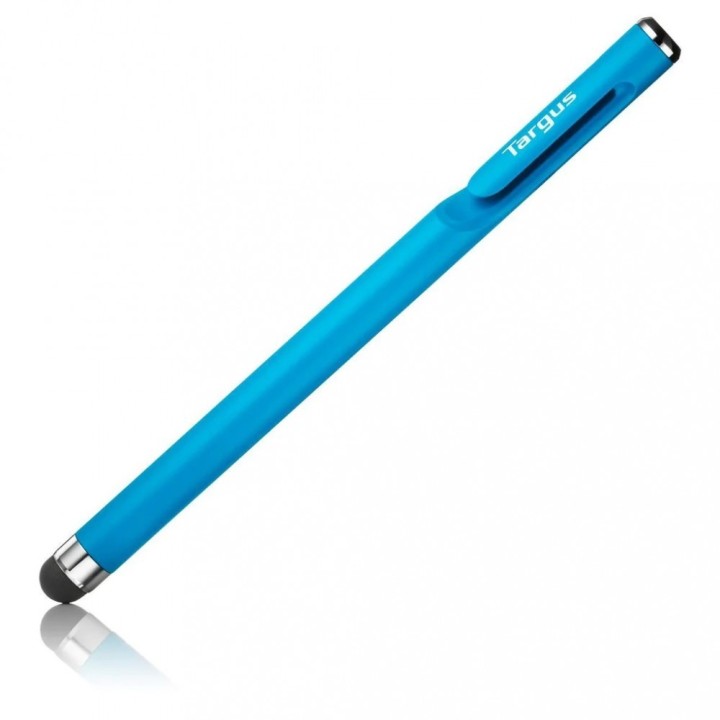
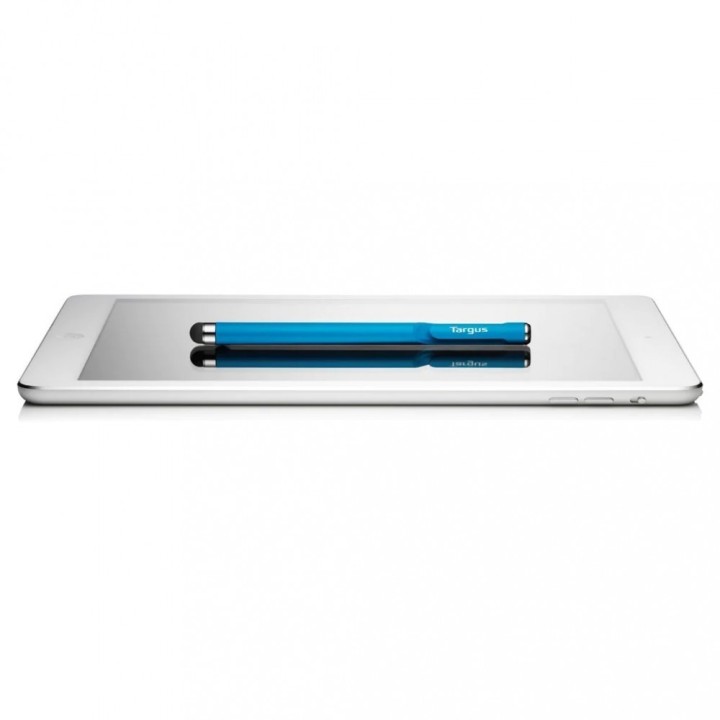
Rysik antybakteryjny gładki do smartfonów i ekranów dotykowych - niebieski

Cena: 88,49 zł
Brutto
Dostępność produktu: Dostępny 3 szt.
Czas dostawy Wysyłka w ciągu 5 dni roboczych
Koszt dostawy Bezpłatna dostawa od 250 zł.

Opis produktu

Antybakteryjny gładki rysik do smartfonów i ekranów dotykowych - niebieski

  • Funkcjonalny rysik minimalizuje kontakt fizyczny podczas współdzielenia urządzeń z ekranem dotykowym, a technologia Targus DefenceGuard Antimicrobial Protection nieprzerwanie zapobiega rozwojowi mikroorganizmów na rysiku.
  • Wygodny w użyciu, jest niezwykle lekki (około 10 g), a jednocześnie doskonale wyważony.
  • W pełni kompatybilny ze wszystkimi pojemnościowymi urządzeniami z ekranem dotykowym (tablety, smartfony lub laptopy z ekranem dotykowym).
  • Innowacyjna konstrukcja końcówki z mikrokieszonką powietrzną zapewnia o 75% płynniejszy poślizg, zapewniając idealną dokładność i szybkość reakcji.
  • Zwiększa komfort korzystania z aplikacji do szkicowania, robienia notatek, edycji zdjęć itp.
  • Stylowa, jednoczęściowa konstrukcja premium ze zintegrowanym klipsem.

Specyfikacja

  • Do ekranów: Pojemnościowych
  • Średnica: 0.9 cm
  • Długość: 12.7 cm
  • Pasuje do: Uniwersalny
  • Kolor (wyliczeniowy): Niebieski
  • Waga: 0.01 kg
  • Uwaga: Kosz zgodnie z zasadami recyklingu

Szczegóły produktu

  • Marka Targus
  • Kod produktu 660fc3f971a267703cba6f05
  • Dostępność 3 Przedmioty
  • EAN13 5051794041255
  • MPN AMM16502AMGL

Specyfikacja

  • Kolor Niebieski

Producent

Producent

Targus

Berner Str. 40 60437 Frankfurt Niemcy

E-mail: support@targus.com

Formularz kontaktowy: https://eu.targus.com/pages/support

Osoba odpowiedzialna w UE

Targus Europe Ltd.

Van Hilststraat 19 5145 RK Waalwijk Netherlands

E-mail: AMurphy@targus.com

Formularz kontaktowy: https://eu.targus.com/pages/contact-us

Telefon: +44 7720 285 161

Bezpieczeństwo

Informacje o bezpieczeństwie

List of stylus safety warnings based on the requirements of General Product Safety Regulation (EU) 2023/988 (GPSR): * Beware of sharp stylus tips that may cause cuts. * Do not use the stylus if it is damaged. This can lead to the touch screen malfunctioning or scratching. * Keep the stylus out of reach of children to avoid the risk of swallowing small items. * Do not try to repair the stylus yourself, as this can lead to damage or injury. * Avoid using the stylus in wet conditions, as this can damage your device or the stylus itself. * Clean the stylus with a gentle cloth to remove dirt and avoid touch screen scratches. * Use the stylus according to the manufacturer's instructions to ensure its proper operation and avoid damage. * Do not bend or press the stylus, as this may damage it. * For battery-powered styluses, make sure the battery is properly mounted and not damaged. * Do not expose the stylus to extreme temperatures or direct sunlight to prevent damage.

Ładowanie...
Wróć na górę