- Nowy
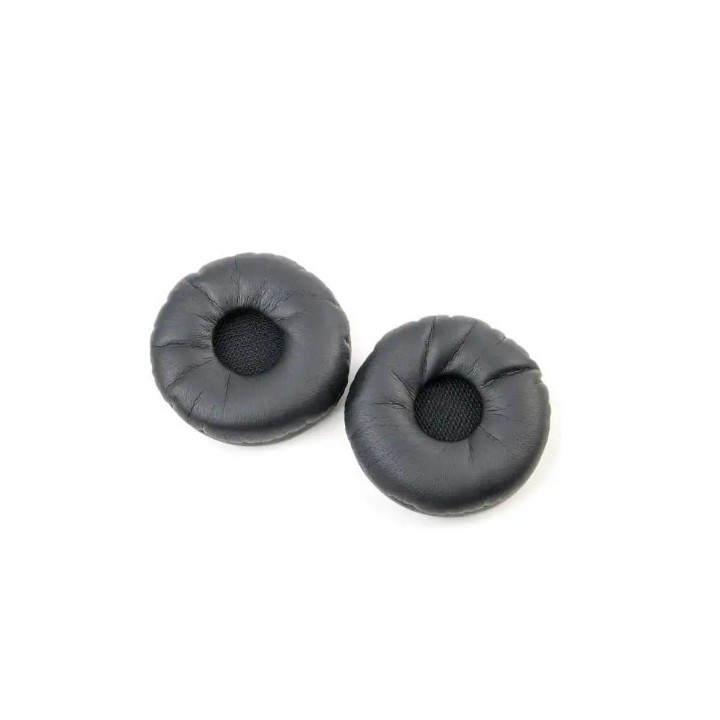
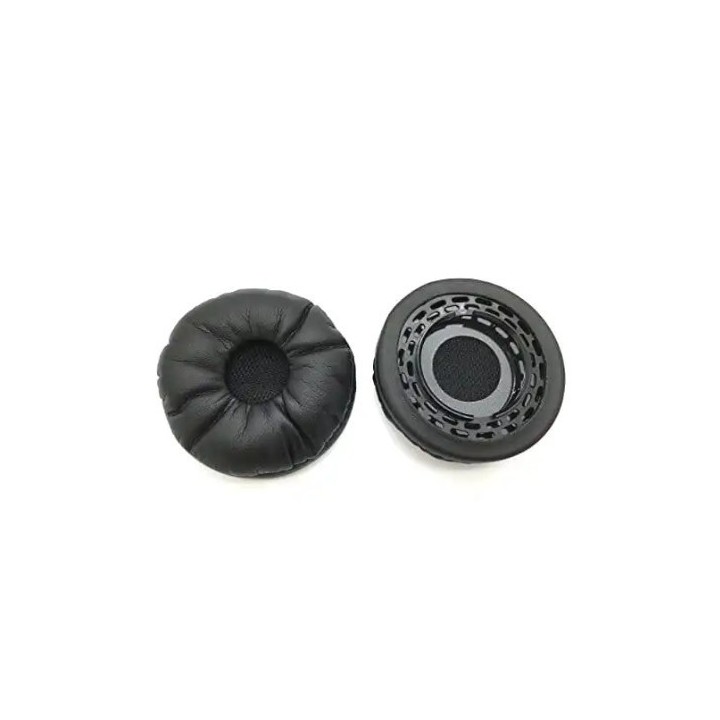
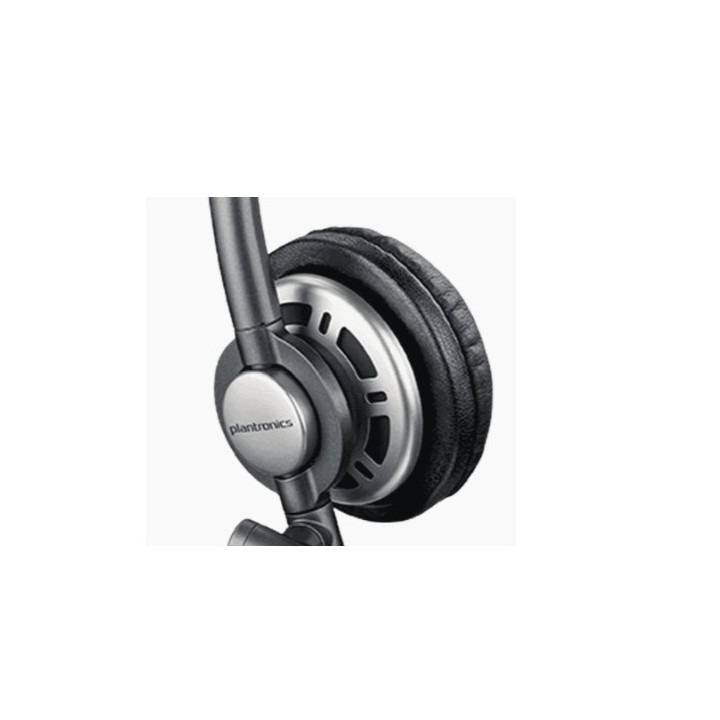
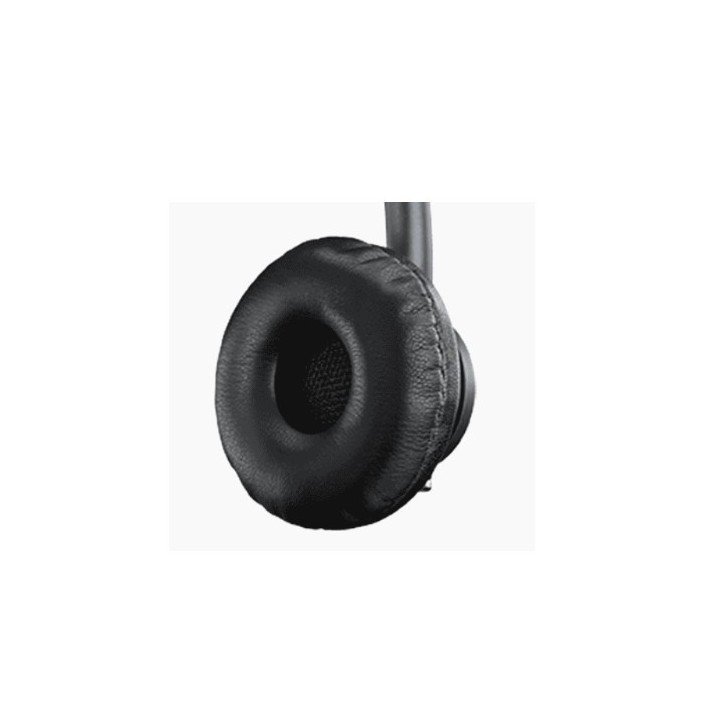
HP Poly EncorePro HW700 Leatherette Ear Cushions and Mounting Plates 2 Pieces obrazki
HP Poly EncorePro HW700 Leatherette Ear Cushions and Mounting Plates 2 Pieces
Opis produktu
Odkryj niezbędne akcesorium do swojego zestawu słuchawkowego dzięki zestawowi poduszek HP Inc. Poly. Zaprojektowany z myślą o wygodzie użytkownika, zestaw ten zawiera pluszowe poduszki nauszne ze sztucznej skóry, które zapewniają komfort podczas długotrwałego użytkowania. Niezależnie od tego, czy prowadzisz długą rozmowę konferencyjną, czy słuchasz ulubionych utworów, te poduszki nauszne zapewniają, że Twoje uszy pozostaną wolne od zmęczenia. Pakiet zawiera również płytki montażowe, dzięki czemu proces instalacji jest prosty i bezproblemowy. Mając wszystko, czego potrzebujesz, modernizacja zestawu słuchawkowego nigdy nie była łatwiejsza. Doświadcz połączenia komfortu i wygody dzięki temu niezbędnemu akcesorium.
Wygodny materiał ze sztucznej skóry
Zawiera poduszki nauszne i płytki montażowe ułatwiające konfigurację
Zaprojektowane specjalnie dla zestawów słuchawkowych, zwiększając komfort użytkowania
Specyfikacja
- Opis produktu: HP Poly zestaw podkładek do słuchawek do zestaw słuchawek sztuczna skóra
- Typ produktu: Zestaw podkładek do słuchawek
- Ilość w opakowaniu: 2 (specyfikacje dotyczą jednego produktu)
- Przeznaczenie: Zestaw słuchawek
- Zawartość opakowania: Poduszeczka ochronna słuchawki, płyta montażowa
- Tworzywo produktu: Imitacja skóry
Szczegóły produktu
- Marka HP POLY
- Kod produktu 6610d624620507cf6ecc4f2a
- Dostępność 4 Przedmioty
- EAN13 0197497573534
- MPN 85R27AA
Specyfikacja
- Kolor Czarny
- Materiał Pianka
Producent
Producent
HP Inc.
Cami de Can Graells 1-21 08174 Sant Cugat del Valles Spain
E-mail: reg@hp.com
Formularz kontaktowy: https://www.hp.com/es-es/contact-hp
Telefon: 902 02 70 20
Osoba odpowiedzialna w UE
HP REG 23010
HP REG 23010 08028 Barcelona Spain
E-mail: reg@hp.com
Formularz kontaktowy: https://www.hp.com/us-en/hp-information.html
Bezpieczeństwo
Informacje o bezpieczeństwie
List of safety warnings for laptop enclosures and hulls based on the requirements of General Product Safety Regulation (EU) 2023/988 (GPSR): * Make sure the housing is compatible with your laptop model to avoid problems with fitting and component damage. * Check that the housing does not have sharp edges or burrs that could cause cuts. * Be careful when mounting the case so as not to damage delicate laptop components such as motherboard, connectors or cables. * Avoid overtightening the screws that fasten the housing so as not to damage the threads or cause cracks. * If the case has ventilation elements, make sure that they are open and do not block air flow, which could lead to overheating of the laptop. * Do not use the housing in a humid or dusty environment, as this may affect its durability and safety of use. * Store the housing in a dry and safe place, away from heat sources and direct sunlight, to avoid deformation or damage. * Make sure the case does not interfere with laptop ports and connectors, such as USB, HDMI, or power outlet. * If the housing is made of flammable materials, avoid contact with open fire or high temperatures. * In case of damage to the housing (cracks, deformation) immediately stop using it and replace it with a new one. * Pay attention to the ergonomics of the case – make sure that its shape and finish do not cause discomfort when using the laptop. * If the case has additional features (e.g. LED backlight), make sure that they comply with safety standards and do not pose a health hazard. * Be sure to properly recycle the used housing to minimize the negative impact on the environment.
Pozostałe części do laptopów i tabletów
- Nowy
- Nowy
- Nowy
- Nowy
- Nowy

- Nowy
- Nowy
- Nowy
- Nowy
Ostatnio oglądane
Produkty, które ostatnio zwróciły Twoją uwagę.
- Nowy
- Nowy
- Nowy
- Nowy
- Nowy
- Nowy

- Nowy
- Nowy
- Nowy

- Nowy