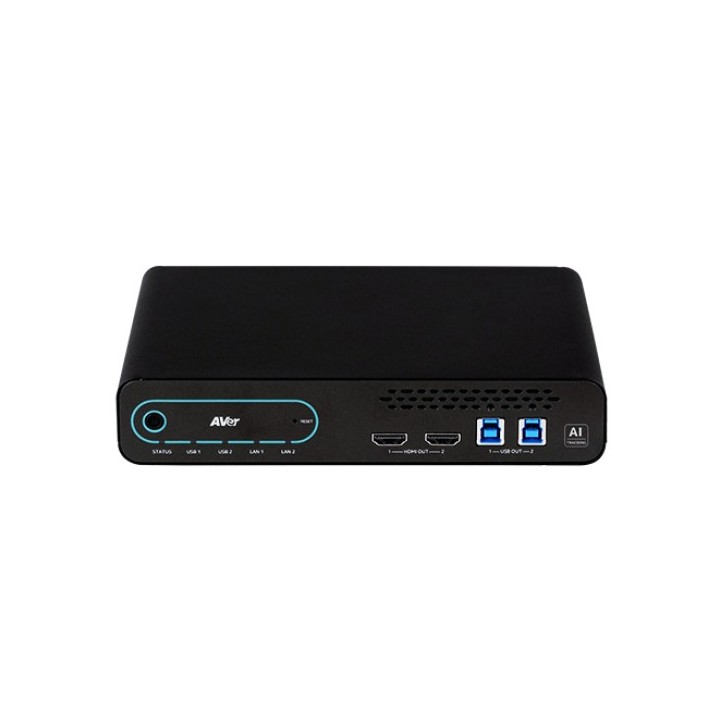
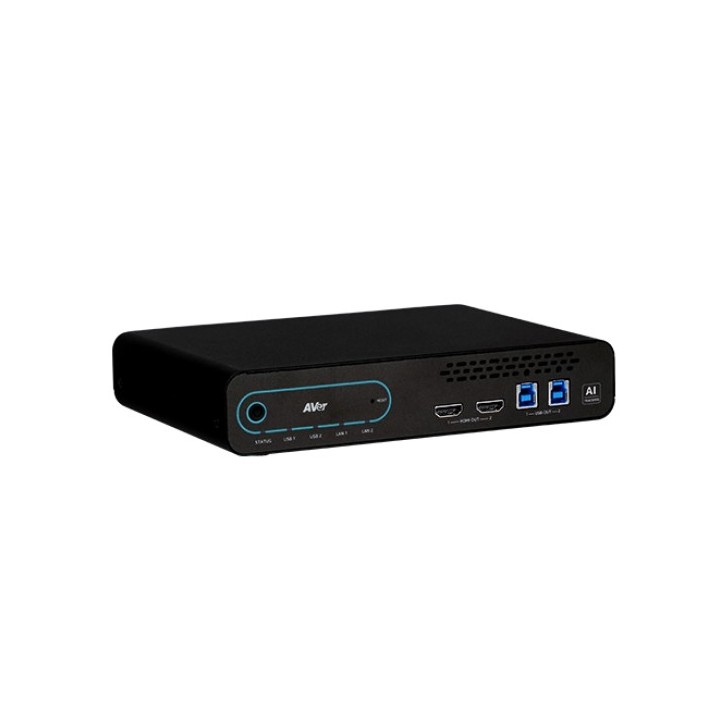
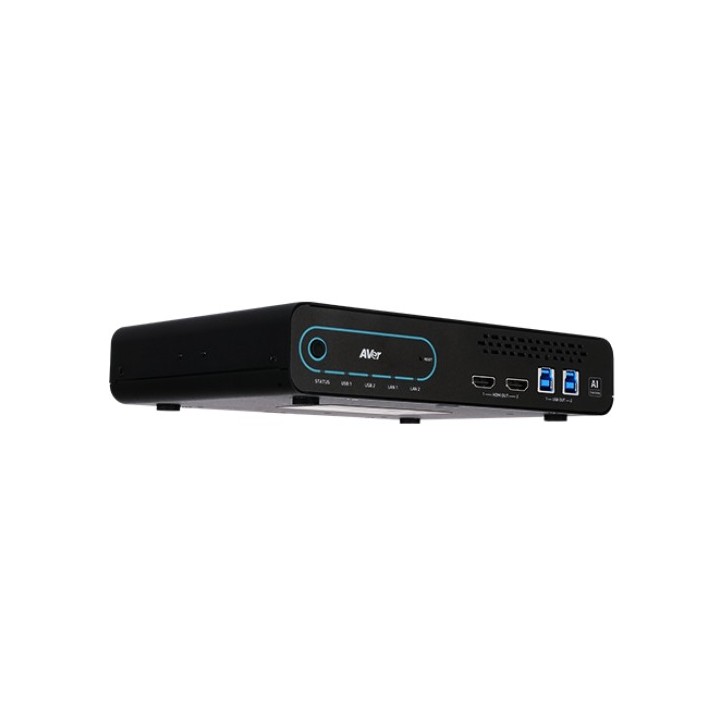
Matryca kamer AVer MT300N
Opis produktu
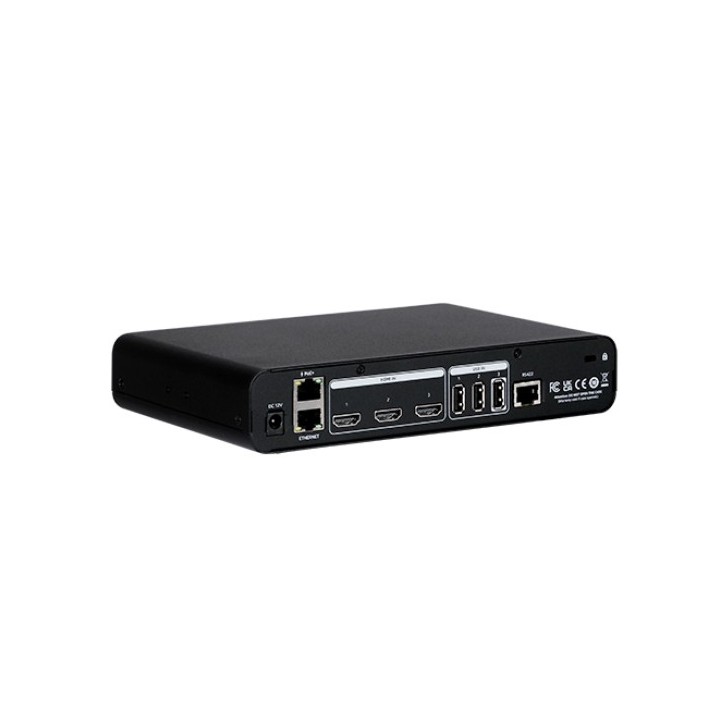
Przyszłość zarządzania AV MT300N to najnowocześniejsze urządzenie multimedialne firmy AVer, które rewolucjonizuje sposób zarządzania i kontrolowania różnorodnych źródeł wizualnych i dźwiękowych za pomocą jednej zaawansowanej platformy. Dzięki swojej wszechstronności, wydajności i zaawansowanym funkcjom, MT300N podnosi jakość doznań multimedialnych do absolutnie nowego poziomu, niezależnie od rodzaju wydarzenia czy pomieszczenia. Wyjątkowo kompaktowy design Kompaktowa konstrukcja MT300N ułatwia transport i przechowywanie, a także poszerza opcje instalacji. Elegancki i nowoczesny wygląd urządzenia doskonale komponuje się z każdym otoczeniem. Optymalne zarządzanie urządzeniami Zwiększ wydajność przesyłania strumieniowego, wyświetlając do 4 filmów na żywo. Szeroki wybór wejść i wyjść wideo w urządzeniu eliminuje konieczność ciągłego podłączania i odłączania różnych źródeł. MT300N został zaprojektowany z myślą o maksymalnej uniwersalności, dzięki wszechstronnym funkcjom sterowania kamerą i przełączania wideo. Dodatkowo, funkcja PoE umożliwia natychmiastowe rozpoczęcie nagrywania bez potrzeby dodatkowego zasilania. Zintegrowany z istniejącymi urządzeniami Urządzenie MT300N oferuje elastyczność, umożliwiając podłączenie własnych urządzeń (Bring Your Own Device BYOD) lub ich integrację z istniejącymi systemami. To wszystko w połączeniu z możliwościami multimedialnymi urządzenia, które podnosi jakość prezentacji na wyższy poziom. Zdalne zarządzanie Przejrzysty interfejs umożliwia wygodne zarządzanie kamerami zdalnie, z dowolnego miejsca. Użytkownicy mogą również tworzyć spersonalizowane profile, w tym układy wyświetlania, aby szybko i sprawnie dostosować ustawienia według własnych preferencji. Wbudowana funkcja PTZ Link Premium Jednym kliknięciem można przekształcić kamerę PTZ AVer w zaawansowaną kamerę z funkcją śledzenia głosu dzięki PTZ Link Premium. Wbudowana funkcja PTZ Link Premium umożliwia tworzenie większej liczby grup urządzeń i kanałów mikrofonowych, oraz automatyczne przełączanie wideo w połączeniu z inteligentnym śledzeniem ruchu, co czyni urządzenie idealnym do prezentacji w środowiskach hybrydowych._______________________________________________________________________________________________________________________ 1. Przycisk zasilania 3. Wskaźniki LED 5. Wyjścia USB 2. Przycisk reset 4. Wyjścia HDMI 1. DC 12V 4. Wejścia HDMI 7. Kensington 2. PoE 5. Wejścia USB 3. RJ45 6. RS422

Szczegóły produktu
- Marka AVER
- Kod produktu 6646106068b1a9f670bff013
- Dostępność 2 Przedmioty
- EAN13 4719552127795
- MPN MT300N
Producent
Producent
AVerMedia Technologies Europe B.V.
Westblaak 140 3012 KM Rotterdam Holandia
E-mail: sales.europe@avermedia.com
Bezpieczeństwo
Informacje o bezpieczeństwie
List of safety warnings for video conferencing sets and cameras based on the requirements of Regulation (EU) 2023/988 on General Product Safety (GPSR) 1. Risk of electric shock: * Make sure that the device is connected to a working socket with grounding. * Do not touch the plug or cable with wet hands. * Avoid using the device in places with high humidity. 2. Risk of overheating: * Provide adequate ventilation while maintaining at least 5 cm of free space around the device. * Do not block ventilation openings. 3. Fire risk: * Use only original chargers and accessories recommended by the manufacturer. * Do not leave the device on unattended near flammable materials. 4. Risk of bodily injury: * Avoid using the device in a position that causes excessive heat pressure on the skin to prevent burns. * Use the device on a stable surface to minimize the risk of falling. 5. Hazards in humid environments: * Do not use the unit outdoors in rain or in areas with high humidity, such as bathrooms. * If the device is flooded, immediately disconnect it from the power source and contact the service. 6. Hazards at high temperatures: * Do not expose the device to direct sunlight. * Avoid using the device at temperatures exceeding the recommended range (usually 5-35°C). 7. Risk of damage during cleaning: * Before cleaning, disconnect the device from the power supply and use a soft, slightly damp cloth. * Avoid using strong detergents that can damage the surface of the device. 8. Caution when replacing accessories: * Use only the accessories recommended by the manufacturer. * When replacing batteries, follow the manufacturer's instructions and do not expose the battery to high temperatures. 9. Risks associated with battery use: * Avoid damage to the battery by impact or puncture. * If the battery overheats or swells, stop using the device immediately. 10. Child Hazards: * Keep power cables out of reach of children. * Make sure that children do not play with the device or accessories that can be dangerous. 11. Risk of mechanical damage and injury: * The device's fall may cause the screen to shatter, which can lead to user cuts. * Use durable protective cases and tempered glass for your screen. If the screen is damaged, do not use the device until repaired. 12. Risk of electromagnetic interference * Using the device near medical devices such as pacemakers can cause electromagnetic interference. * Maintain a distance of at least 15 cm between the device and medical devices. 13. Effects on vision * Long-term use of the device, especially in dark conditions, can lead to eye strain. * Use eye protection mode if available, and take breaks from the screen regularly. 14. Regular maintenance * Failure to regularly clean ports and sockets can lead to damage or failure. * Clean ports and sockets regularly using a dry and clean cloth, avoiding moisture input. 15. Allergic reactions to materials * Materials used in the device housing (e.g. silicone, metal) can cause skin irritation or allergic reactions. * In case of redness or discomfort, remove the device and consult a dermatologist. Clean the case regularly to avoid accumulation of sweat or dirt.