- Nowy
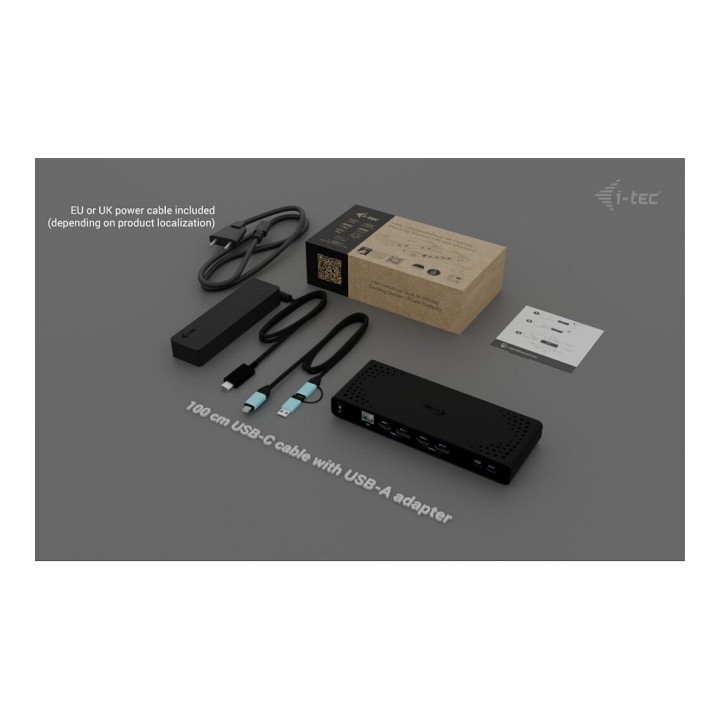
I-TEC UNIVERSAL DUAL 4K DOCK PD/85W INCL. USB-C CHARGER 100W obrazki
I-TEC UNIVERSAL DUAL 4K DOCK PD/85W INCL. USB-C CHARGER 100W
Opis produktu
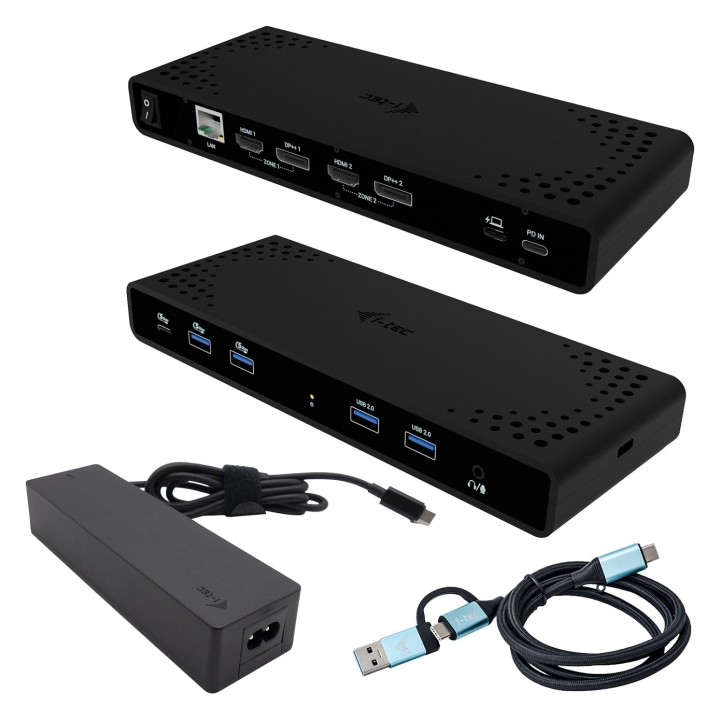
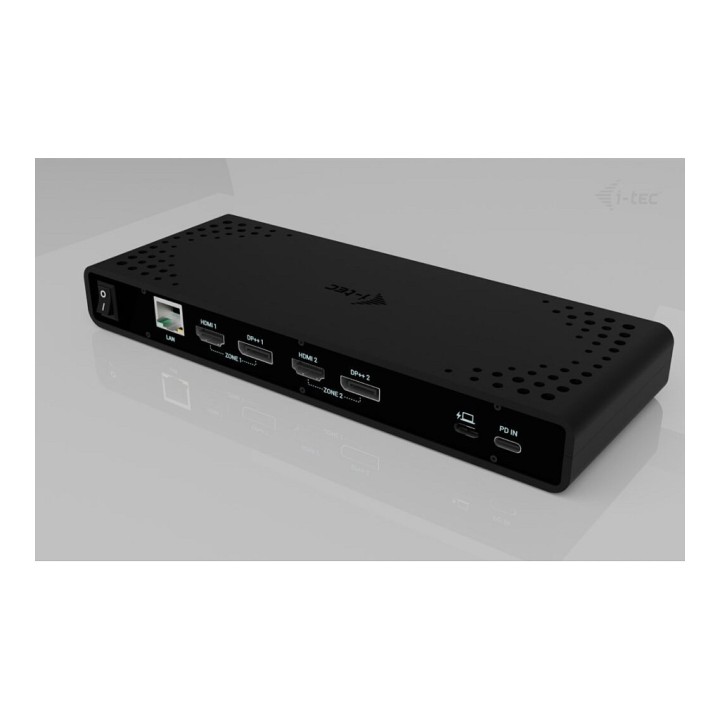
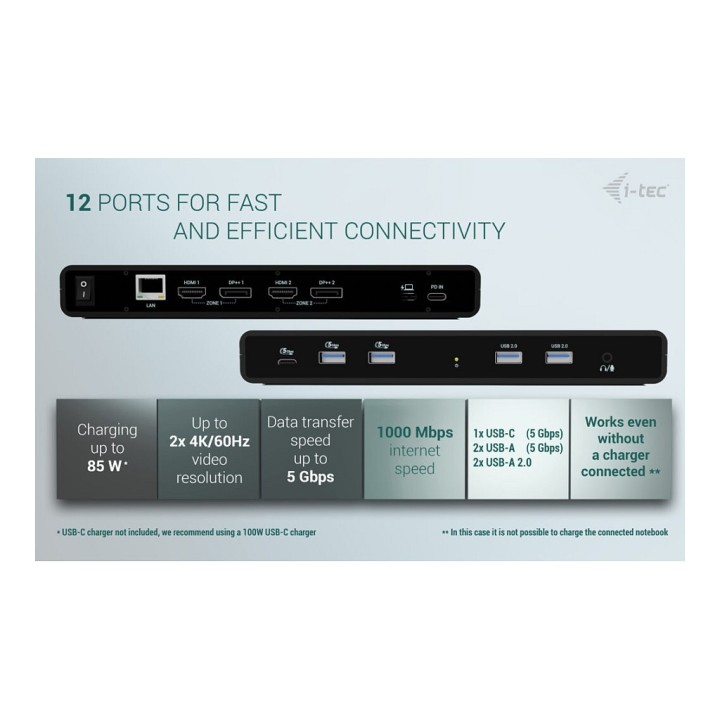
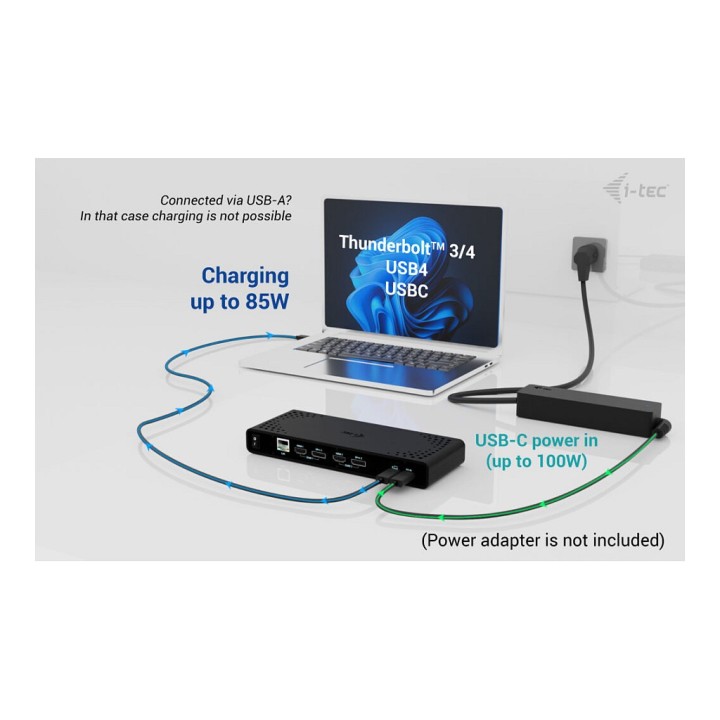
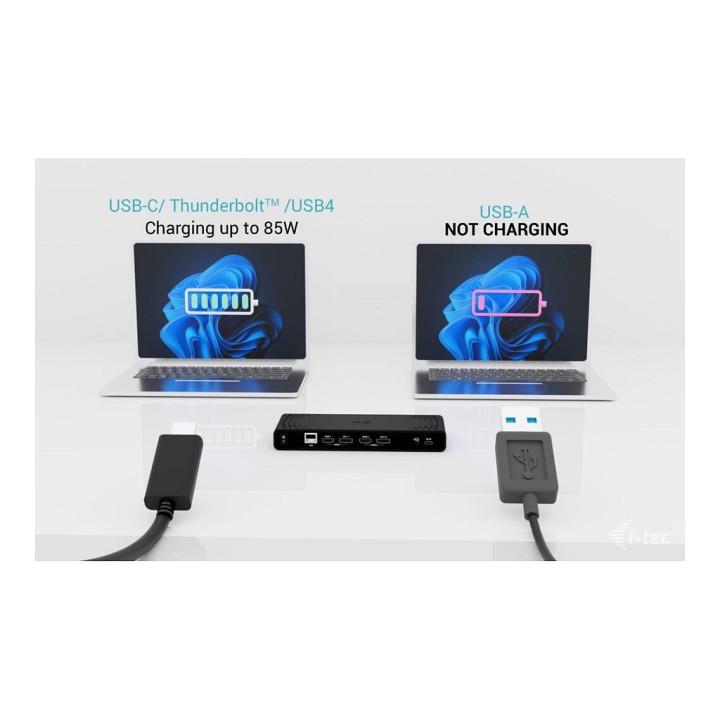
Plenty of ports, a reliable and fast connection to the corporate network thanks to the integrated LAN port and support for installation behind a monitor all make this docking station the ideal companion for true professionals. The docking station can be used when simply connected to a laptop (without a USB-C charger), or with a USB-C charger (not included). In this case, it supports charging of a laptop or tablet, up to 85 W of power.
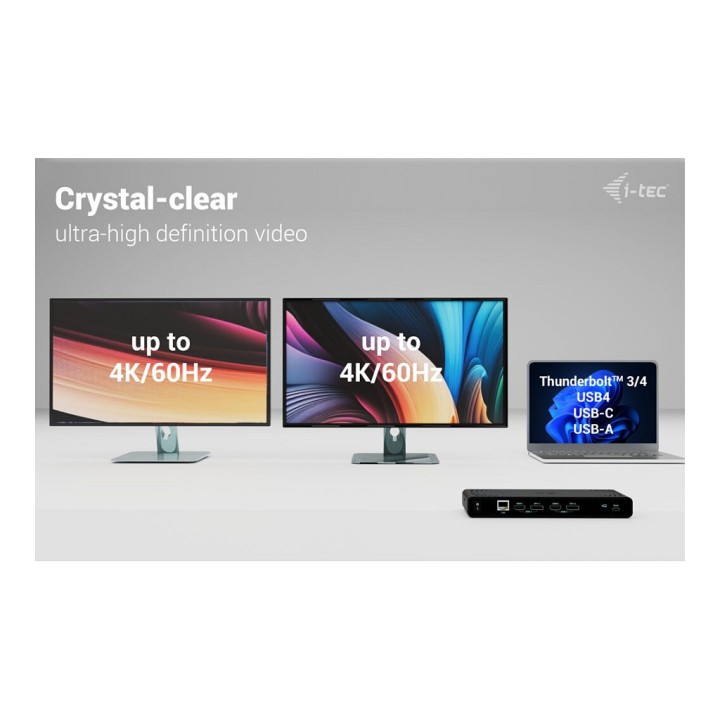
- Connection of 2 external monitors with up to 4K/60Hz resolution
- Power Delivery: up to 85W (when using a 100W USB-C charger; not included)
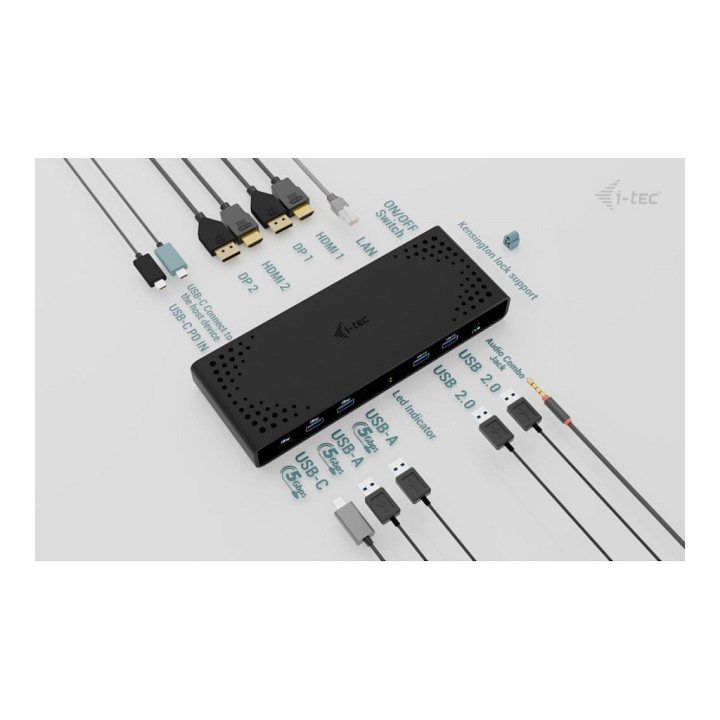
- 2 DisplayPort and 2 HDMI ports available
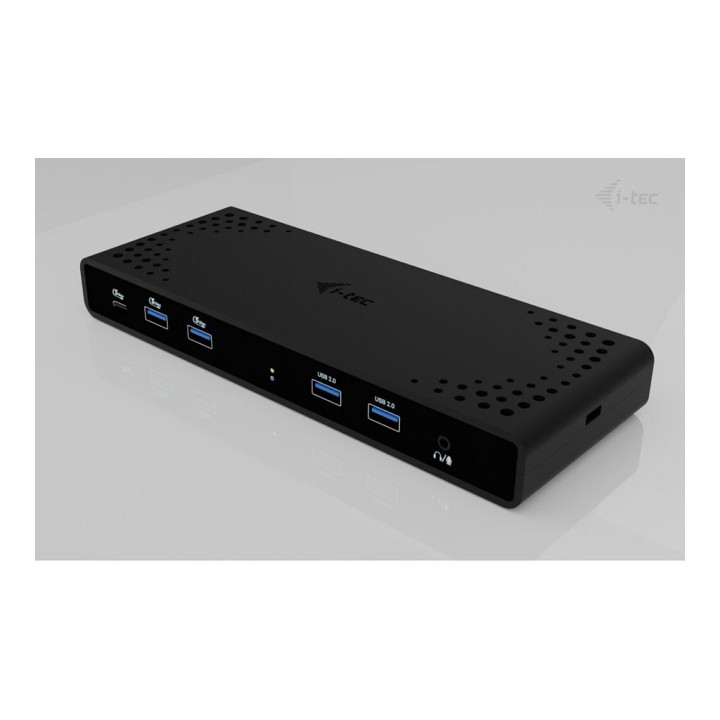
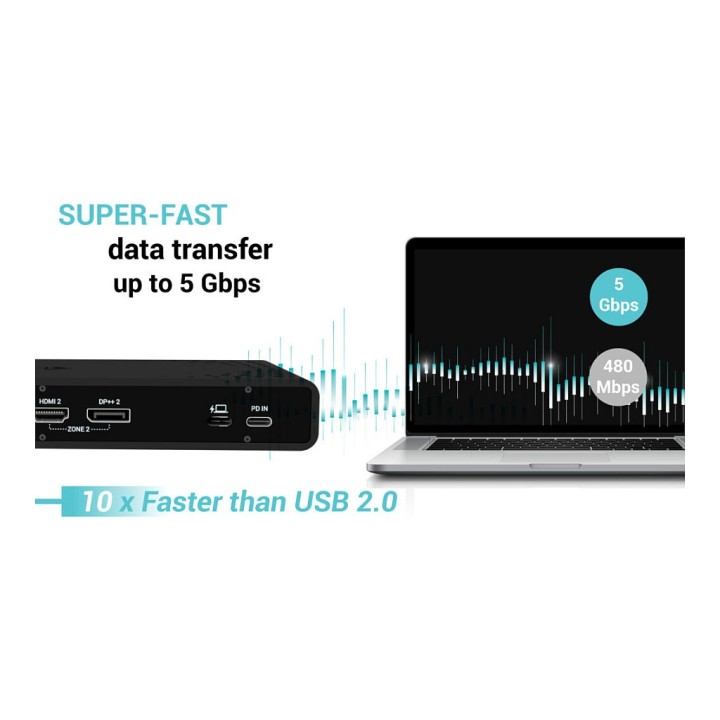
- 2x USB 3.1 Gen 1 (5 Gbps), 2x USB 2.0 and 1x USB-C Gen 1 (5 Gbps) make it easy to connect your USB devices and peripherals
- Gigabit Ethernet RJ-45 provides reliable, robust and high-speed Internet connectivity with support for 10/100/1000 Mbps speeds
- Combination audio and microphone connector
- Kensington lock provides anti-theft protection, especially in shared office environments or public places
- Docking station power switch for maximum power savings
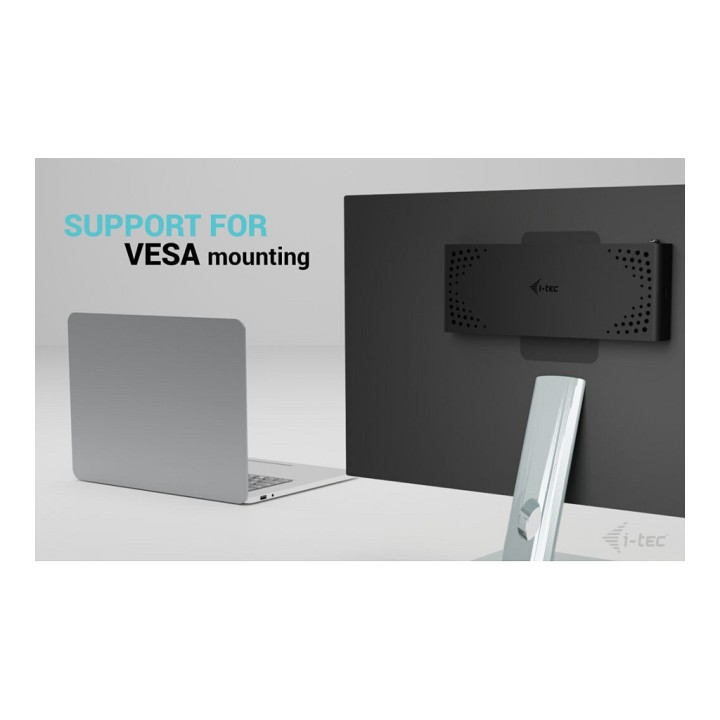
- Docking station supports a VESA mount for smart vertical installation behind a VESA-enabled monitor
- Supports Windows 10/11, macOS, Android 5 or later, Chrome OS R51 or later, Linux Ubuntu
Charging is not supported when the dock is connected via USB 3.0.
Specyfikacja
- USB 3.2 Gen 1 (3.1 Gen 1) Type-A ports quantity: 2
- Host interface: USB 3.2 Gen 1 (3.1 Gen 1) Type-C
- HDMI ports quantity: 2
- DisplayPorts quantity: 2
- USB 3.2 Gen 1 (3.1 Gen 1) Type-C ports quantity: 2
- Combo headphone/mic port: Yes
- USB 2.0 ports quantity: 2
- USB Power Delivery (USB PD): Yes
- USB Power Delivery up to: 85 W
- Connectivity technology: Wired
- Ethernet LAN (RJ-45) ports: 1
- Ethernet LAN: Yes
- Ethernet LAN data rates: 10,100,1000 Mbit/s
- Product colour: Black
- Number of displays supported: 2
- Card reader integrated: No
- Cable lock slot type: Kensington
- Housing material: Acrylonitrile butadiene styrene (ABS)
- Data transfer rate: 5 Gbit/s
- LED indicators: Yes
- HD type: 4K Ultra HD
- Maximum refresh rate: 60 Hz
- Cable lock slot: Yes
- VESA mounting: Yes
- Charging function: Yes
- Power source type: AC
- Power supply: 100 W
- Compatible power plug types: EU
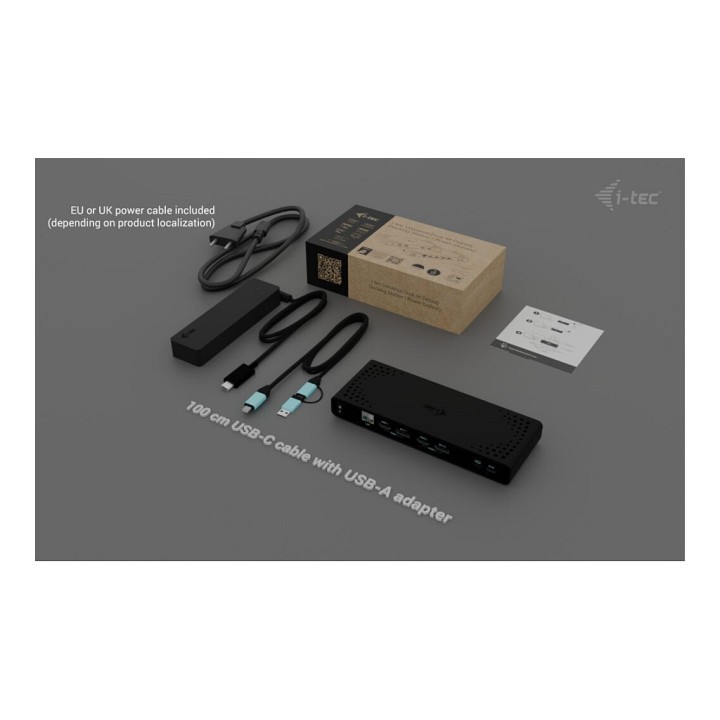
- USB cable length: 1 m
- Windows operating systems supported: Yes
- Mac operating systems supported: Yes
- Linux operating systems supported: Yes
- Other operating systems supported: Android,ChromeOS
- Weight: 340 g
- Depth: 83.4 mm
- Width: 223.8 mm
- Height: 27.1 mm
- Package width: 238 mm
- Package depth: 129 mm
- Package height: 65 mm
- Package weight: 1030 g
- AC adapter included: Yes
- Manual: Yes
- Cables included: AC,USB Type-A to USB Type-C,USB Type-C
Szczegóły produktu
- Marka i-tec
- Kod produktu 66ef73f550c681eab18371ff
- Dostępność 15 Przedmioty
- EAN13 8595611707179
- MPN CADUA4KDOCKPDB100
Specyfikacja
- Złącze do komputera USB 3.2 Gen 1 (3.1 Gen 1) Type-C
- Liczba portów USB-A (szt.) 4 szt.
- Liczba obsługiwanych monitorów (szt.) 2 szt.
- Liczba portów USB-C (szt.) 2 szt.
- Moc ładowania laptopa (W) 85 W
Producent
Producent
i-tec Technologies s.r.o
Teslova 2 702 00 Ostrava Czechy
E-mail: skropka@i-tec.pl
Telefon: +48 513 168 695
Bezpieczeństwo
Informacje o bezpieczeństwie
List of safety warnings for docking stations based on the requirements of General Product Safety Regulation (EU) 2023/988 (GPSR) * Risk of electric shock: * Make sure that the docking station is connected to an efficient grounded outlet. * Do not touch the plug or cable with wet hands. * Avoid using the docking station in areas with high humidity. * Risk of overheating: * Provide adequate ventilation while maintaining at least 5 cm of free space around the docking station. * Do not block ventilation openings. * Do not place the docking station on soft surfaces such as blankets or pillows. * Fire risk: * Use only original power supplies and accessories recommended by the manufacturer. * Do not leave the docking station on unattended near flammable materials. * Risk of bodily injury: * Use the docking station on a stable surface to minimize the risk of falling connected devices. * Avoid using the docking station in a position that causes excessive heat pressure on the skin to prevent burns. * Hazards in humid environments: * Do not use the docking station outdoors in rain or in places with high humidity, such as bathrooms. * If the docking station is flooded, immediately disconnect it from the power source and contact the service. * Hazards at high temperatures: * Do not expose the docking station to direct sunlight. * Avoid using the docking station at temperatures above the recommended range (usually 5-35°C). * Risk of damage during cleaning: * Disconnect the docking station from the power supply before cleaning and use a soft, slightly damp cloth. * Avoid using strong detergents that can damage the surface of the docking station. * Caution when replacing accessories: * Use only accessories recommended by the manufacturer. * When replacing batteries, follow the manufacturer's instructions and do not expose the battery to high temperatures. * Battery Use Hazards: * Avoid damaging the battery by impact or puncture. * If the battery overheats or swells, stop using the docking station immediately. * Child warnings: * Keep power cables out of reach of children. * Make sure your kids don't play with the docking station or accessories that can be dangerous. * Cleanliness: * Failure to regularly clean ports and sockets can lead to damage or failure. * Clean ports and sockets regularly using a dry and clean cloth, avoiding moisture input.
Stacje dokujące
- Nowy
- Nowy
- Nowy
- Nowy
- Nowy
- Nowy
- Nowy
Ostatnio oglądane
Produkty, które ostatnio zwróciły Twoją uwagę.
- Nowy
- Nowy
- Nowy
- Nowy
- Nowy
- Nowy
- Nowy

- Nowy
- Nowy